65 71 165 D3639
D3639.201.01.02.02 10.2016
43
Sirona Dental Systems GmbH 5Operation
Operating Instructions CEREC SpeedFire 5.3Crystallization / glazing process IPS e.max CAD
båÖäáëÜ
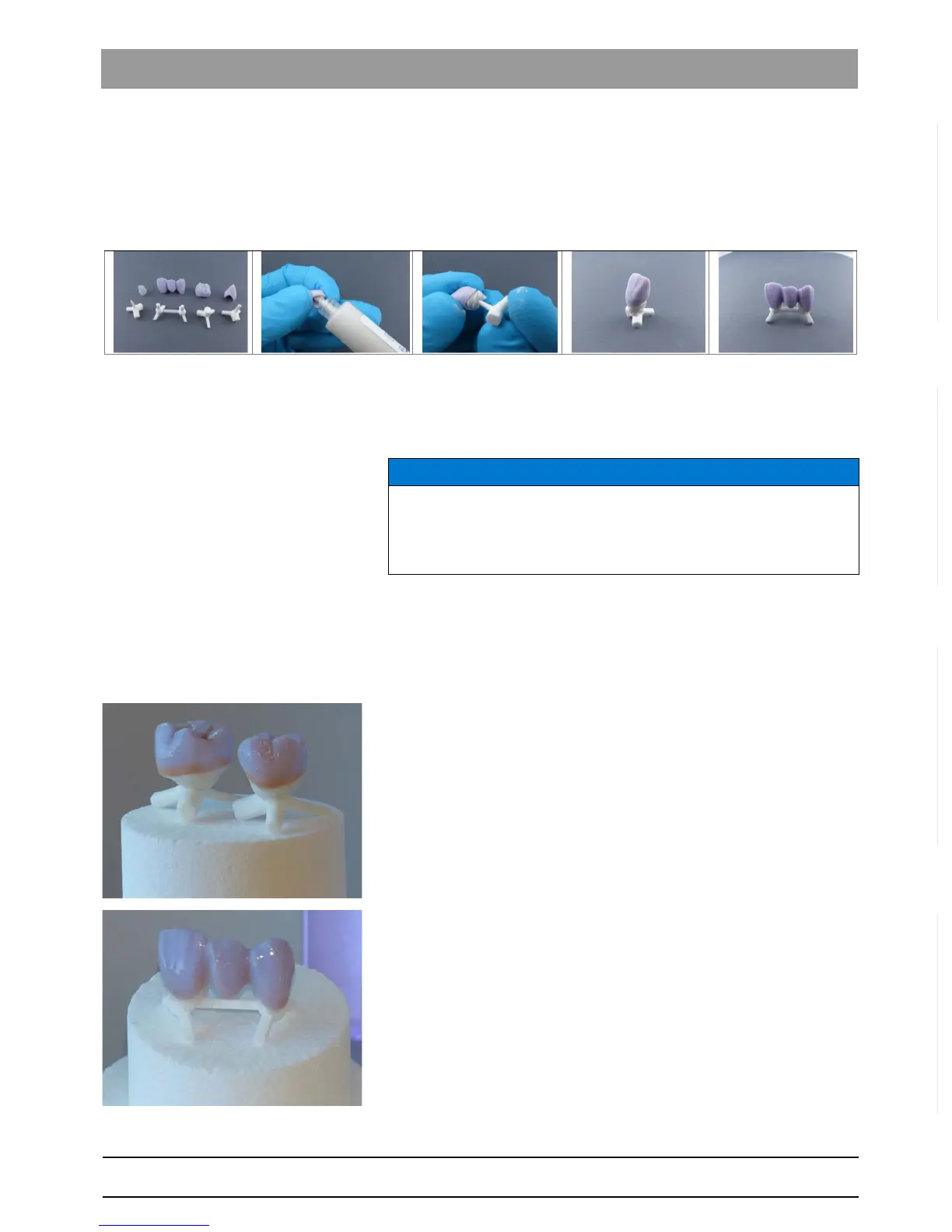
Fixing the restoration with the "Glazing Support Single Unit" / "Glazing
Support Multi Unit" and IPS Object Fix Putty/Flow
Use the restoration holders, IPS Object Fix Putty or Flow (Ivoclar
Vivadent AG) and tweezers supplied in the package for loading the
furnace for the crystallization/glazing process with IPS e.max CAD.
1. Fill the inside of the restoration with the IPS Object Fix Putty or Flow
support paste up the edge of the restoration.
2. Press the selected glazing support into the support paste so that it is
sufficiently fixed.
3. If you wish, apply IPS e.max CAD Crystall/Shades, Stains and IPS
e.max CAD Crystall./Glaze spray or paste to the blue restoration.
4. After this, position the restoration centrally on the top door insulation
and ensure that the holder or restoration do not protrude out from the
door insulation; otherwise, these may collide with the furnace
chamber.
For multi-jobs, a maximum of two individual tooth restorations can be
positioned together in the furnace.
Three-unit bridges must be fired individually.
NOTICE
For IPS e.max CAD abutments / abutment crowns, do not press the
rejuvenating pin for the glazing support single unit so that it does not
affect the walls.



 To Next Page