SJ519 TH 216939ADA
55
Steering the Telehandler Section 5 – Operation
5.3 Steering the Telehandler
Steering is controlled by means of the steering wheel
in conjunction with the steer mode switch for the type
of steering desired.
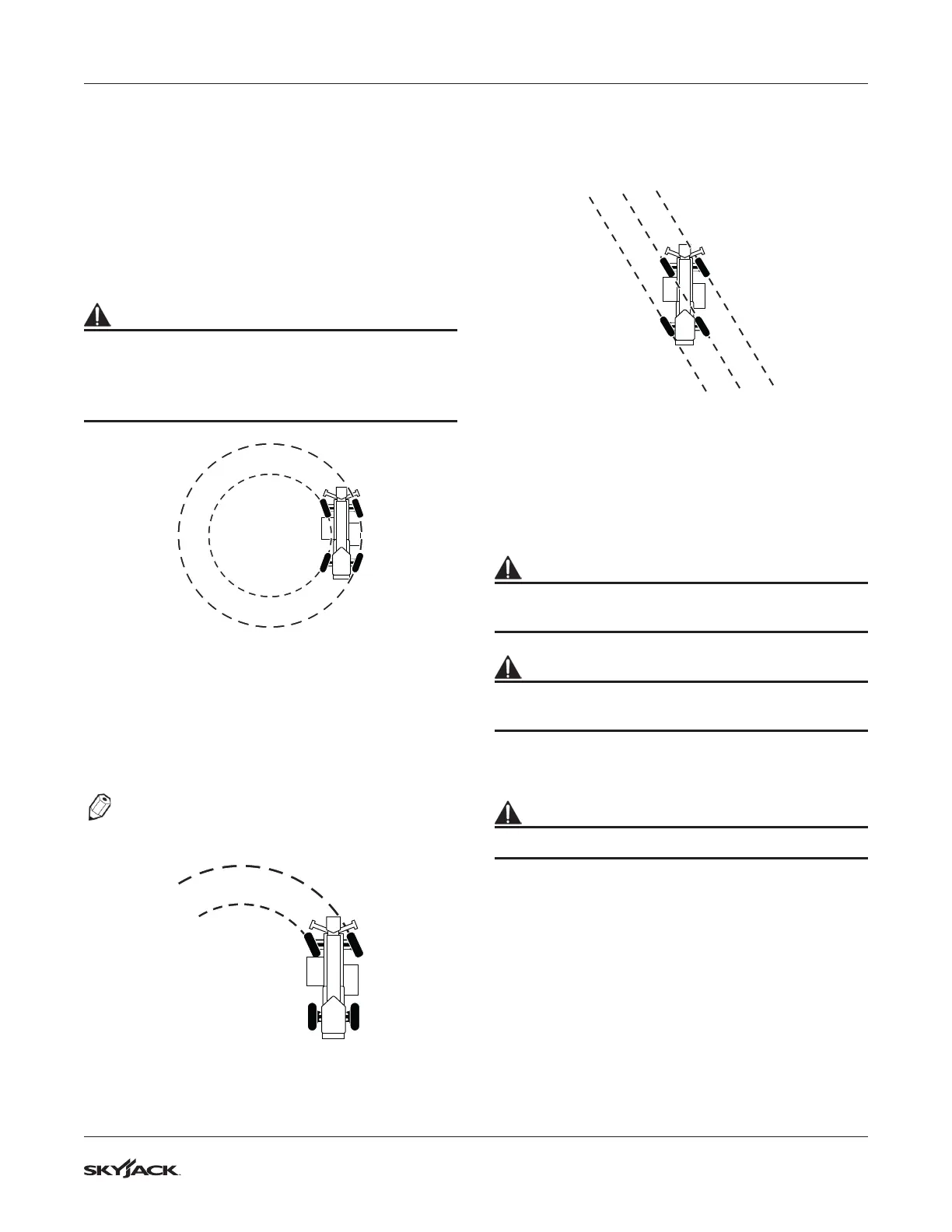
5.3-1 Four-wheel Steering
This steer mode is most commonly used on the job
site and will give the smallest turn radius available.
WARNING
Do not use four-wheel steering mode when driving
on public roads and highways.
Do not travel at a higher speed when using four-
wheel steering mode.
Figure 20 Four-wheel Steering
5.3-2 Front Steering (Two-Wheel)
Two-wheel steer is used during road travel in order
to reduce the risk of possible overturn due to over-
steering.
NOTE
Loss of electrical power will allow front steering
only.
Figure 21 Front Steering
5.3-3 Crab Steering
The crab steer is used for maneuvering into tight
spots.
Figure 22 Crab Steering
5.3-4 Adjusting the Tilt Steering Wheel (If
Equipped)
This option allows the operator to adjust the angle of
the steering wheel.
WARNING
Ensure that you maintain three points of contact to
mount/dismount the cab.
WARNING
Ensure that the tilt steering wheel is locked into
position after adjustment.
1. Enter cab and close door (if equipped).
2. Sit in the driver’s seat and fasten seat belt.
WARNING
The seat belt must be worn at all times.
3. Locate the push button in the steering column,
and press it to release the tilt steering lock.
4. While pressing the push button, adjust the
steering at the desired position and release the
push button to lock the steering column.


 To Next Page