SJ519 TH 216939ADA
59
DEUTZ Engine Data Display Module Section 5 – Operation
5.10 DEUTZ Engine Data
Display Module
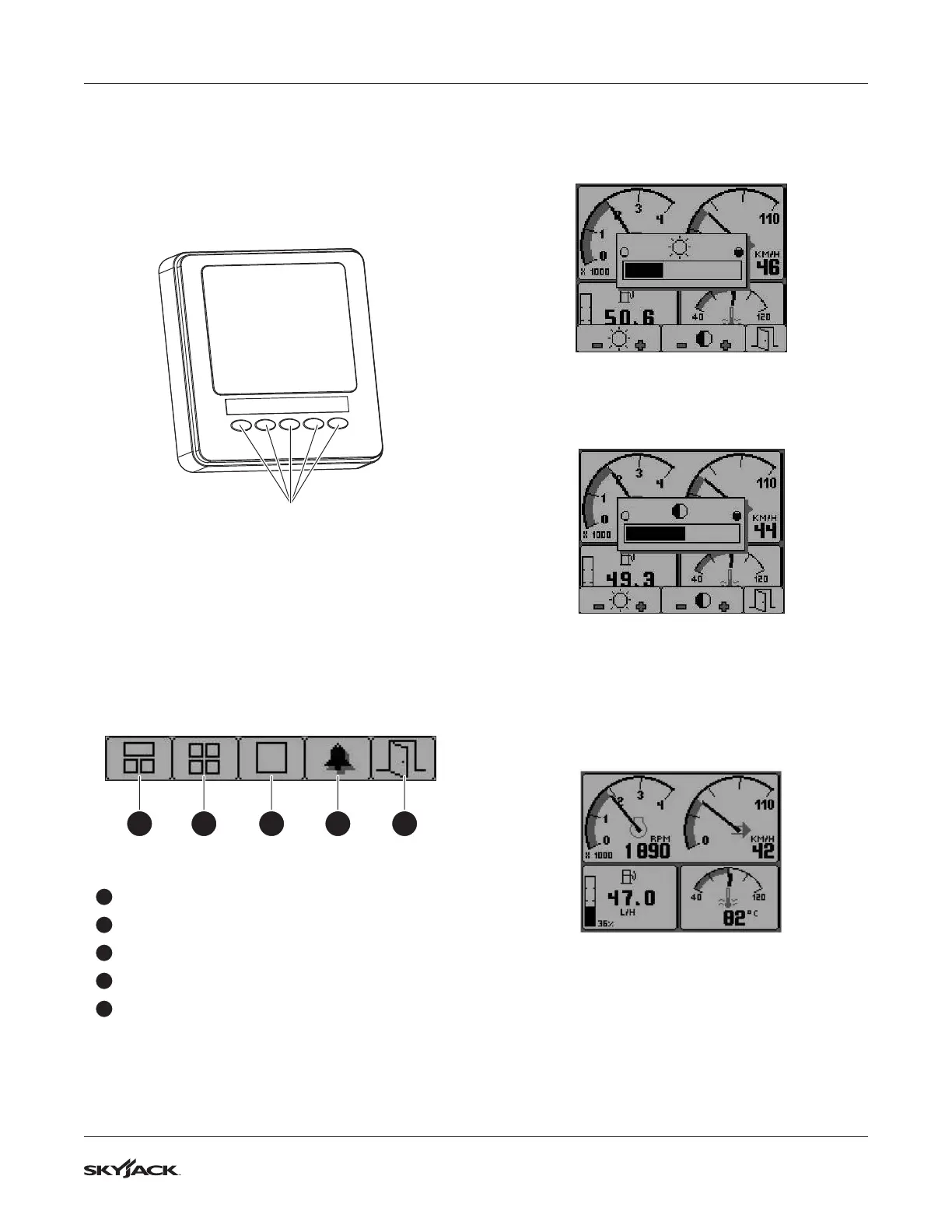
The DEUTZ Display combines a graphic LCD display
with five function buttons at the bottom of the screen
(see Figure 24).
1
2
3
4
5
Function buttons
Figure 24 Engine Data Display Module
5.10-1 Function Buttons
1. Pressing any button calls up the main buttons
menu.
2. The positioning of the symbols above the
relevant button allows the button function to
be changed. The buttons correspond to the
following functions:
1 2 3 4 5
Figure 25 Main Buttons Menu
1
Engine Main Display
2
Quad Display
3
Graphic Display
4
Error Messages
5
Exit
5.10-2 Contrast & Illumination Settings
1. Pressing button 5 calls up the Contrast and
Illumination menu when the menu symbols are
not displayed.
2. Adjust illumination using button 1 for dimming
or button 2 for brightening the illumination.
Figure 26 Setting Screen Illumination
3. Adjust contrast by using button 3 to decrease
contrast and button 4 to increase the contrast.
Figure 27 Setting Screen Contrast
5.10-3 Engine Main Display
1. To show the engine main display, press any
button to display the menu symbols, then press
button 1.
Figure 28 Main Screen
2. The top window shows two scales: engine RPM
and coolant level. The bottom left window shows
the instantaneous fuel consumption while the
right window shows the coolant temperature.


 To Next Page