IDP-782 - Hardware Guide
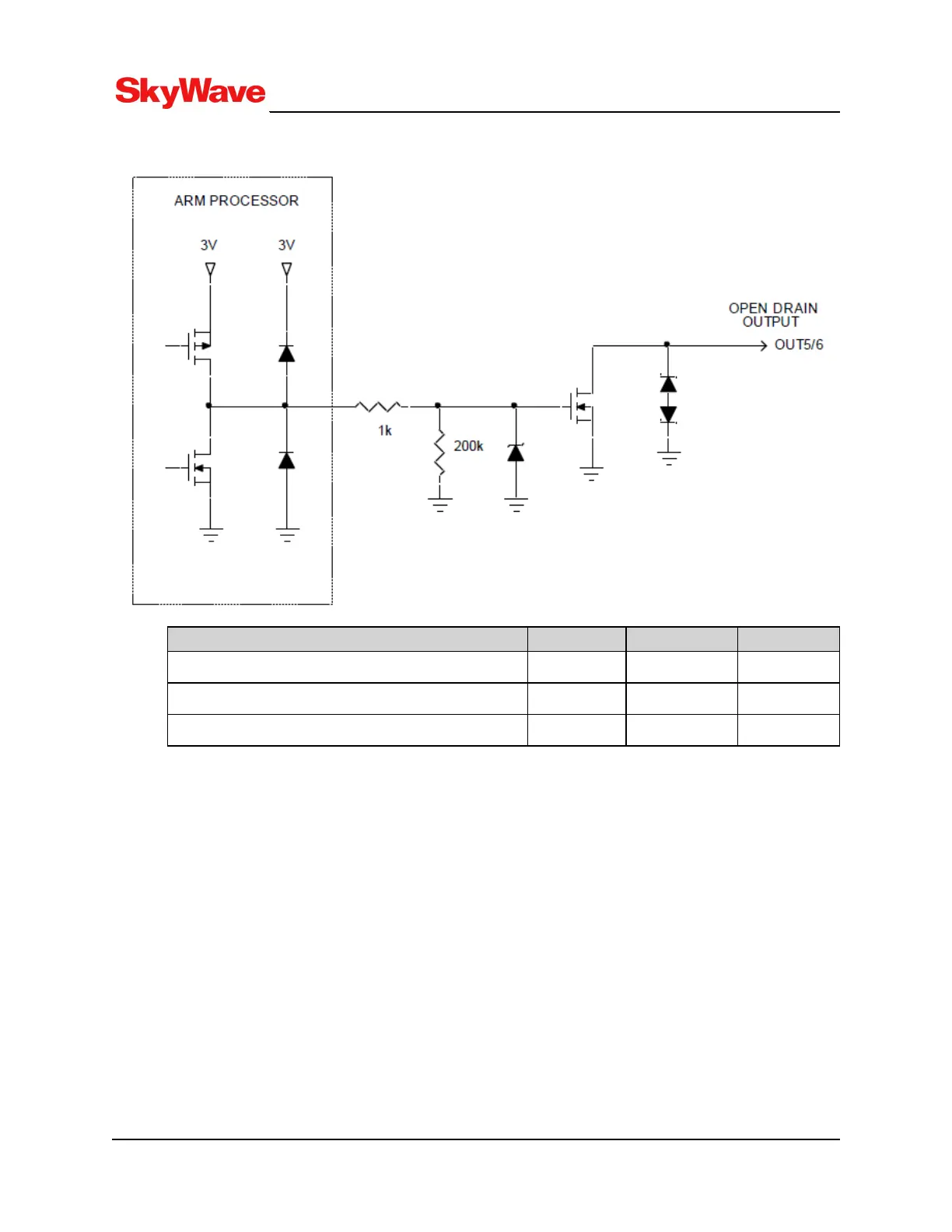
Figure 13: Open Drain Outputs
Parameter Typical Max. Units
Sink Current - 250 mA
Applied Voltage - 20 V
Voltage output (sink current = 250 mA) 0.34 1.6 V
3.4.5 Pass-Through Mode
A terminal can be configured for pass-through mode when there is no application firmware present. A
block diagram of pass-through mode is shown in Figure 14. In pass-through mode, the terminal connects
the modem's serial interface to the terminal's RS-232 port.
T213, Version 02
33
© SkyWave Proprietary


 To Next Page