IDP-782 - Hardware Guide
APPENDIXE Remove the FAKRA Housing for Cable
Installation (optional)
To remove the FAKRA housing, so it can fit through a small hole, follow the steps below.
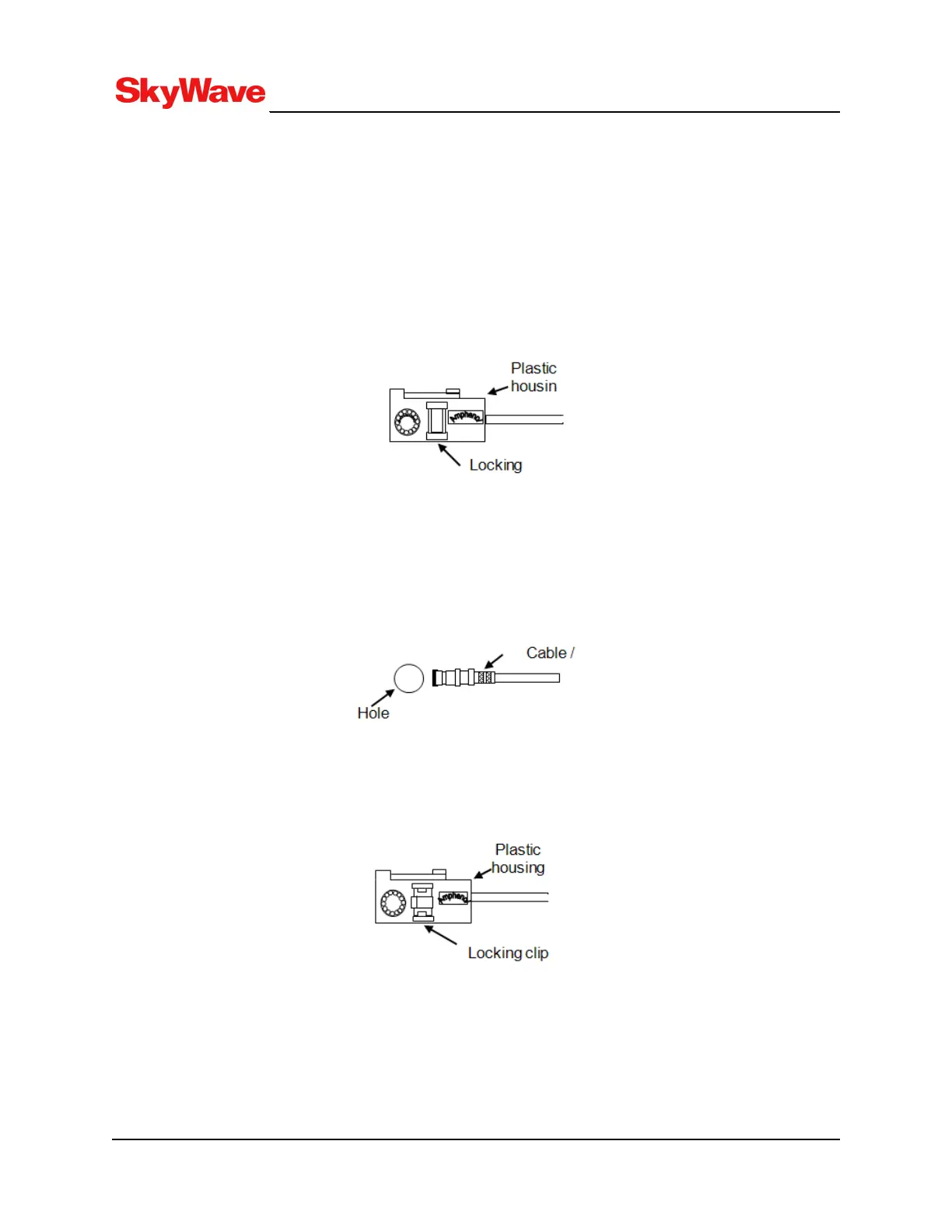
1. Remove the locking clip (Figure 58) from the plastic housing using a small pair of electronics pliers.
Do not lose the locking clip. You require it later.
Figure 58: Locking Clip and Plastic Housing
2. Pull off the plastic housing (Figure 58) from the cable’s main body.
The exposed ferrule has a maximum diameter slightly wider than the cable.
3. Push the cable through the hole (Figure 59).
Figure 59: Cable without Housing
4. Slide the plastic housing back onto the ferrule as far as it can go (Figure 60).
Figure 60: Locking Clip (removed) and Plastic Housing
5. Press the locking clip, until you hear a snap, back into the main body (Figure 60).
T213, Version 02
81
© SkyWave Proprietary


 To Next Page