IDP-782 - Hardware Guide
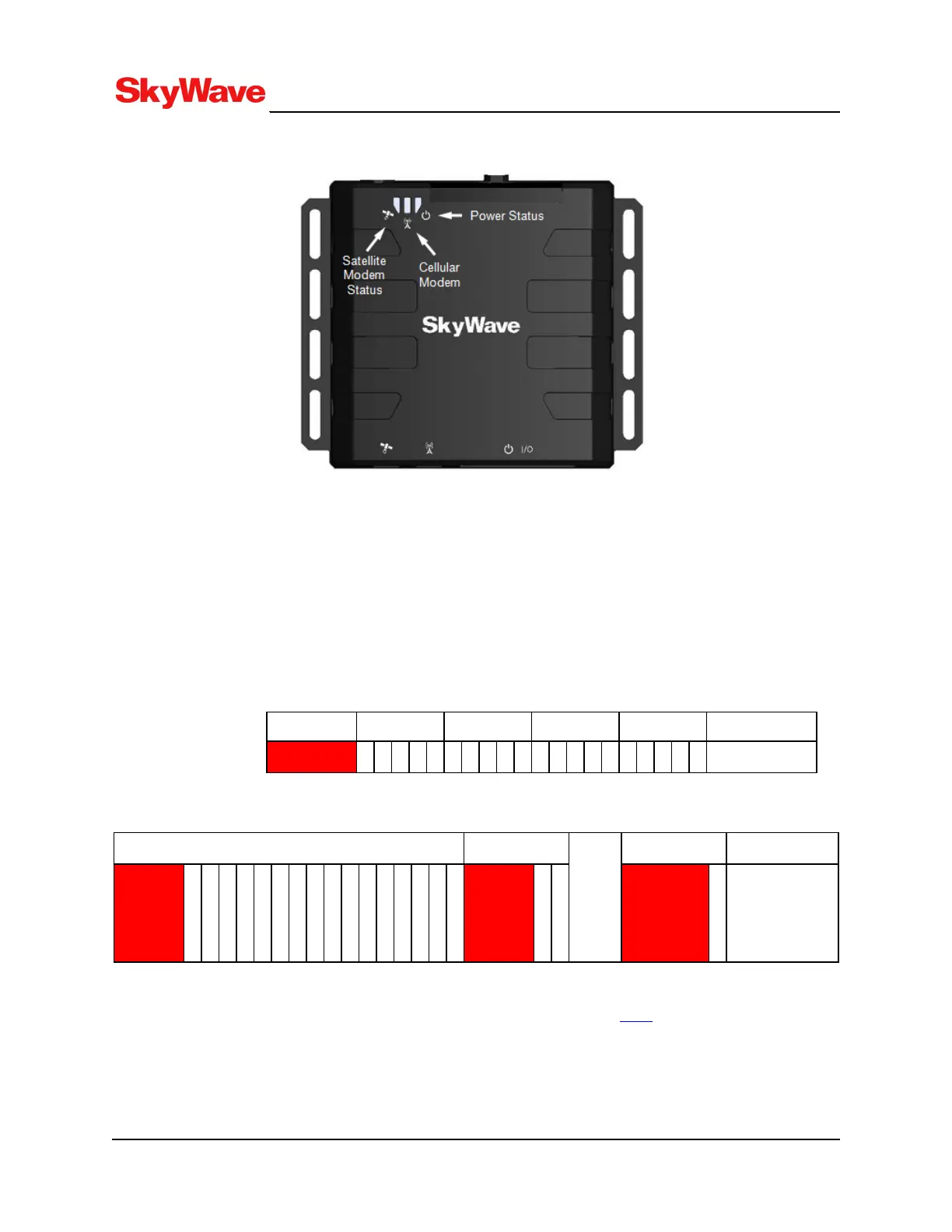
Figure 24: LED Location
l Terminal Power - Red
Indicates that the terminal has external power. This LED is on continuously (solid red) when power
is applied.
l Satellite Status - Yellow
Indicate satellite communications status as follows:
Figure 25 and Figure 26 show the power on LED flashing sequence.
Figure 25: Power On Sequence
Second 0 1 2 3 4 Meaning
Power on: 1s/5s
Figure 26: Terminal Booting Sequence
Second 5 Second 6... Sec 7...16 Meaning
Terminal
Booting
12 Flashes
@200ms/1s
When the terminal firmware is up and running along with the Lua Services Framework, the LSF or a user
application can be set to control the LED. The ledControl property [T202] of the system service is used
for this purpose.
T213, Version 02
52
© SkyWave Proprietary


 To Next Page