CHAPTER 1
WELCOME
7 smarttech.com/kb/171225
No. Name More information
2 Speaker Connect to an amplified speaker
3 MIC Connect to microphone
NOTE
The built-in microphone will be disabled once the external
microphone is connected to the document camera.
4 Reset Resetting the document camera will set it back to standby
mode
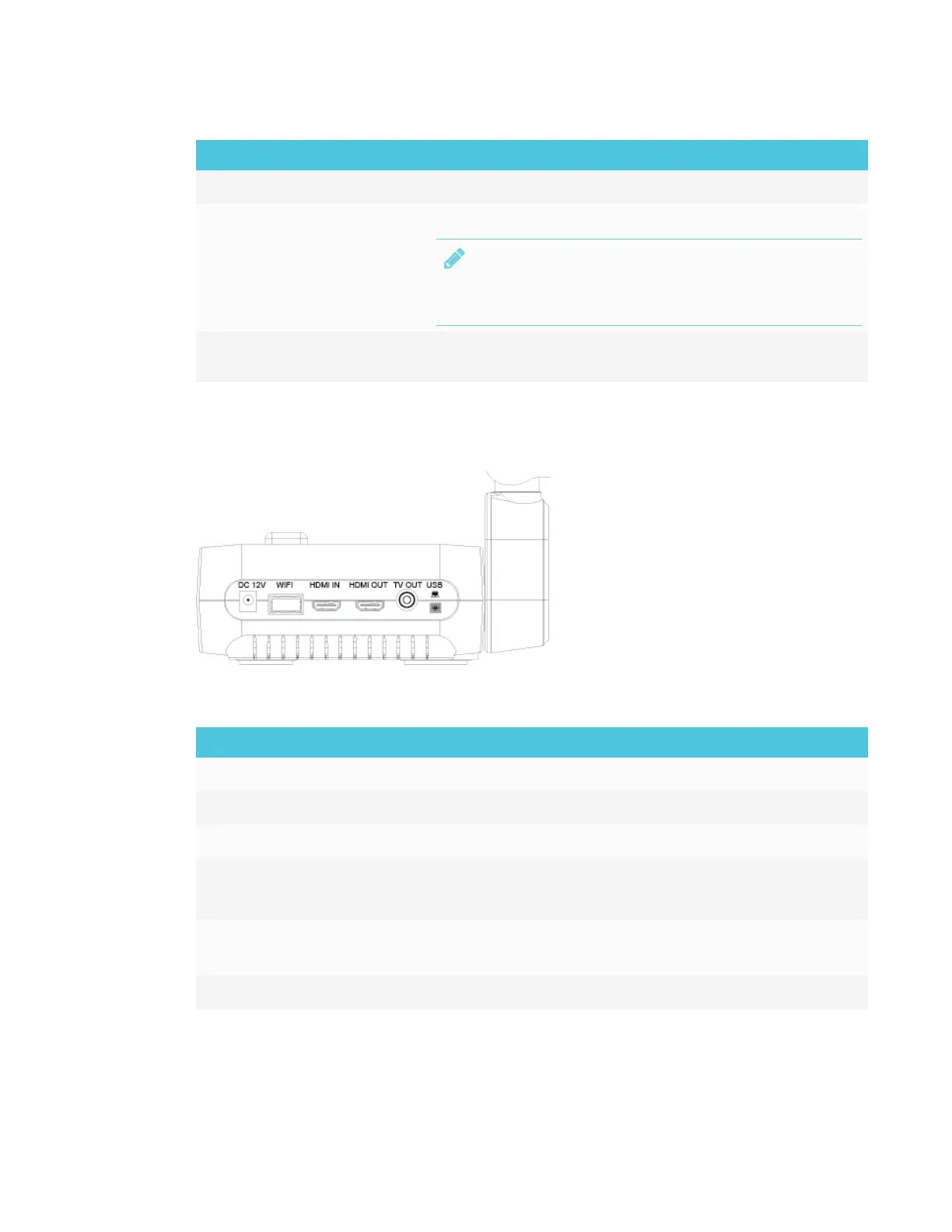
Rear panel
The rear panel of the document camera consists of the following connectors:
No. Name More information
1 DC 12V Connect the power adapter
2 WiFi dongle port Connect the WiFi dongle
3 HDMI IN Connect to an external HDMI source
4 HDMI OUT
l
Connect as an output video signal to a monitor or projector
l
HDMI OUT is used to transmit high definition images
5 TV OUT
l
Connect to a device with a TV output
l TV OUT is used to transmit standard definition images
6 USB mini-B Connect to a computer



 To Next Page