CHAPTER 1
WELCOME
8 smarttech.com/kb/171225
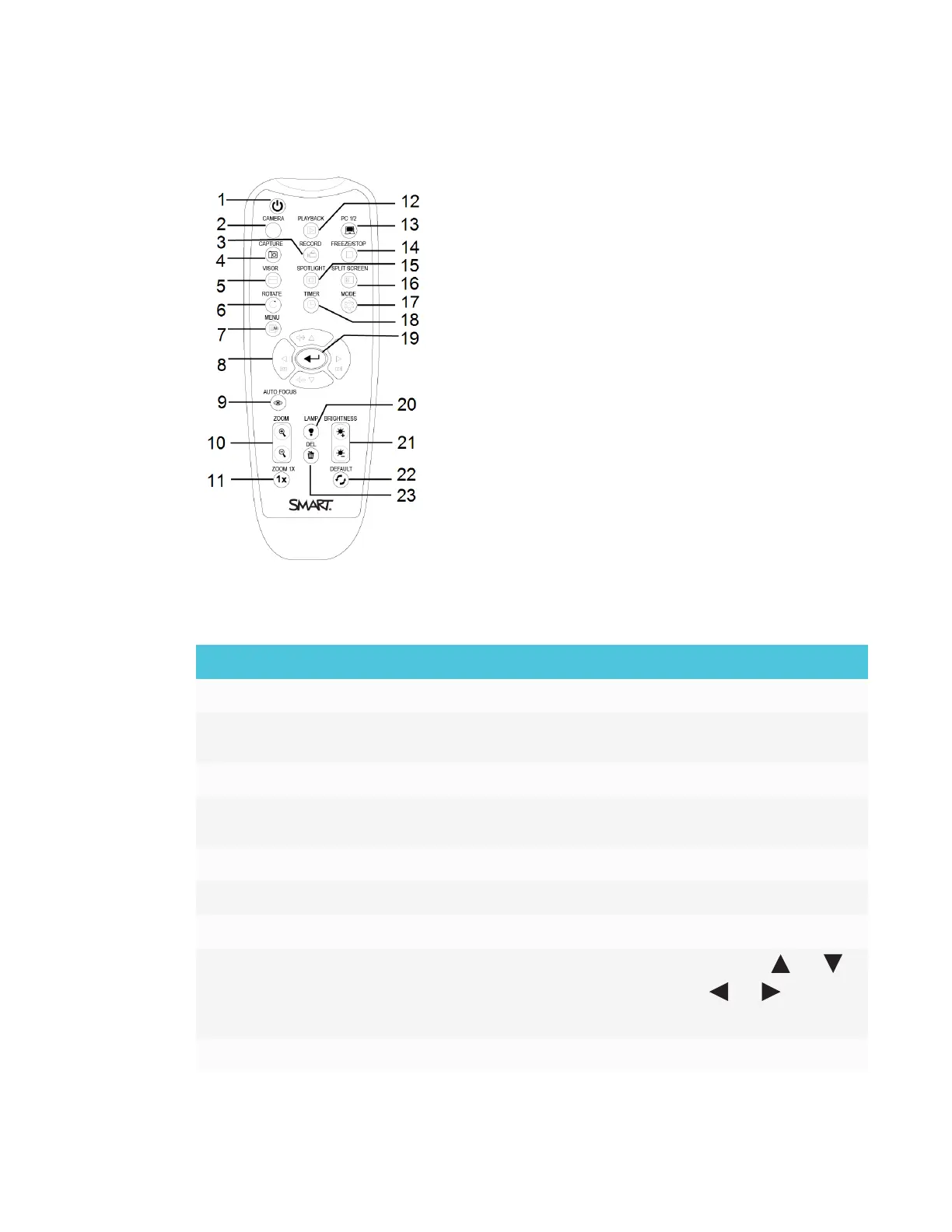
Remote control
All features of the SMART Document Camera 550 can be accessed with the remote control. The
remote control requires two AAA batteries.
No. Name More information
1 Power
Power ON/OFF the document camera
2 Camera
Camera mode displays the video signal from the document
camera
3 Record
Start or stop recording video and audio
4 Capture Capture still image in Camera mode. When in continuous
capture mode, press this button again to stop
5 Visor
Hide parts of the presentation screen
6 Rotate
Rotate an image in Camera or Playback mode
7 Menu Access the OSD menu
8 Navigate arrows
l
Adjust the volume of a video play back by using and
l
Fast-forward to rewind a video by using and
l
Adjust the spotlight frame and visor screen coverage
9 Auto-focus Automatically adjust focus



 To Next Page