CHAPTER 4
USING YOUR DOCUMENT CAMERA IN CAMERA MODE
40 smarttech.com/kb/171225
Setting options Description
Flicker
Select refresh rate:
o
50 Hz
o
60 Hz
Saturation
Adjust the saturation setting.
Date/Time
Set the time and date.
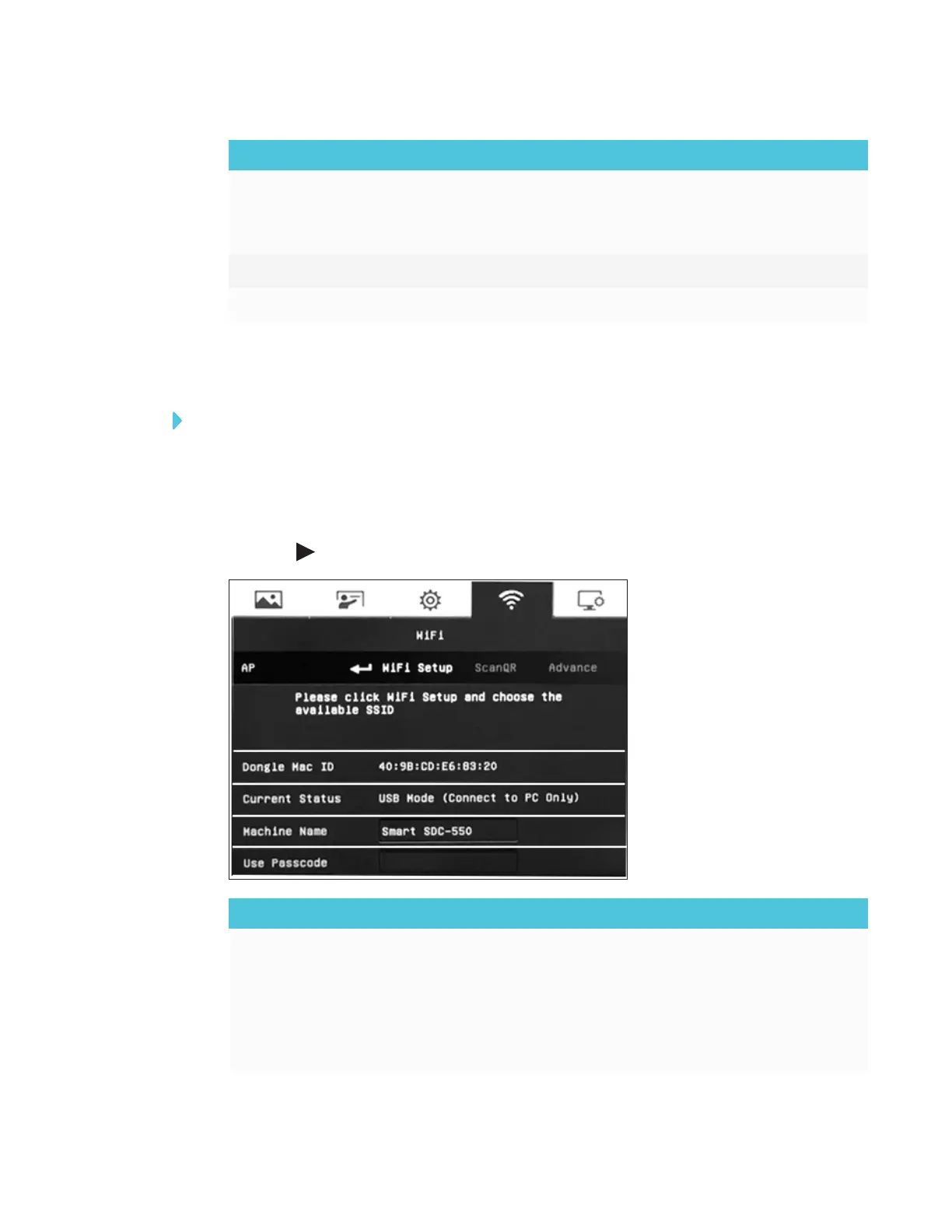
Accessing the WiFi menu
To access the WiFi menu
1. Set your document camera to Camera mode.
2. Press the MENU button on the control panel or remote control.
The OSD menu appears.
3.
Press the button on the control panel or remote control to navigate to the WiFi tab.
WiFi setting options Description
AP
Select to set up the WiFi connection.
o
WiFi Setup – Connect to a network by entering the IP
information.
o
ScanQR – Connect to a network by scanning the QR code.
o
Advance – Import a certificate and choose whether to set a
static IP.



 To Next Page