CHAPTER 4
USING YOUR DOCUMENT CAMERA IN CAMERA MODE
39 smarttech.com/kb/171225
3.
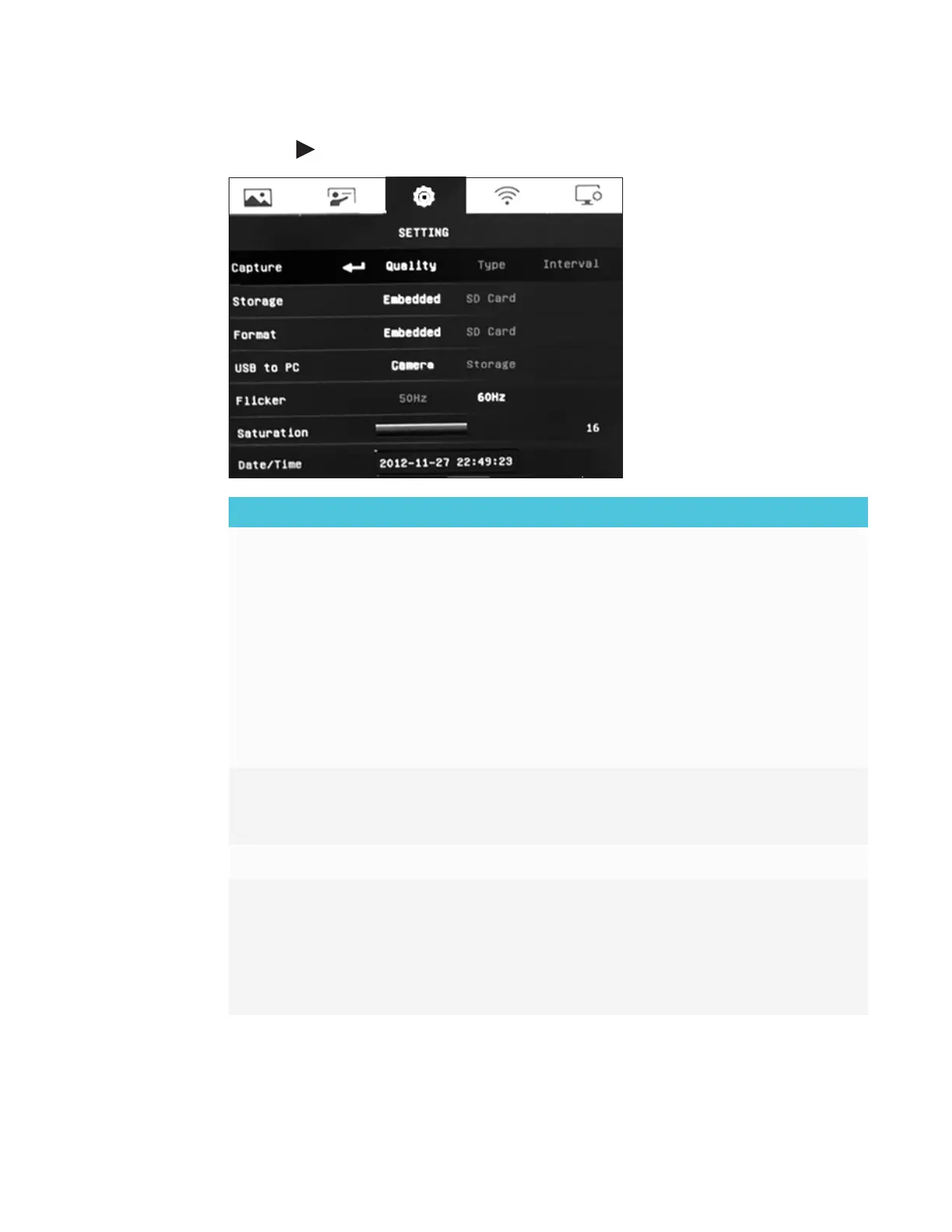
Press the button on the control panel or remote control to navigate to the Setting tab.
Setting options Description
Capture
Select to set the capture resolution, quality, type, and interval
settings.
o
Resolution – select image capture size. In 2 M setting, the
capture resolution is 1920 × 1080p.
o
Quality – select image quality: Finest, High, Normal.
o
Type – select image capture type:
o
Single – capture one picture at a time.
o
Continuous – capture consecutive pictures.
o
Interval – Set the time interval for continuous capture. The
length can be up to 600 sec (10 min).
Storage
o
Change the storage location.
o
Audio and video recording can be saved only on an
SD/SDHC card.
Format Delete all the data in the selected memory.
USB to PC
Select the status of your document camera when it’s connected
to the computer using a USB cable.
o
Camera – can be used as a computer webcam to record
videos or capture images.
o
Storage – transfer captured images or videos from the
memory to a computer hard drive.



 To Next Page