CHAPTER 2
GETTING STARTED
14 smarttech.com/kb/171225
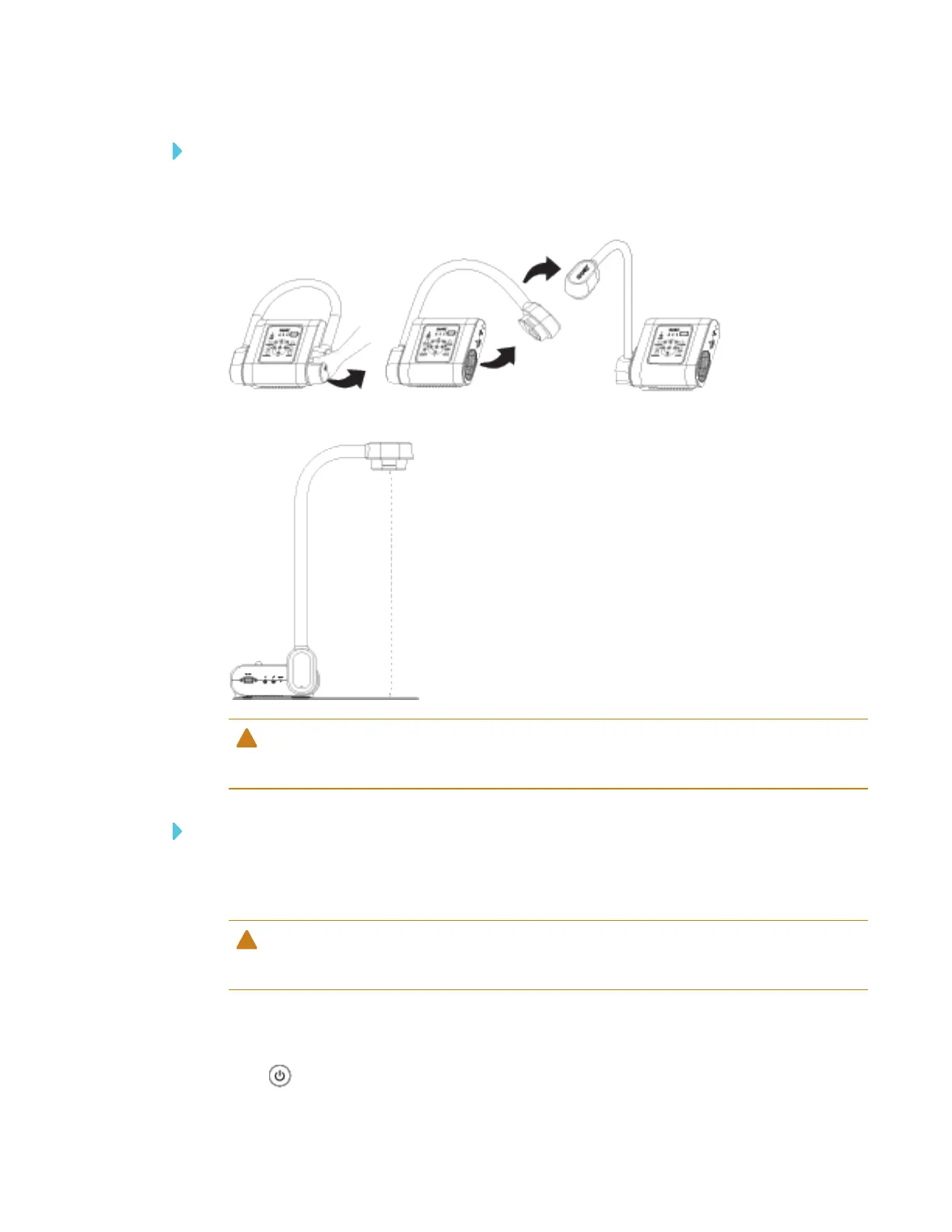
To unfold and position your document camera
1. Place a hand on the base of the document camera to stabilize it.
2. Press the camera head down, and then pull the camera arm outward and upward.
3. Move the camera head and aim the lens at your object.
CAUTION
Do not extend the camera head too far from the body, doing so can cause the unit to fall.
To connect your document camera to the power supply
1. Connect the power supply cable to the DC 12V port on the rear connection panel.
2. Connect the country-specific cable to the power supply.
CAUTION
Ensure the power cord is plugged into the camera as well as the wall.
3. Connect the plug to a power outlet.
Once the power is connected, the document camera will enter standby mode.
4.
Press to power on the document camera.



 To Next Page