CHAPTER 4
USING YOUR DOCUMENT CAMERA IN CAMERA MODE
35 smarttech.com/kb/171225
3.
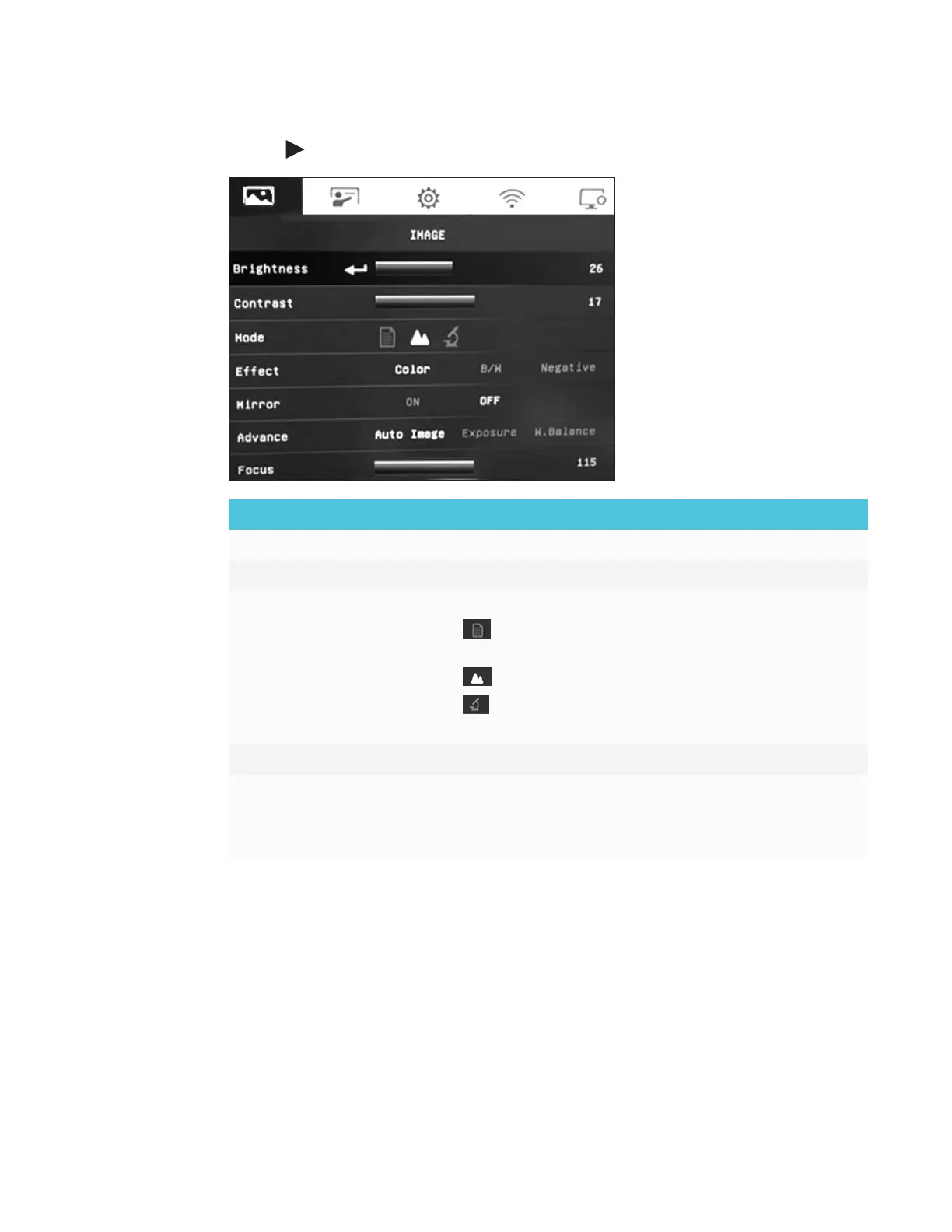
Use the button on the control panel or remote control to navigate to the Image tab.
Image setting options Description
Brightness Adjust the image brightness level manually.
Contrast Adjust the image contrast level manually.
Mode Select an option from three image display settings:
o
Text – adjust the contrast to make text appear more
visible.
o
Graphic – adjust the gradient of image.
o
Microscope – adjust the optical zoom for microscopic
view.
Effect Convert the image to color, black/white, or film negative.
Mirror Select to flip the image:
o
ON – displays a mirrored image.
o
OFF – displays a normal image.



 To Next Page