CHAPTER 4
USING YOUR DOCUMENT CAMERA IN CAMERA MODE
37 smarttech.com/kb/171225
3.
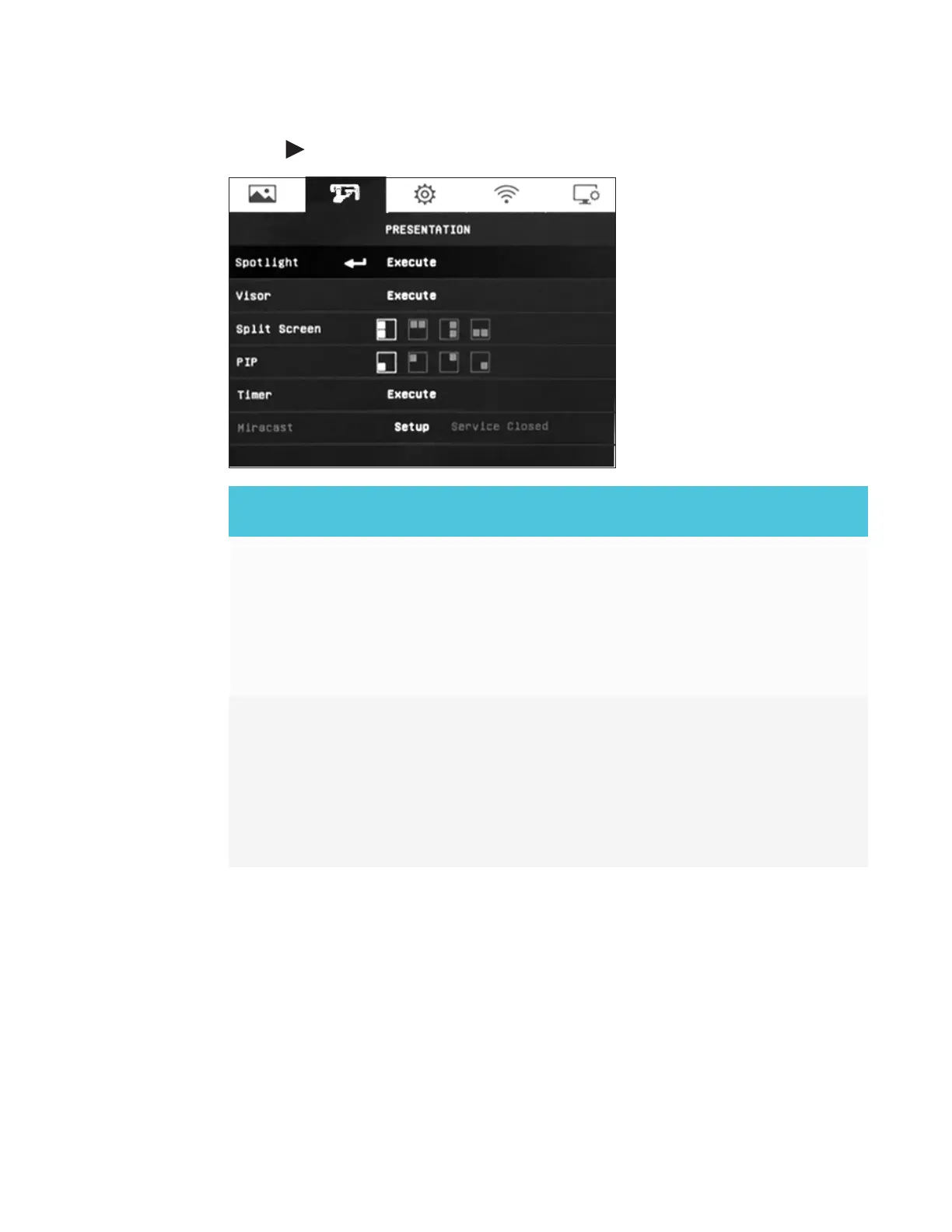
Use the button on the control panel or remote control to navigate to the Presentation tab.
Presentation setting
options
Description
Spotlight Select to highlight an are on the presentation screen.
o
Set and move the overlay frame on the presentation screen.
o
Select Execute to access the Spotlight sub-menu settings:
o
ON/OFF – turn the Spotlight on or off.
o
Shade – adjust the opacity level of the spotlight frame.
o
Color – select and change the color of the spotlight frame.
Visor Select to coves the presentation screen. The top part of the
presentation screen remains slightly exposed.
o
Use the arrow buttons on the control panel or remote control to
adjust and move the covered area.
o
Select Execute to access the Visor sub-menu settings:
o
ON/OFF – Turn the Visor on or off.
o
Shade – Adjust the opacity level of the spotlight frame.



 To Next Page