20
4. PREPARATION TO THE USE OF THE MACHINE
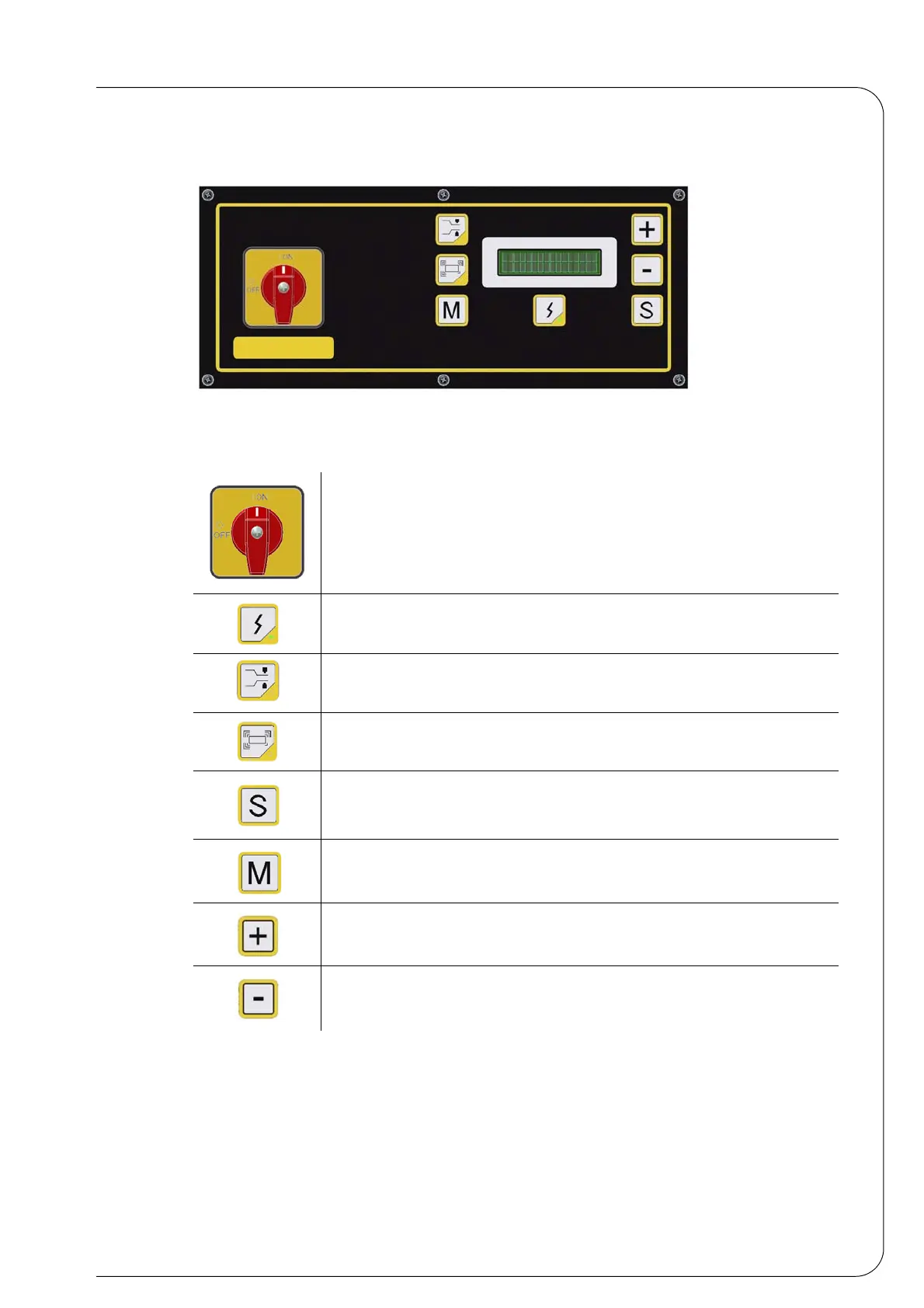
4.1 DESCRIPTION OF THE PUSH-BUTTONS
4.2 MACHINE S440-S560-S870 SWITCH ON
Turn the main switch of the control panel ON.
At first, the electronic board of all packaging machines will display the machine model and the
software version. Then, only the last operating mode stored will be displayed (sealing or heat-
Machine start-up and switch-off
It connects power for S560N-S560NA models, after the machine start-
up; the led on indicates that the power supply is correct.
It selects the sealing programme (the product is packaged in a non rigid
packet).
It selects the heat-shrinking programme (the product is packaged in a
clinging packet).
It displays the parameters of the programme menus.
- It selects the available memories
- It stores the modified data in the programme menu.
It increases the value of the selected parameter
It decreases the value of the selected parameter


 To Next Page