34
6.1 ELECTRONIC BOARD REMOVAL
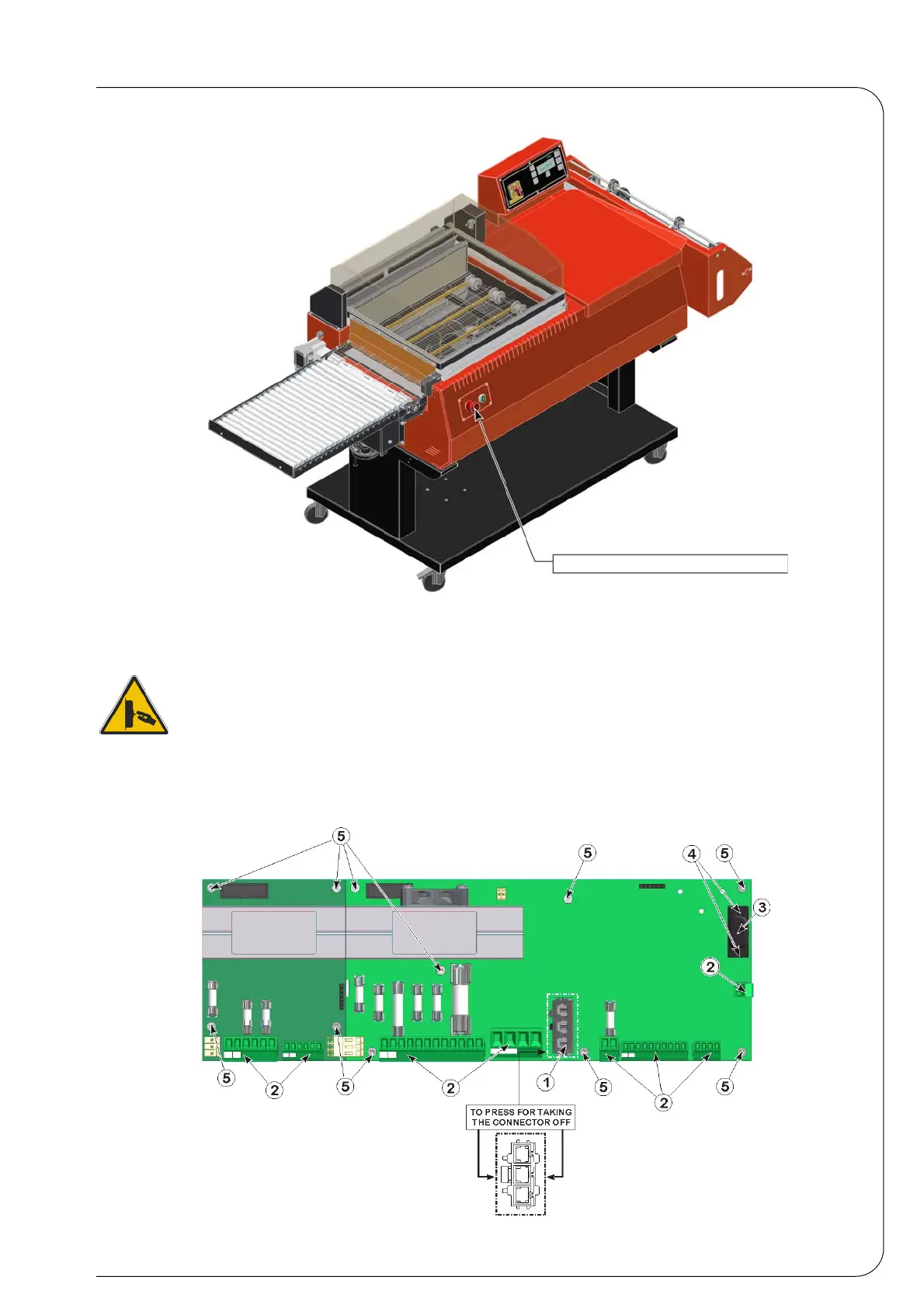
If it is necessary to replace the electronic board, please proceed as follows (see Fig. 6.2.1):
Disconnect the voltage and wait for at least 5 minutes before starting any operation.
• Remove the connector 1 by pressing by the sides, as indicated on the label.
• Remove the connectors 2 on the board, paying attention not to use the cable, but the
connector itself.
• In order to remove the connector 3, unscrew the screws 4.
By means of the specific spanner, unscrew the screws 5 which tighten the board to the
machine.
Inspection of the key-board
Fig. 6.1.1


 To Next Page