23
D735 User Manual Getting to Know Your Phone
Conference See "Conference" on page 56 for more information.
Smart transfer TBA
Silent mode Turns o the phone's ringer; red LED lights up. Press again to turn it back on;
LED turns o.
Dialed List of dialed calls for redialing, last-dialed call at the top of the list.
Alphanumeric Keypad
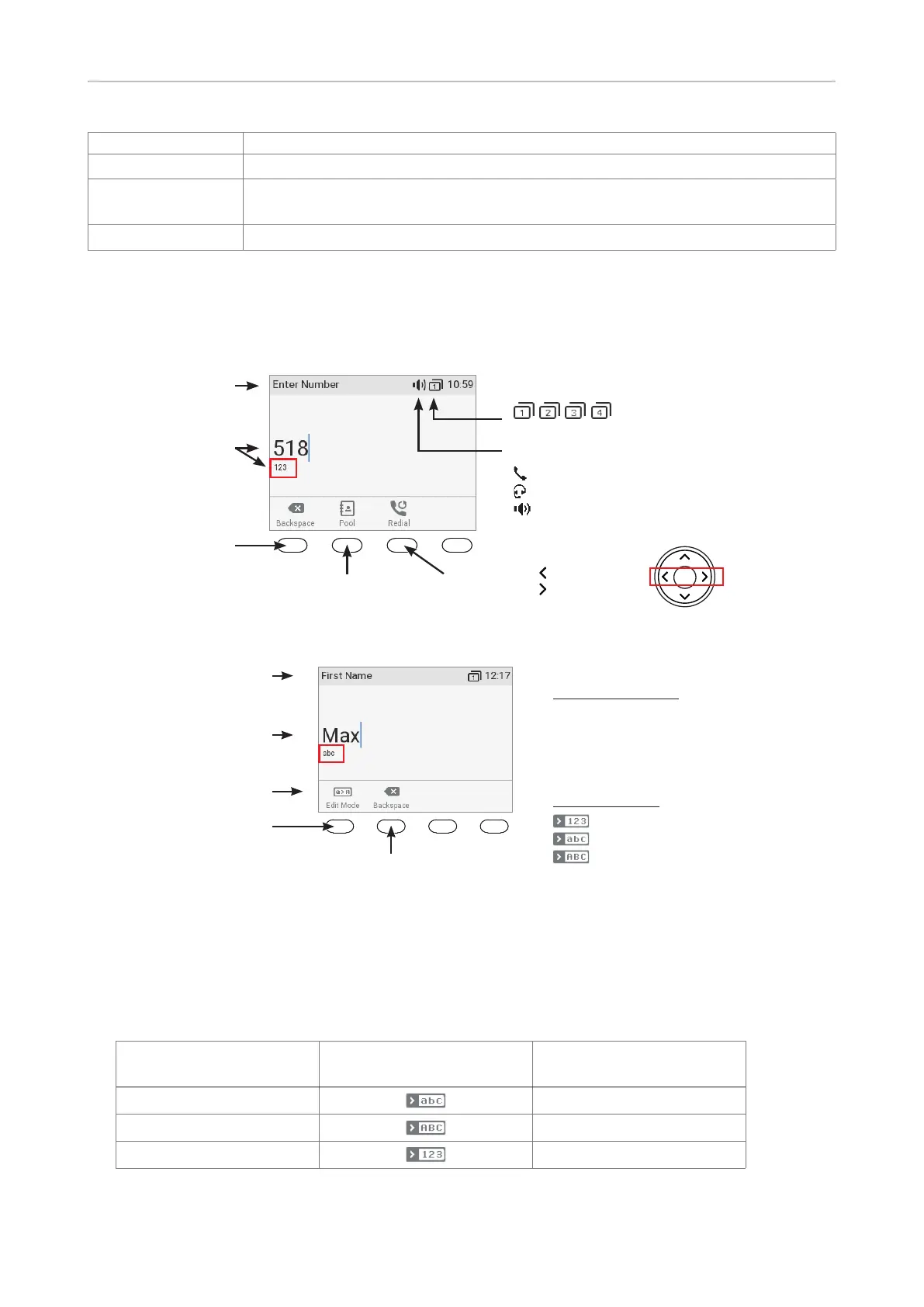
Input modes and navigation
Input mode
numerals when
dialing
Activity
Delete character
to the left of the
cursor
Pool: Directory,
LDAP, call lists
Redial
Move cursor
to the left
to the right
Current audio mode:
Handset
Headset
Speakerphone
Current page key setting:
Fig. 1
Current input mode:
123: Numerals
abc: Lower case
ABC: Upper case letters
Next input mode:
: Numerals
: Lower case letters
: Upper case letters
Delete character to
Current input mode
Status info
Next input mode
Changing input mode
Fig. 2
Press any key on the alphanumeric keypad or pick up the handset to open the "Enter Number" screen.
When dialing a number (Fig. 1), the input mode is always numerals. When editing directory entries
(Fig. 2) and identities, the current input mode is indicated in the line underneath the cursor. Press the
left function key underneath the display to switch to the next input mode.
Text underneath cursor
= current input mode
Press function key to
switch to next input mode
Next input mode
123
abc
abc
ABC
ABC
123



 To Next Page