If the LP feature of a key has been disabled, use the Preferences menu to access
the key's configuration menu. See "Function key settings on the phone" on page
71.
Fig. 1 Fig. 2
Function key page of phone's web interface
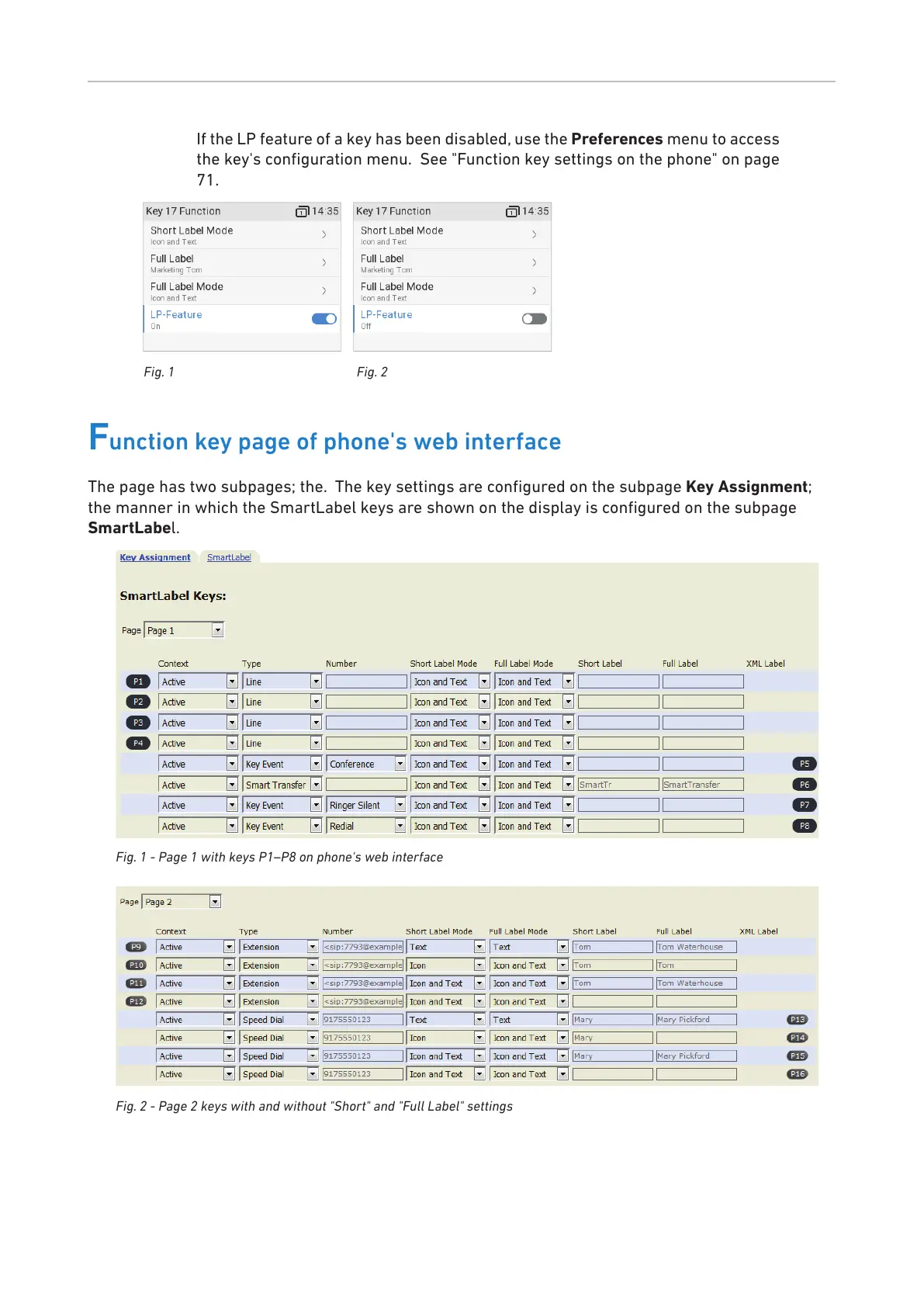
The page has two subpages; the. The key settings are configured on the subpage Key Assignment;
the manner in which the SmartLabel keys are shown on the display is configured on the subpage
SmartLabel.
Fig. 1 - Page 1 with keys P1–P8 on phone's web interface
Fig. 2 - Page 2 keys with and without "Short" and "Full Label" settings



 To Next Page