83
D735 User Manual Configuring the Function Keys
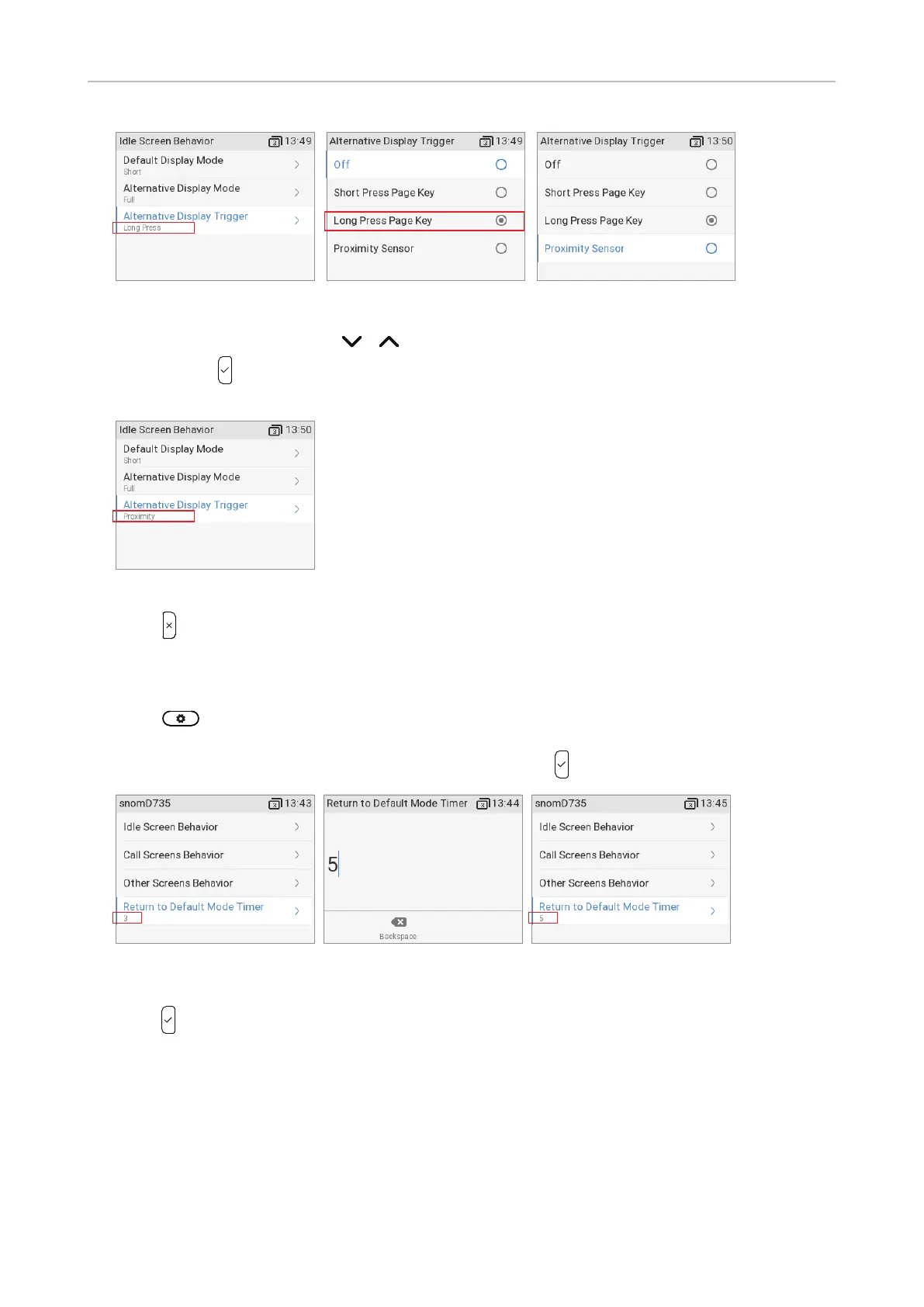
Fig. 7 Fig. 8 Fig. 9
b. Use the navigation key
/ to select Proximity sensor (Fig. 9).
c. Press
to save and return to the Screen Behavior menu where the line underneath
Alternative display trigger now reads Proximity (Fig. 10).
Fig. 10
7. Press to return to the SmartLabel options menu (Fig. 2).
Timer setting for returning display mode to default
1. Press
-> Preferences -> Display -> Primary display (if there is at least one connected
expansion module) -> SmartLabel options.
2. Select the Return to default mode timer (Fig. 11) and press
. The preset default is 3 seconds.
Fig. 11 Fig. 12 Fig. 13
3. Enter a dierent number of seconds between 0 and 360 (Fig. 11) on the alphanumeric keypad and
press
to save and return to the SmartLabel options menu (Fig. 13). The timer now shows the
new setting.
Note: If you enter 0 seconds, the display will not return to the default mode automatically.
Timer setting for returning label page to page 1
The page will automatically revert to page 1 after the number of seconds specified in this setting.



 To Next Page