41
D735 User Manual Directories
Adding/Editing Entries on the Phone
Adding new entry manually
1. Press
to open the phone's directory.
2. Press the function key underneath
.
Note: See "Input modes and navigation" and "Entering numerals, letters, special
characters, and symbols" on page 24 for information on how to enter data.
3. Enter the phone number and press
.
4. Enter a first name and/or press
.
5. Enter a last name and/or press
.
Note: Entering a first and/or name is optional. If you don't enter either one, the entry
will be listed under the phone number. You can add a first and last name later by editing
the entry on the phone or on the web interface.
6. See "Editing existing entry" on page 42 on how to continue.
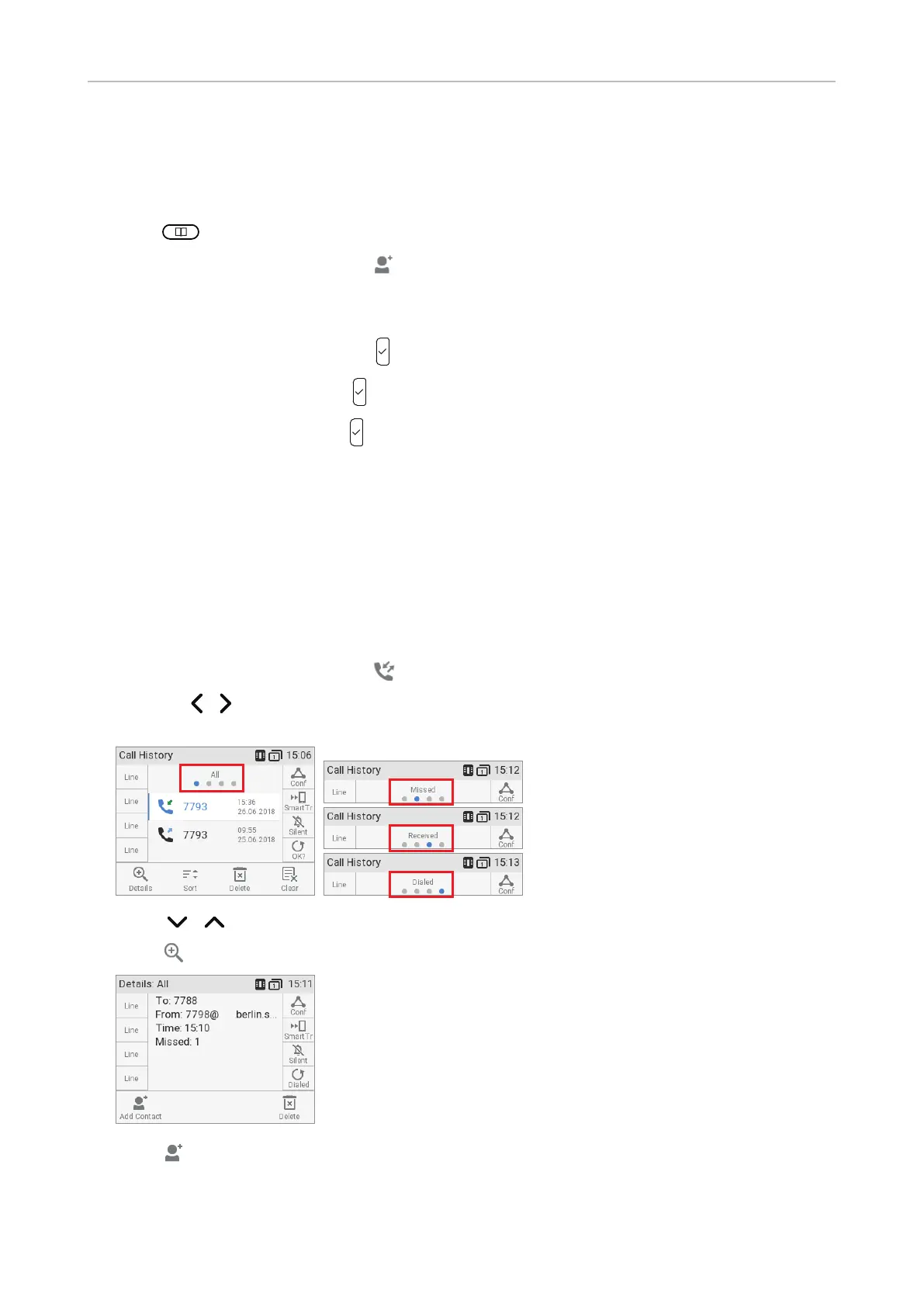
Adding new entry from call list
For further information on call lists, see "Call lists" on page 61.
1. Press the function key underneath
to open the call history. The list of all calls appears.
◦ Press
/ on the navigation key to show the lists of missed, received, or dialed calls
instead.
2. Press / on the navigation key to select a call.
3. Press
to view call Details.
4. Press to add the name (if the name was transmitted) and the number to the phone directory. If
the name has not been transmitted, the number will be used in its place.
See "Editing existing entry" on page 42 on how to add a name, phone type, group, etc.



 To Next Page