43
D735 User Manual Directories
Deleting an entry
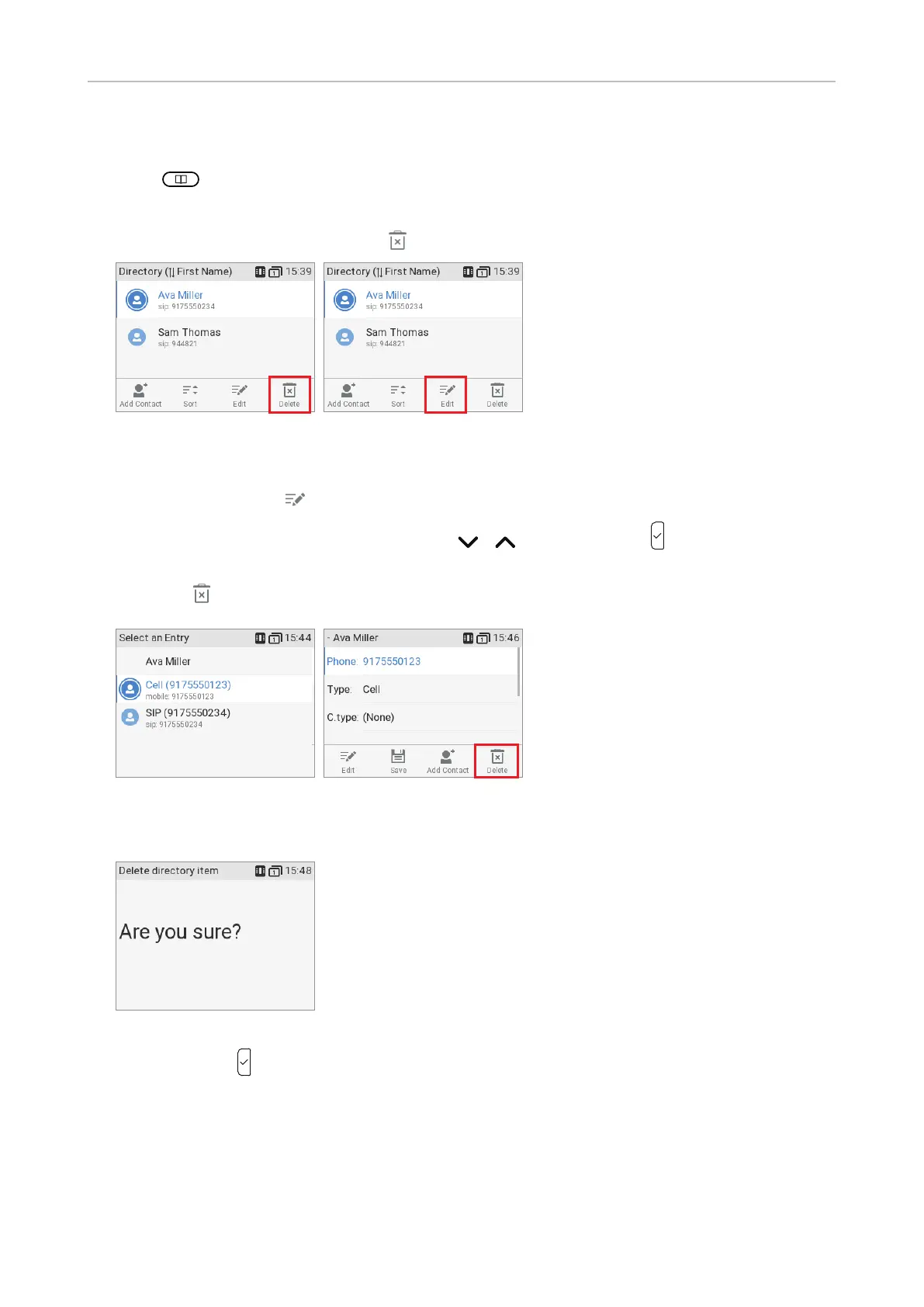
1. Press
to open the phone's directory.
2. Selecting an entry: Scroll to the entry or enter the first letter of the name.
3. If you want to delete the entry, press
(Fig. 1) and continue with step 4, below.
Fig. 1 Fig. 2
a. If there is more than one phone number associated with the entry and you want to delete only
one of them, press
(Fig. 2).
b. Select the number you want to delete with
/ (Fig. 3) and press . You will see the
details of the subentry (Fig. 4).
c. Press
.
Fig. 3 Fig. 4
4. You will be asked, "Are you sure?".
Fig. 5
5. If you are, press to delete the entry or phone number.



 To Next Page