53
D735 User Manual Using the Phone
When these prerequisites are met, the status of the monitored extension is indicated by the LED of the
function key:
◦ Blinking LED: Incoming call ringing. If the call is not answered, press the key to pick it up;
◦ LED glowing steadily: The monitored extension is busy (in call, dialing, etc.);
and by the idle display showing the call-monitor state.
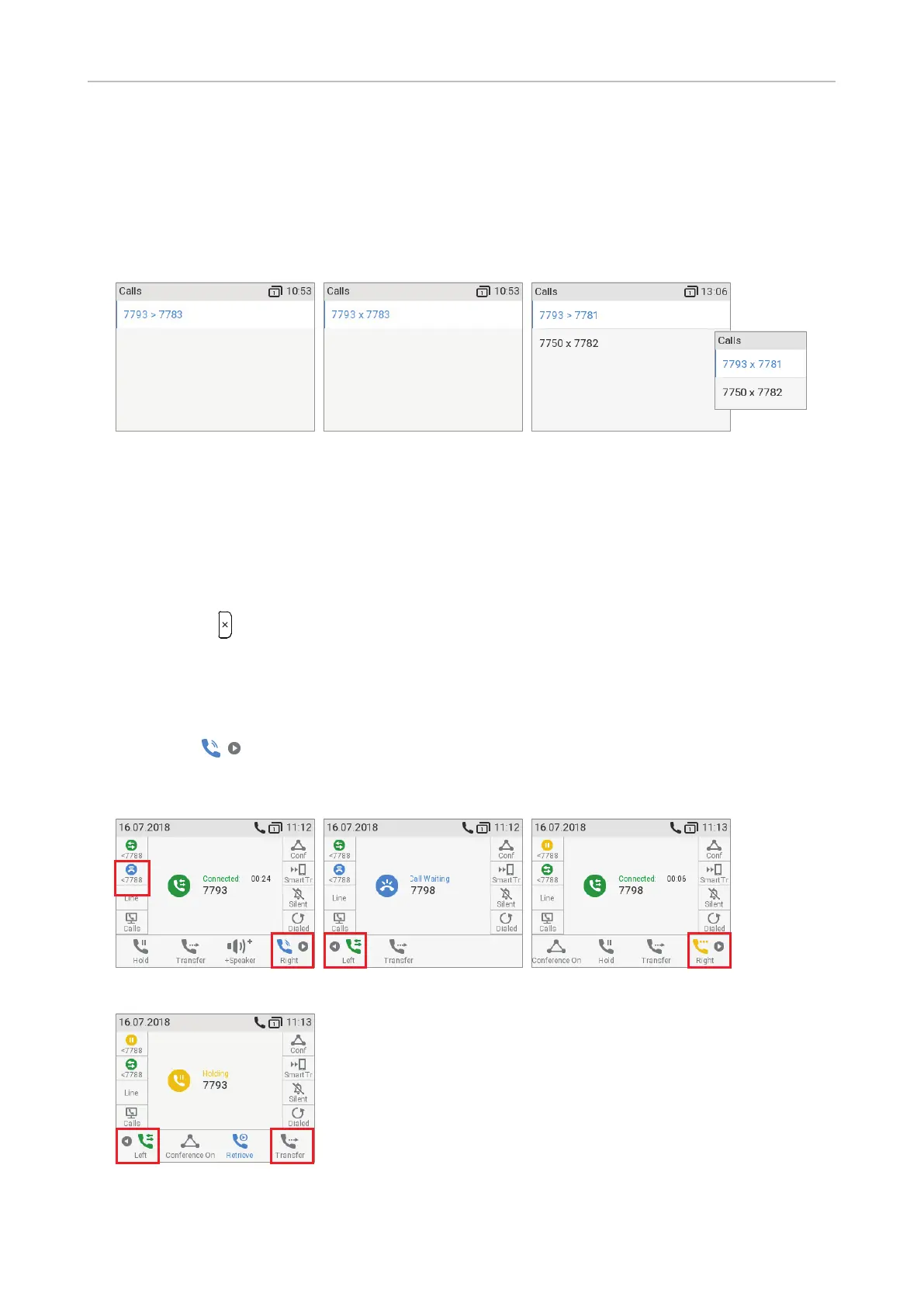
Fig. 1 Fig. 2 Fig. 3
- When your phone is idle, any ongoing activity on all extensions monitored by your phone
will be shown on the display. In the above examples, "7793 > 7783" (Fig. 1) indicates that
extension 7793 is calling extension 7783; "7793 x 7783" (Fig. 2) indicates that 7793 is
connected to 7783 and that 7793 is the caller, 7783 the callee. If more than one monitored
extension is being called or in a call, the last incoming call is added to the top of the list
(Fig. 3).
- Press
to close the Calls screen and return to the idle screen.
Call waiting
When you are in a call, another call coming in will be announced visually by the flashing call LED and
by the symbol
appearing in the function key line (Fig. 1); it will also be announced acoustically
by a double beep. If you want to switch to visual or acoustic announcement only or turn call waiting
o completely, see "Call waiting" on page 95.
Fig. 1 Fig. 2 Fig. 3
Fig. 4



 To Next Page