57
D735 User Manual Using the Phone
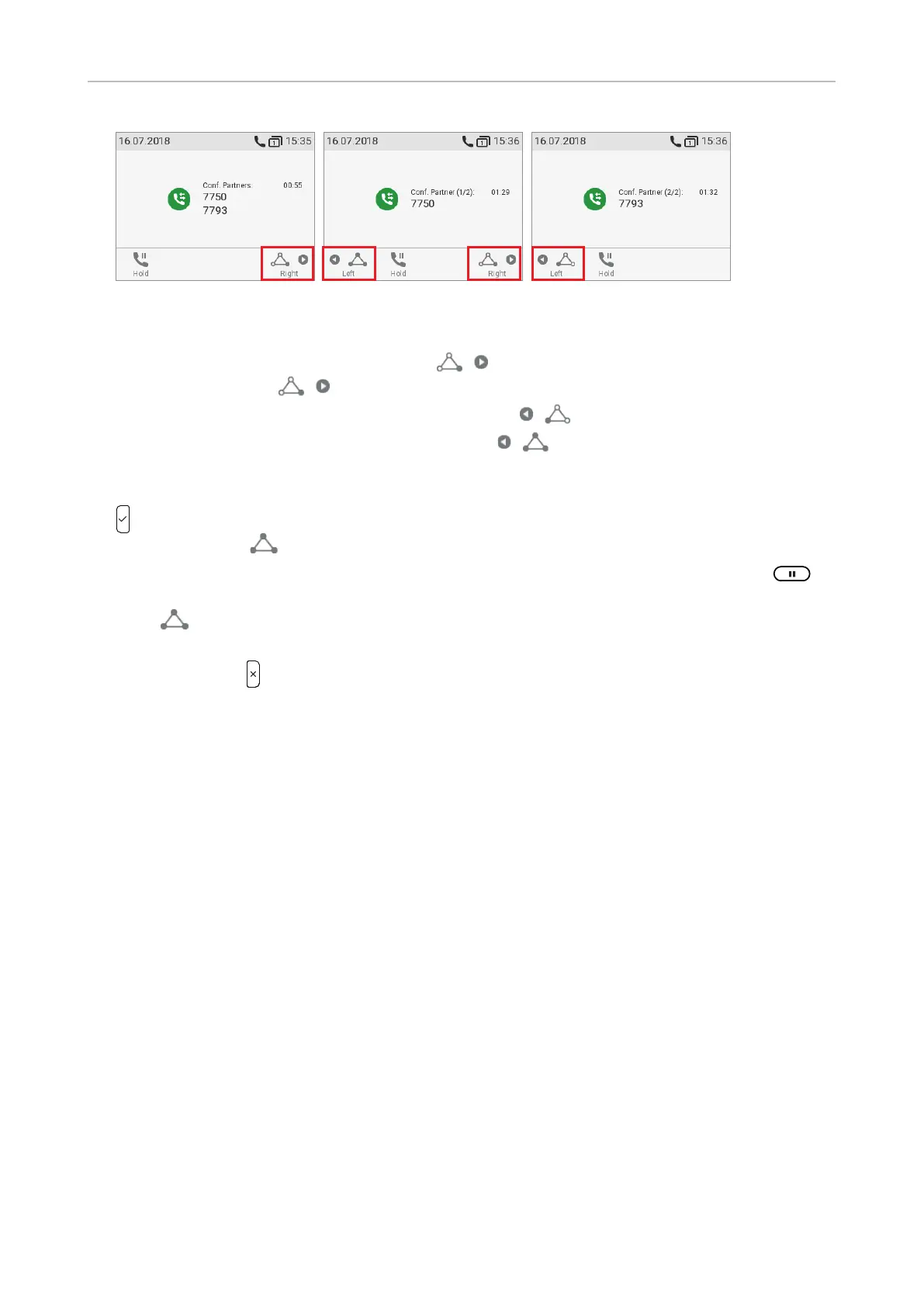
Fig. 2 Fig. 3 Fig. 4
• Selecting individual participants.
◦ On the conference screen (Fig. 2), press
to select the first of the participants of the
conference; press
again to select the next one of the participants (Fig. 3).
◦ When viewing the second participant (Fig. 4), press
to view the first participant.
◦ When viewing the first participant (Fig. 3), press
to return to the conference screen
(Fig. 2).
• Talking to one participant in private. With one of the participants on-screen (Fig. 3 or 4), press
to converse with that participant in private and to put the other party on hold. To restart the
conference, press
.
• Putting one participant on hold. With one of the participants on-screen (Fig. 3 or 4), press
to
put this party on hold and to converse with the other party in private. To restart the conference,
press
.
• To terminate the conference and the connections to both parties, return to the conference screen
(Fig. 2) and press
.
Transferring calls
You can transfer connected calls as well as calls ringing on your phone.
• When you have a call on the line, there are two ways to transfer it to a third party:
◦ Announcing the call to the third party first, to make sure the call is welcome and will be
accepted: Attended transfer;
◦ Transferring the call unannounced: Blind transfer. There will be no feedback on whether the
third party is available and/or picking up the call.
• When a call is ringing on your phone, you can transfer it to a third party without answering it first
(blind transfer only).
Attended transfer
• With a single call on the phone.
1. Put the call on hold. In our example, the caller on hold is 7750.



 To Next Page