59
D735 User Manual Using the Phone
Blind transfer
• Blind transfer of active call
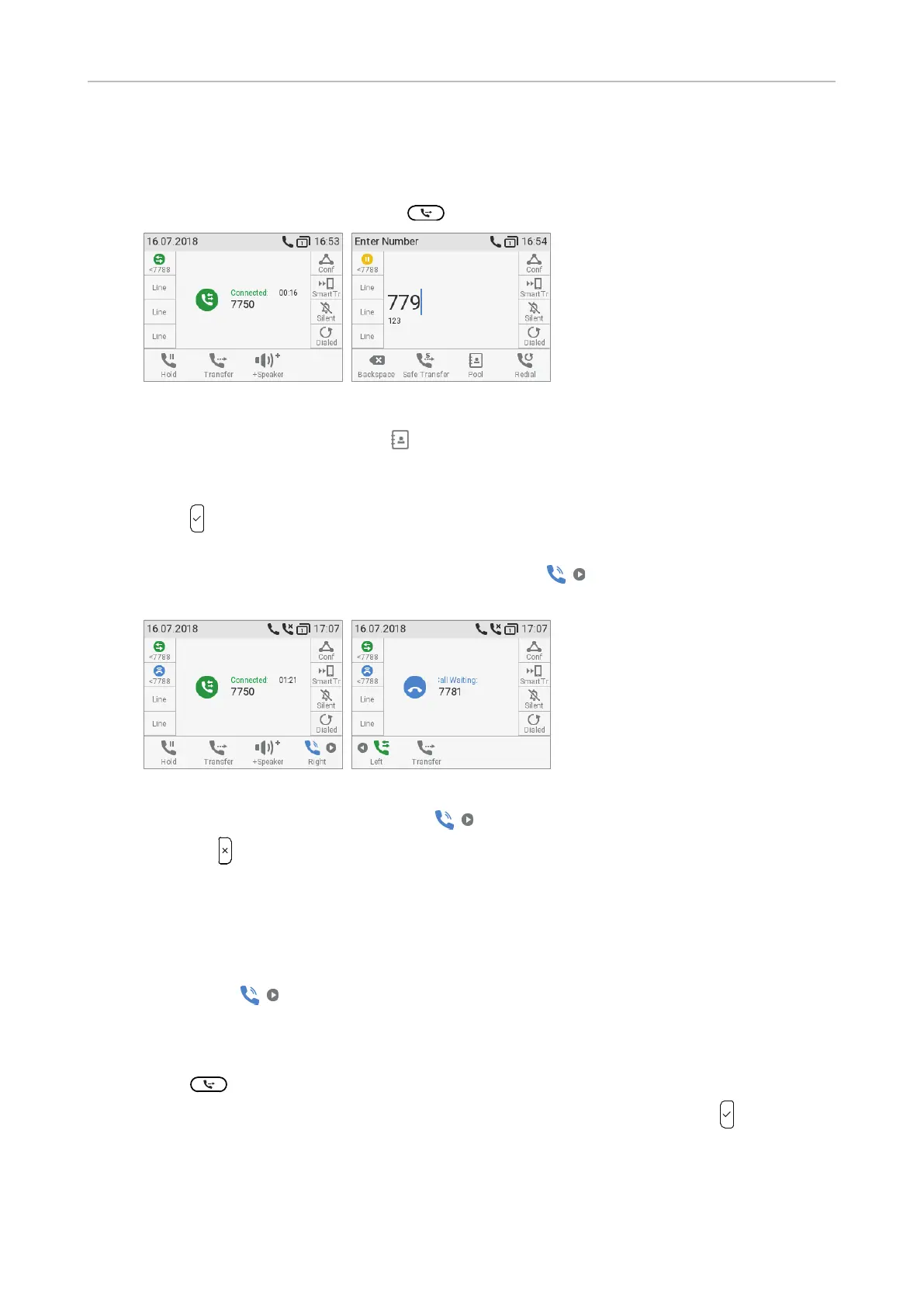
1. With a call on the line (Fig. 8), press
. The dial screen will appear.
Fig. 8 Fig. 9
2. Dial the number (Fig. 9), or press to select a number from the internal or one of the
available external phone directories (see "Calling number from phone directory" on page 49
and "Calling number from external directory" on page 49).
3. Press
. You may briefly see two "Disconnected" messages followed by the callee and caller's
name/number, indicating that the transfer was completed (Fig. 5 and 6 on preceding page).
If a call is waiting (Fig. 10), as indicated by the symbol
in the lower right corner, you
must reject the call waiting before you can transfer your active call blindly.
Fig. 10 Fig. 11
a. Press the function key underneath . The "Call Waiting" screen (Fig. 11) appears.
b. Press
to reject the call. The caller hears the busy signal.
Note: If you want to transfer the call waiting, see next section.
• Blind transfer of call waiting
1. If you are in a call and want to transfer a call waiting (Fig. 10, above), press the function key
underneath
. The "Call Waiting" screen (Fig. 11, above) appears.
Note: Your active call will remain active while you are transferring the ringing
call.
2. Press
. The dial screen (Fig. 2, above) appears.
3. Enter the number of the third party you intend to transfer the call to and press
. The
"Connected" screen (Fig. 1, above) with your current call reappears.



 To Next Page