72
D735 User Manual Configuring the Function Keys
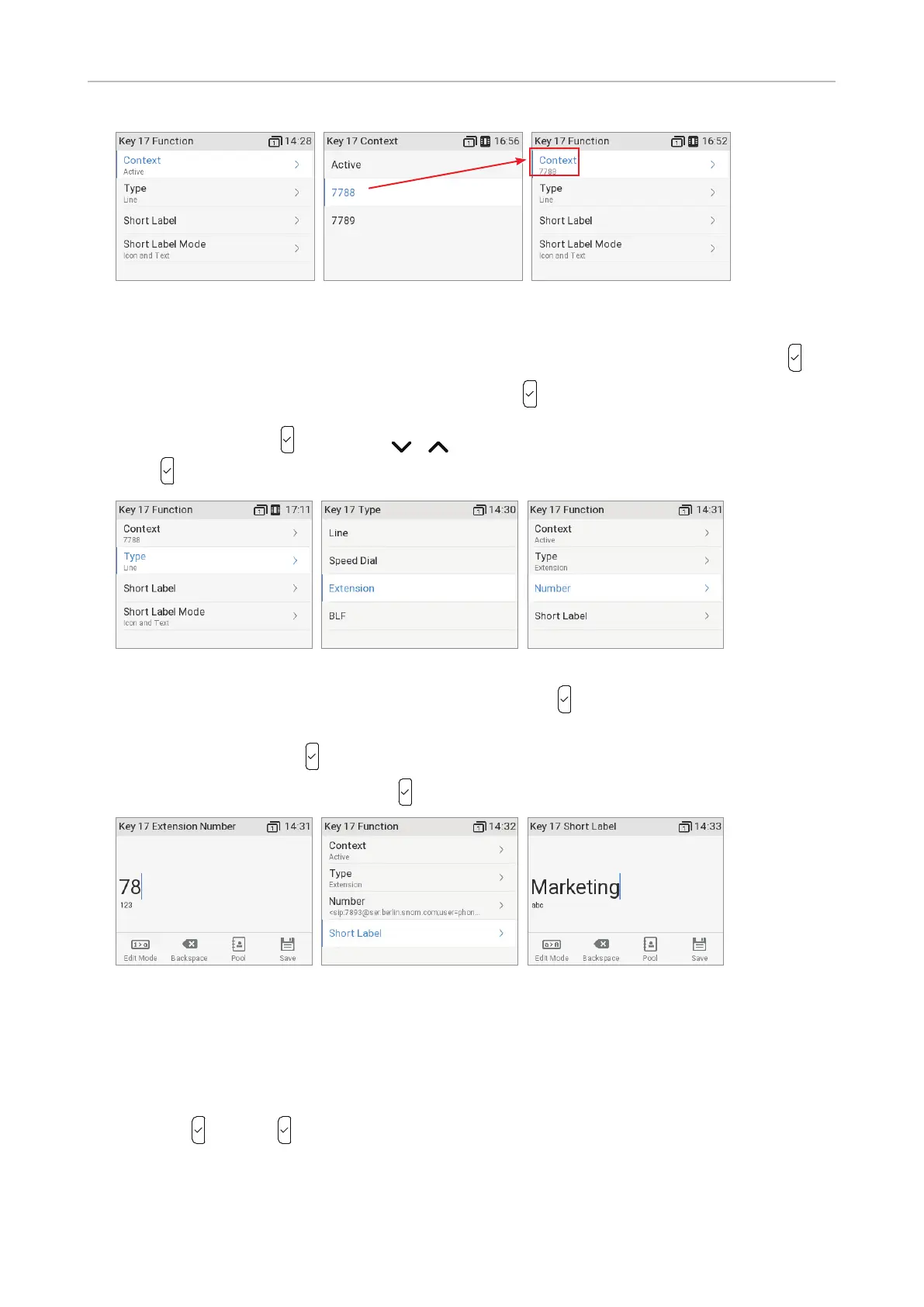
Fig. 6 Fig. 7 Fig. 8
5. The default for Context is Active, i.e., all configured identities whose status is "active" (Fig. 6).
a. If you want to restrict the functionality to a configured identity, select Context and press
.
b. Select the identity from the menu (Fig. 7) and press
.
6. Select Type and press (Fig. 9). Use / to scroll to a functionality on the list (Fig. 10) and
press
. The following prompts depend on the selected functionality.
Fig. 9 Fig. 10 Fig. 11
7. In our example, the functionality is Extension (Fig. 10). Press to select and return to the Key 17
Function menu where Number has been added to the menu below "Type" (Fig. 11).
8. Select Number and press
.
9. Enter the extension number and press
(Fig. 12).
Fig. 12 Fig. 13 Fig. 14
10. Short Label (Fig. 13) and Full Label on the phone, and Label on the D7, are optional. This is the
data displayed on the key's short and full label areas on the phone's display (see "Fig. 3 - Short
labels P9 – P12" on page 70, "Fig. 4 - Short labels P13 – P15", "Fig. 5 - Full Labels P9 – P12",
and "Fig. 6 - Full Labels P13 – P16" on page 70). If you do not enter data for each label type, the
number will be displayed in the label area instead. Enter a name or other descriptive text (Fig. 14)
and press
, or press without entering data.



 To Next Page