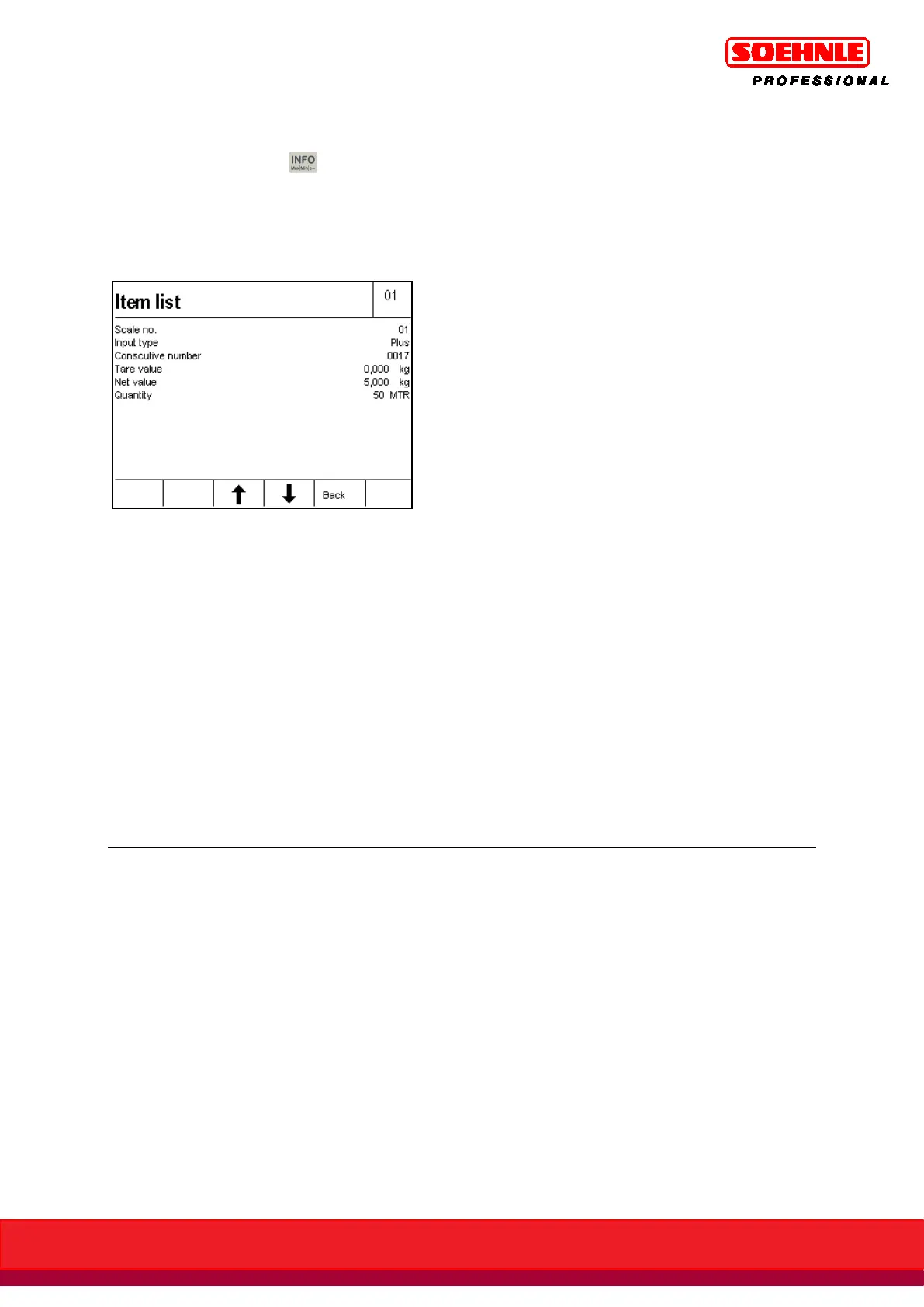
During a totaling transaction, you can retrieve the individual items from the totaling memory by
sequentially pressing the key and F5 Plus key. The item list begins with the latest entry.
Page through the list with the F3 (older entries) and F4 (newer entries) Arrow keys.
The last 50 entries can be retrieved.
Press the F5 Back key to close the display of the individual items and to return to the previous
screen.
Totaling outside of tolerance
Totaling quantities outside of a specified tolerance range can be prevented. If the unit count is
outside of the tolerance, the error message "Outside of Tolerance" is displayed after pressing the
Plus key.
For this purpose, "Totaling outside of tolerance" must be disabled in setup mode. The target unit
count and the permitted tolerance are specified in Unit Control mode.
More information about this under Quantity Control.
Totaling different counted parts
Totaling different counted parts can be prevented if determining a new specific weight is only
allowed after deleting the totaling memory by switching "Delete Total" to On in setup mode.
The function "Unit Control" is used to meter goods with tolerance control into a container or to
control quantities.
In order to start the quantity control function, you already need to be in neutral measurement
mode - and therefore already need to have specified a reference weight.
Press the F5 Quantity Contr. key in the Control Function level 2. You can now use the number
keypad to enter the target value for the programmed unit of measure. Confirm with the F6 Save
key.



 To Next Page