6.8.3 Information field display
What data is displayed in the information field is controlled in Setup Mode / Program Settings /
Controlling / Display Information Field.
The following options are available:
• Factory default: Switching between the individually used functions, e.g. control indicator
light, totaling memory, Organization Data Memory.
• Control display: Continuous display of the indicator light function.
• Total: continuous display of totaling memory.
• Last item: Continuous display of the last item.
• Organization data + database: Continuous display of the organization data memories.
• Controlling fixed values: Continuous display of the enabled fixed control value memory.
• Display barcode: Continuous display of the scanned barcode.
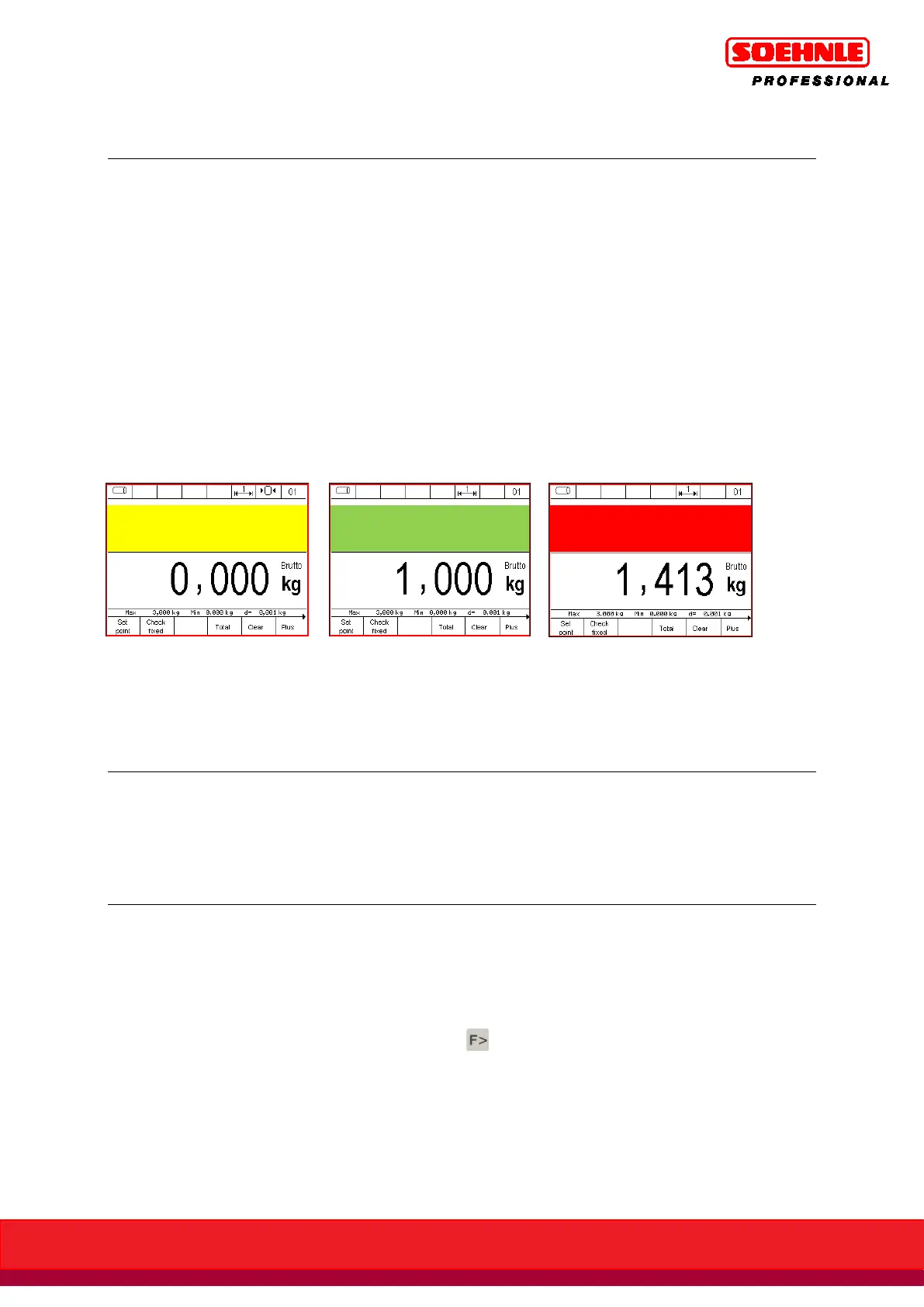
Example: information field display setting to control display:
1. Below tolerance 2. Within tolerance 3. Above tolerance
(Exact target value reached)
The description and detailed instructions for the tare function can be found in Section 6.5 page 57.
Press the F1 Target Value key in the Control Function level 1.
You can now place a sample part to save the target value or enter the target value in the
programmed unit of measure with the number keypad. Confirm with the F6 Save key.
Use the number keypad to enter the acceptable tolerance in the programmed unit of measure or in
percent; confirm with the F6 Save key. Press the key to switch between units and percent.
If you wish to specify the plus and minus tolerances separately, you will need to enable
Separate +/- Tolerance in setup mode.
The display switches the relevant Controlling display depending on the settings for the information
field or the secondary display; the indicator light and special characters must be enabled. The
appropriate indicator light or special character is displayed to match the current status of the scale
to target value.



 To Next Page