5.11 Organization data (Identifier)
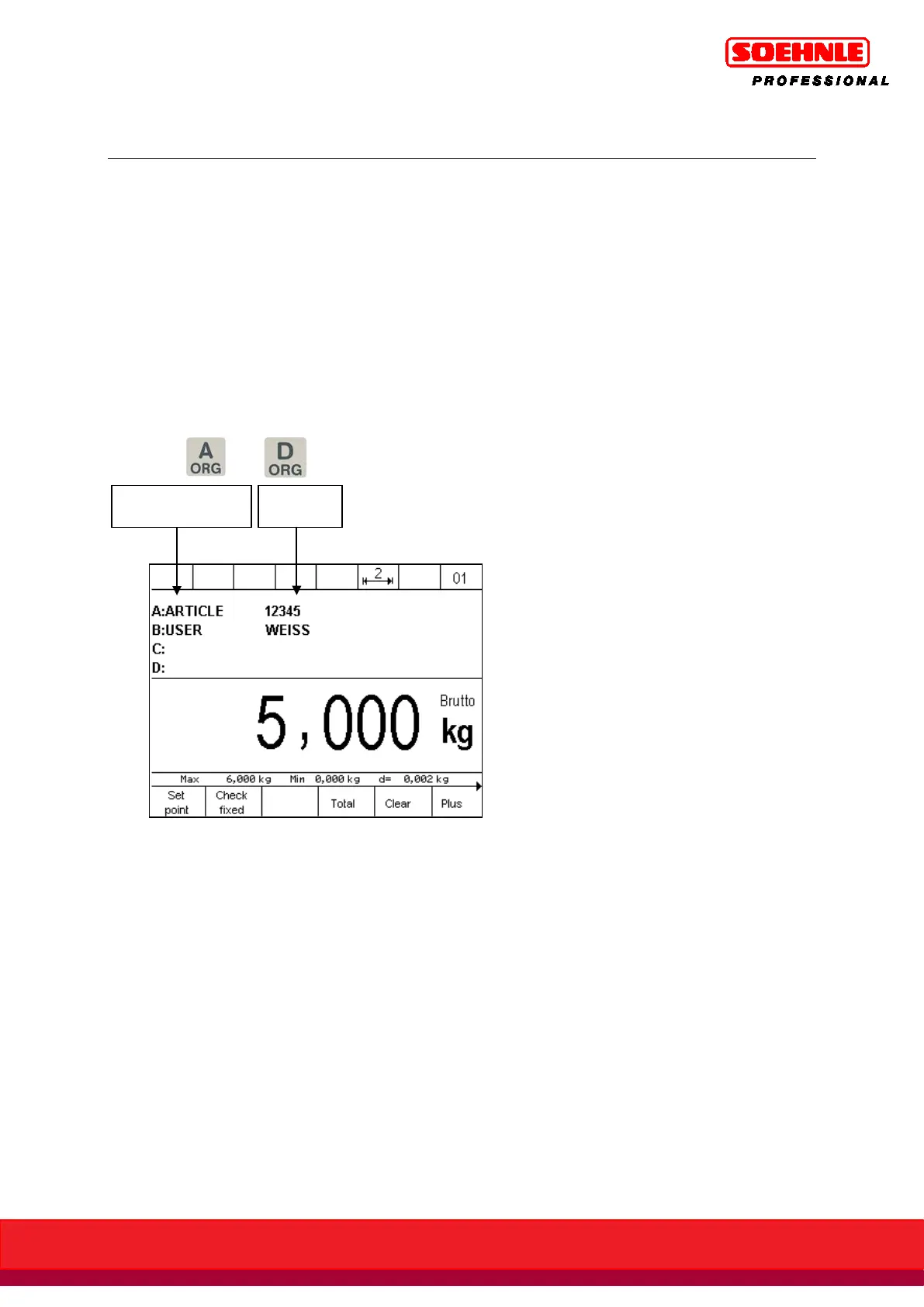
Organization data is used to assign identifying characteristics for documenting weighings, e.g. part
number, supplier, scale operator.
These are available in all application programs.
The display unit 3035 has 4 organization data memories.
Each memory has
• a user-programmable name, e.g. "Part Number" (up to 12 characters, database up to 18
characters).
• a user-programmable content, e.g. "1234" (up to 35 characters, database 6x35 characters).
The name is entered in setup mode; the content is entered with each weighing. Name and content
can be entered alpha-numerically with the number keypad.
Four keys to are available to retrieve the organization data memories.
Start by entering the name (max. 12 characters) for the required organization data memories in
setup mode:
Start setup mode with F6 key in the Setup Functions key level.
Highlight Terminal with F4 Arrow key, F6 Next.
Highlight Organization Data with F4 Arrow key, F6 Next.
A ORG to D ORG can now be retrieved, and the name can be entered into the data entry field.
An organization data memory is only enabled by assigning a name! Only enabled organization data
memories can be retrieved with the A ORG to D ORG keys.
Depending on the setting in the Information Field display under Program Settings, the application
programs then display all enabled organization data memories in the information field.



 To Next Page