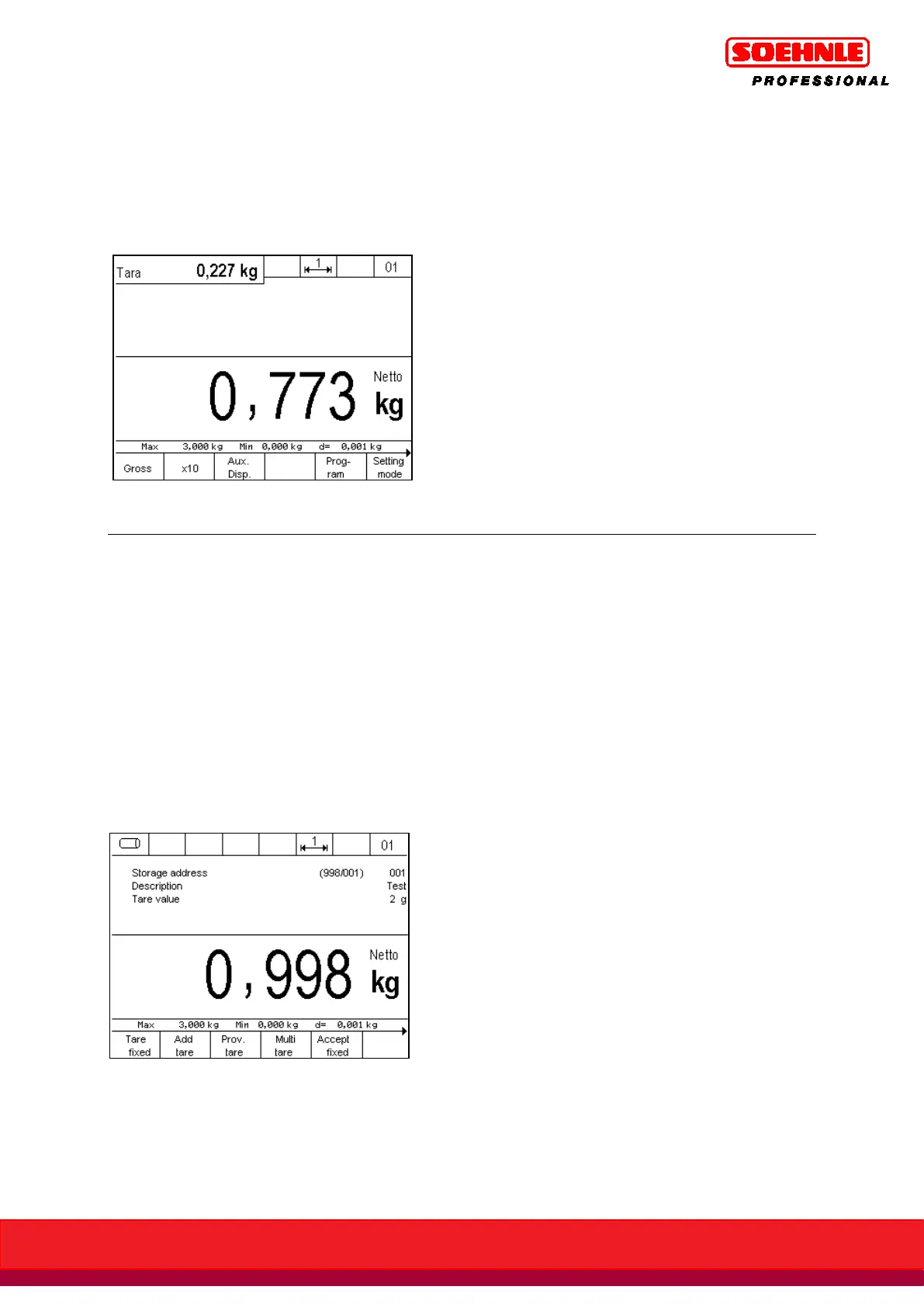
You can use the F3 key to start an additional secondary display, e.g. to additionally display the
tare weight or a second unit of measure. The setting to determine what value is shown in the
secondary display is made in setup mode under Setup Mode / Terminal / Display / Secondary
Display.
Figure: Secondary display with tare weight
6.5.3 Information field display
What data is displayed in the information field is controlled in Setup Mode / Program Settings /
Weighing + Tare / Display Information Field.
The following options are available:
• Factory default: Switching between the individually used functions, e.g. switching functions
Output and Inputs and Organization Data Memory.
• IO control: Continuous display of output and input states
• Organization data + database: Continuous display of the organization data memories.
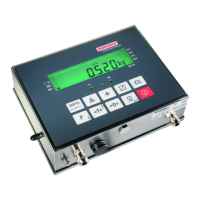
• Fixed tare values: Continuous display of the enabled fixed tare value memory.
• Display barcode: Continuous display of the scanned barcode.
display of information field with fixed tare value settings


 To Next Page