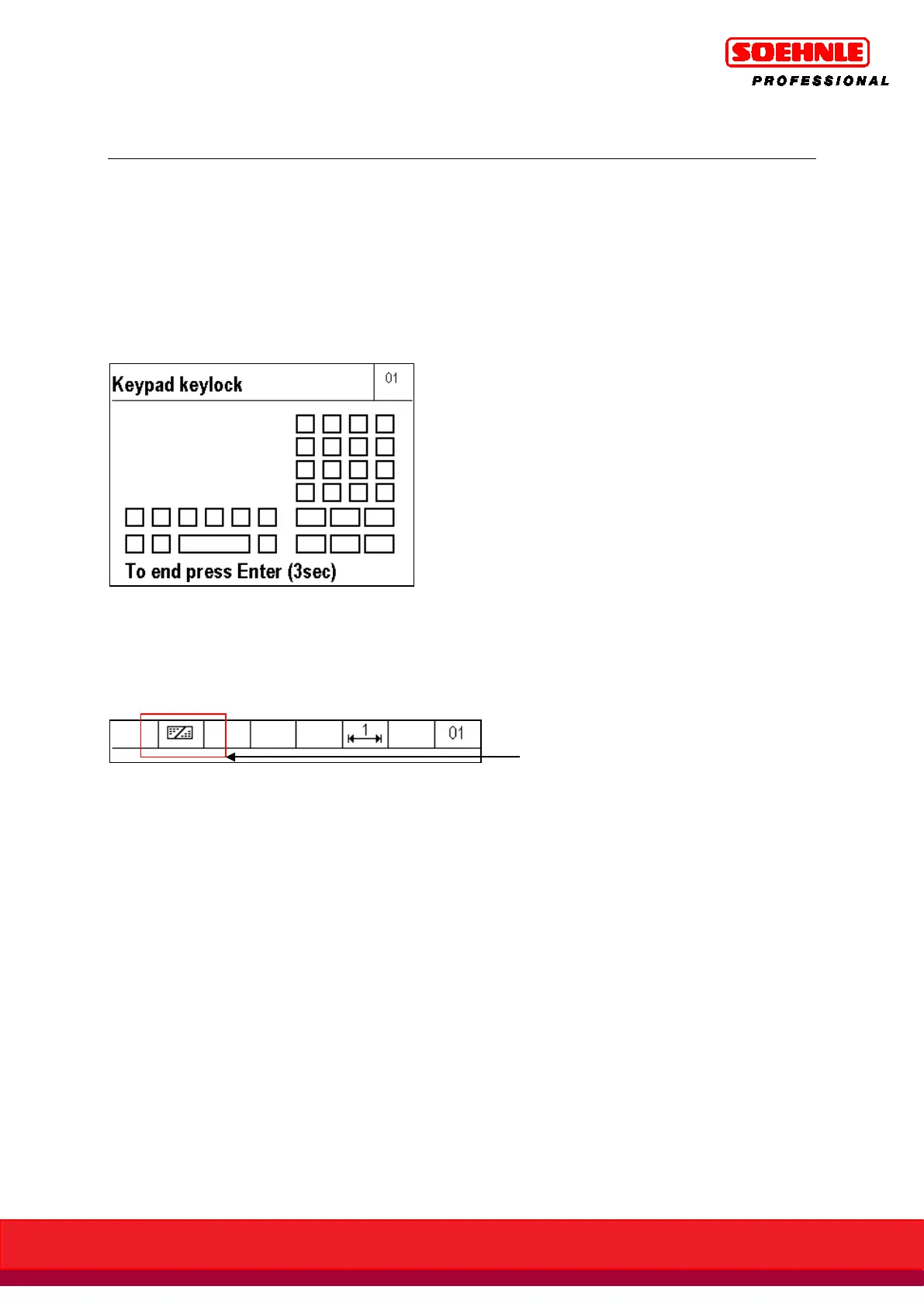
Single, several, or all keypad keys can be locked.
Start Terminal / Keypad / Keypad Lock in setup mode.
The display shows a schematic representation of the keypad. By pressing the key, the status of the
key is switched from open to locked and vice-versa.
Display representation of key lock
Locked keys are shown in the display with a cross.
The lock is entered and enabled by pressing the Enter key for 3 seconds.
The locked keys are now disabled; the symbol bar shows the key lock symbol.
The key lock remains intact after the unit is switched off.
Start Terminal / Keypad / Keypad Lock in Setup Mode.
The display shows a schematic representation of the keypad. Locked keys are shown in the display
with a cross. By pressing the key, the status of the key is switched from locked to open and vice-
versa.
The change is entered and enabled by pressing the Enter key for 3 seconds.
When no more keys are locked, the key lock symbol in the symbol bar expires.
If setup mode is no longer accessible because keys are locked, this access can be restored by
pressing the key combination F1 and F6 for 5 seconds. However, this does not remove the key lock,
but instead only temporarily lifts the lock to access setup mode. The key lock is reenabled after
setup mode is closed.



 To Next Page