6.12.3 Display information field
What data is displayed in the information field is controlled in Setup Mode / Program Settings /
Motor Vehicle Scale / Display Information Field.
The following options are available:
• Factory default: Switching between the individually used functions, e.g. control indicator
light, totaling memory, Organization Data Memory.
• Control display: Continuous display of the indicator light function.
• Total: continuous display of totaling memory.
• Last item: Continuous display of the last item.
• Organization data + database: Continuous display of the organization data memories.
• Display barcode: Continuous display of the scanned barcode.
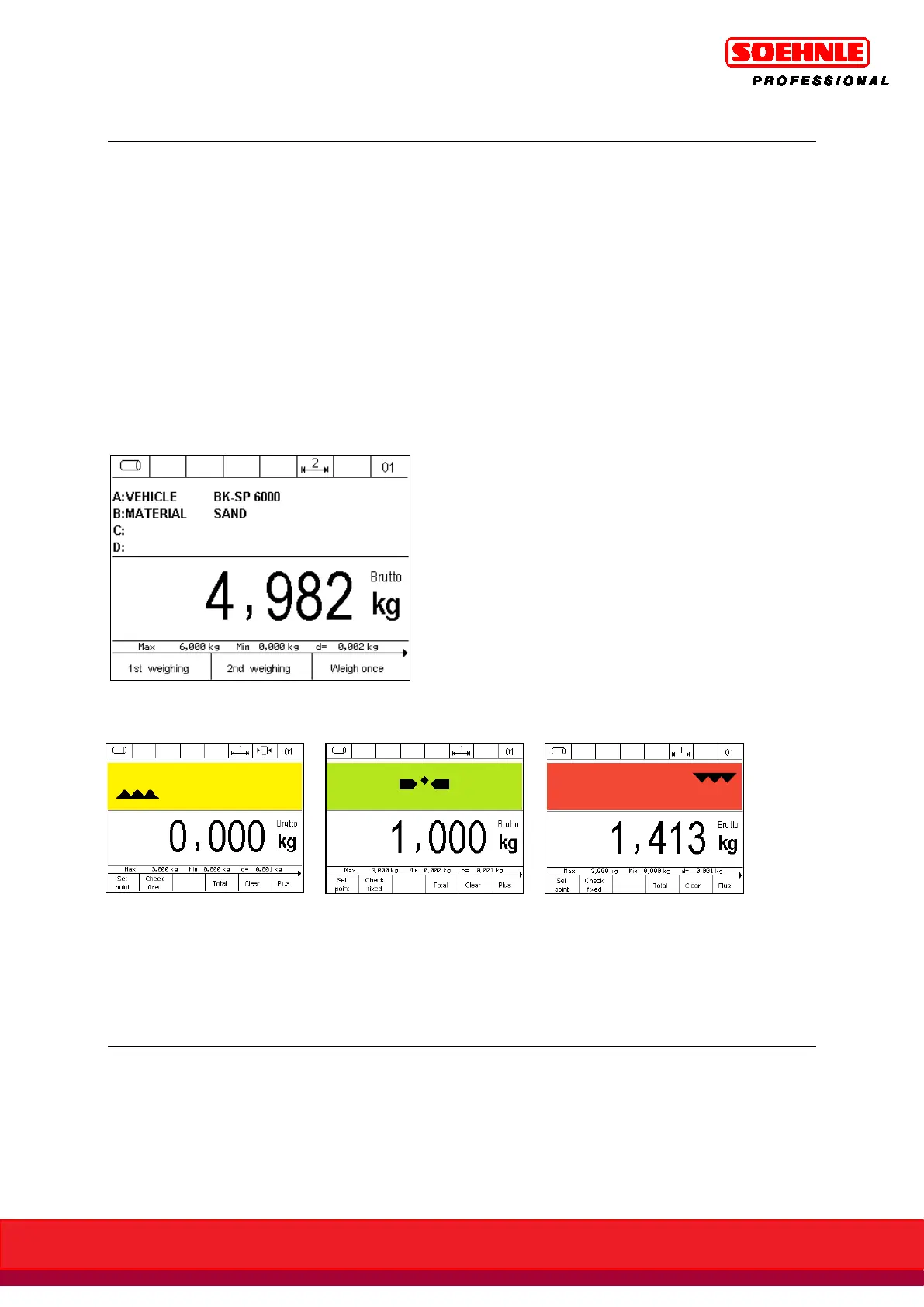
Example: information field display setting to organization data + database:
Example: the control display shows a indicator light indicator in the information field.
1. Below tolerance 2. Within tolerance 3. Above tolerance
(Exact target value reached)
The description and detailed instructions for the tare function can be found in Section 6.5 page 57.



 To Next Page