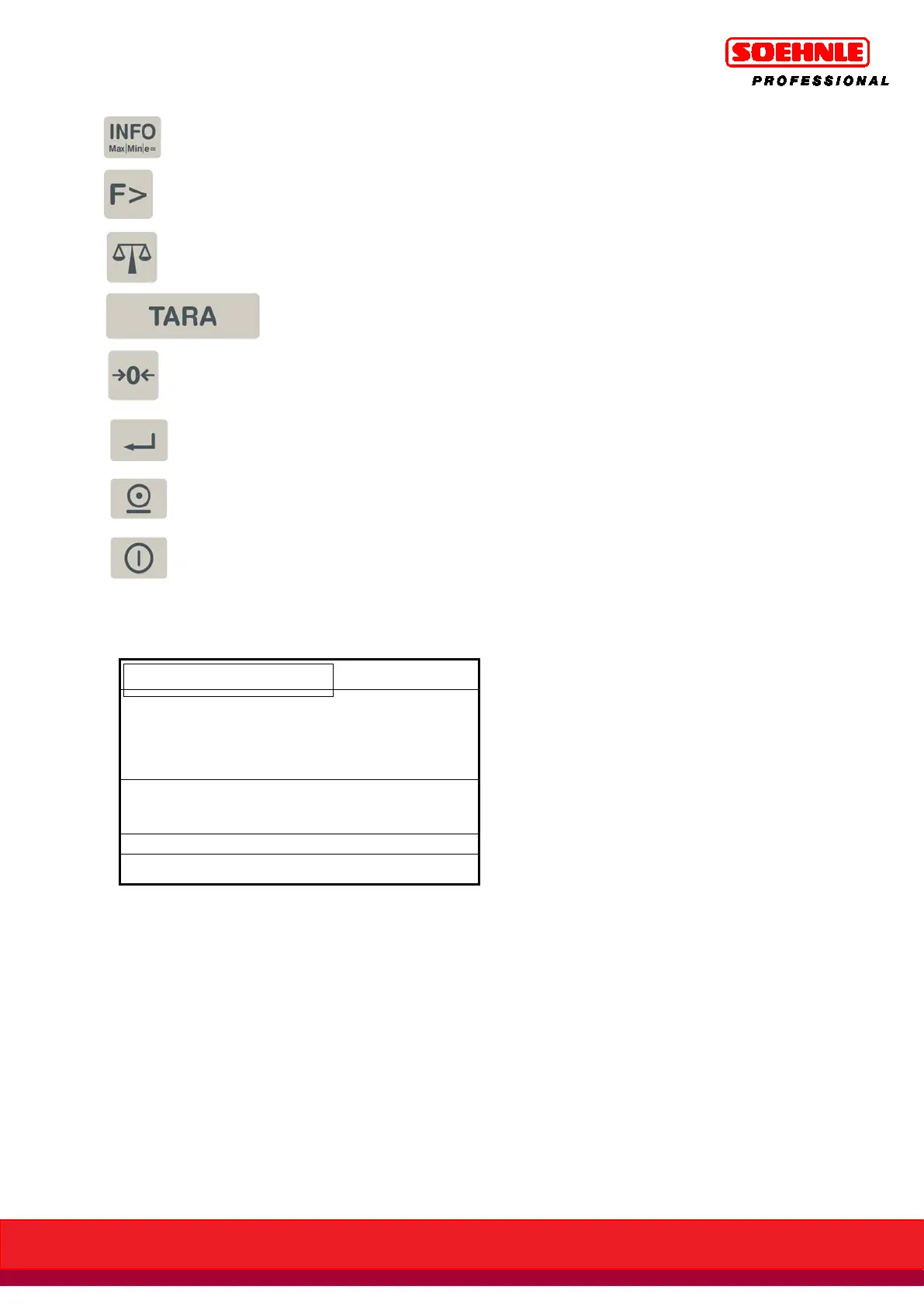
Info key, electronic type tag with calibration data
Retrieves information for the application programs
Function Page key
Scale Page key
Tare key
Zero Setpoint key / delete tare
Enter key
Print key
On / Off
The display shows different screens depending on the situation.
It is split into the following display fields:
FUNKTIONSLEISTE
ANZEIGEFELD
INFORMATIONSFELD
SYMBOLLEISTE
NEBENANZEIGE
BEREICHSANZEIGE
Shows more supplemental information and can be customized under Terminal / Display. If desired,
can be switched on and switched with the F3 Secondary Display key.
Shows information about the status of the currently enabled measurement location
Depending on the situation or on a customizable basis shows organization data, totals for addition,
special control characters, classes when classifying, operator guide, switching point
Shows weight readings, unit counts, UoM codes
Shows the current weighing range with Max / Min / e (d).
Functions of the 6 situationally dependent programmable function keys



 To Next Page