Chapter 4 - Display and control in stand-alone mode
Copyright 2016 Softing Industrial Automation GmbH
31
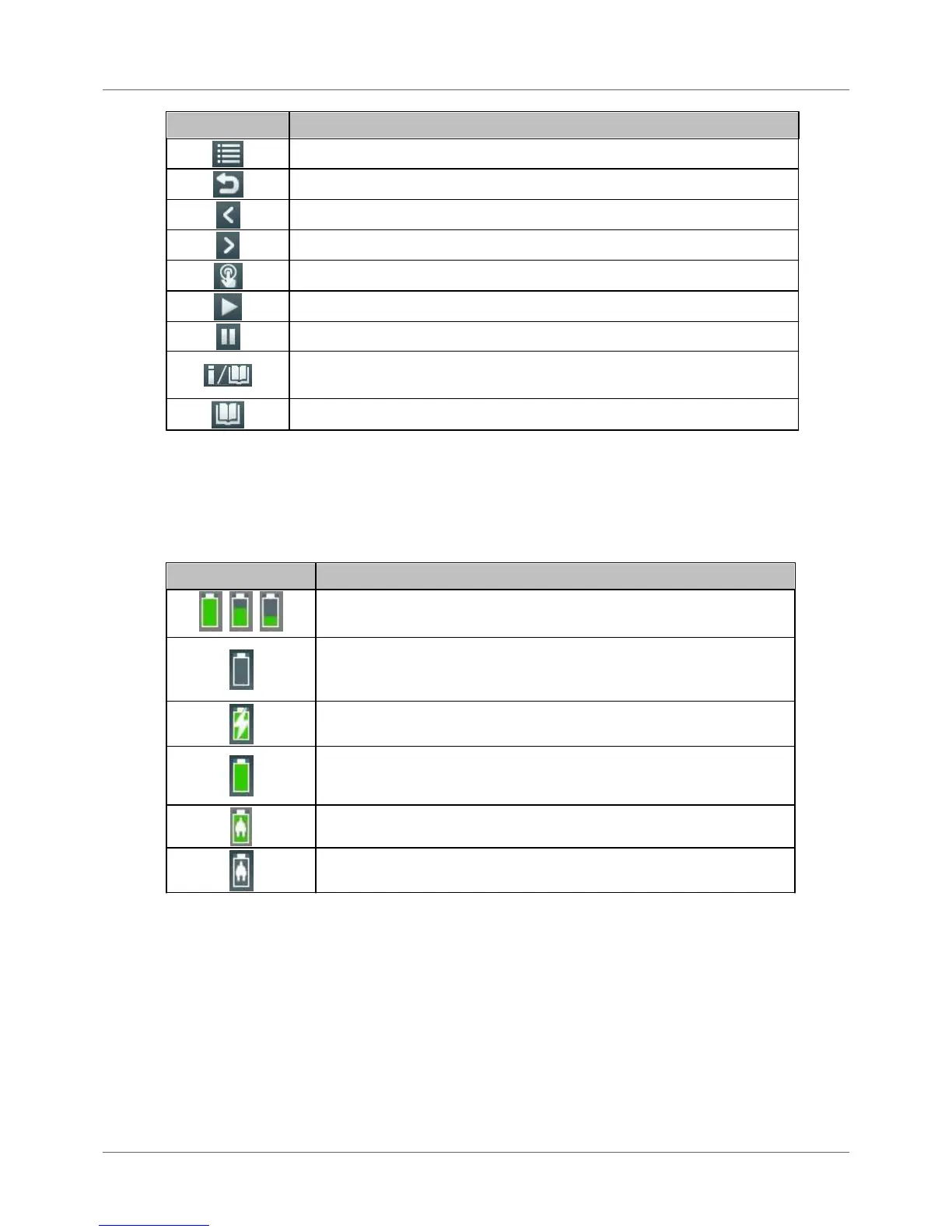
Browse backwards, quit menu function
Confirm/ select (central button in scroll wheel)
Start a previously stopped function
Request details for selected elements (press briefly) or
Open context-sensitive reference (press button approx. for 2 seconds)
Open context-sensitive reference
4.4 Device status
The following table contains the meaning of the device status icons. Device status information is
available and visible at any time of device operation in stand-alone mode.
Battery charge level (internal battery with/without AC adapter connected)
Internal battery charge level (approx. 100 %, 66 %, 33 %)
Critical battery charge level. BC-700-PB is going to shut down
automatically in a couple of minutes. Connect BC-700-PB to the AC
adapter.
AC adapter connected and battery is charging
Battery completely charged - without AC adapter connected
Battery completely charged - with AC adapter connected
Battery not found or defective. The device runs with external power
supply.



 To Next Page