PROFIBUS Tester 5 (BC-700-PB) - User Manual
40
Copyright 2016 Softing Industrial Automation GmbH
1. Connect the BC-700-PB with the USB cable to the PC and power on the test tool.
2. Start the License Manager with Start All Programs Softing License Manager License
Manager V4.
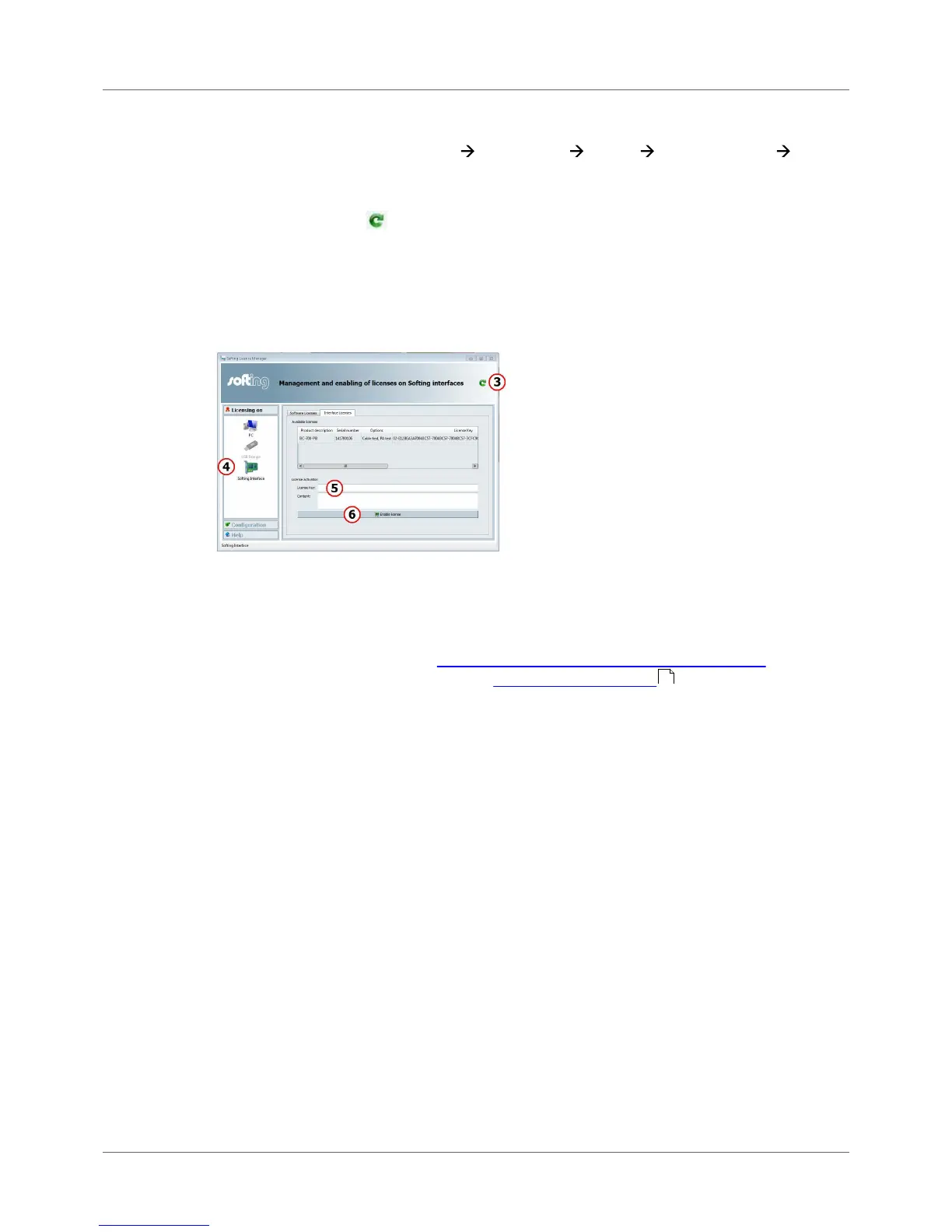
3. <t0/>The Softing Interface button in the left area must be activated<t6/>. If it is deactivated,
click the reload arrow ( ) in the upper right corner.
4. Click the Softing Interface button. Then select tab Interface Licenses. the BC-700-PB and its
serial number are displayed.
5. Enter the license key from the supplied certificate into the field License Key.
6. Click [Enable license]. The license acquired s now displayed in the information area.
7. Close the Softing License Manager.
6.2 Firmware update
Firmware updates are made available as required. They are provided with the updates to the PC
software on our website download area (http://industrial.softing.com/en/downloads.html) They allow
access to new or improved functionality (see also how to activate a license or User Manual
"PROFIBUS Diagnostics Suite - first steps".
39



 To Next Page