PROFIBUS Tester 5 (BC-700-PB) - User Manual
32
Copyright 2016 Softing Industrial Automation GmbH
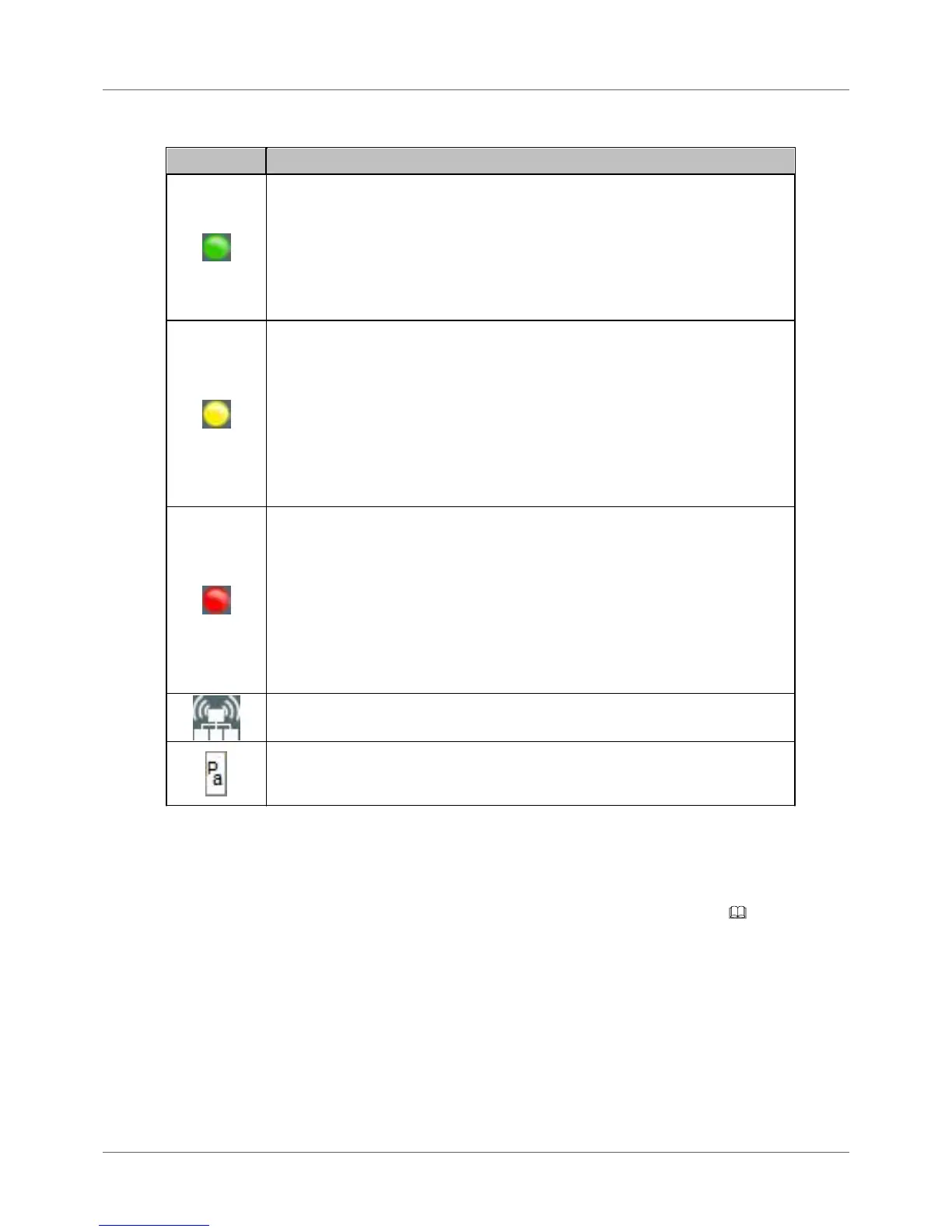
Testing and measurement status
PROFIBUS DP:
There is bus activity. If the LED is green, but no baud rate is displayed (e.g. in
Bus Status function), the bus activity results from disturbances and not from
regular frames.
PROFIBUS PA:
There is bus activity (31.25 kbit/s) and the DC voltage level (fieldbus supply
voltage) is clearly keeping the limit values.
PROFIBUS DP:
No bus activity, open circuit voltage within correct range between 0.8 V and
1.4 V. The bus termination is correct, but no frames are transmitted on the
bus. To run a test, you have to either switch on the PROFIBUS master or
activate the master simulator.
PROFIBUS PA:
Either there is no activity on the bus or the DC voltage level is below the
adjustable critical limit. Use the Bus Status function in order get more details
about bus communication and DC voltage level.
PROFIBUS DP:
No bus activity, open circuit voltage below 0.8 V or above 1.4 V. If an open
circuit voltage greater than 0 V is displayed in Bus Status function, the bus has
not been properly terminated. An open circuit voltage of about 0.5 V to 0.6 V
indicates that no power is supplied to one of the two bus terminations.
PROFIBUS PA:
The DC voltage level is either below the fixed error limit of 9 V or above the
maximum allowable fixed error limit of 32 V. Use the Bus Status function in
order get more details about bus communication and DC voltage level.
Master simulator is active. You can start the master simulator from the "Extras
> Master simulator" menu.
The BC-700-PB has detected the mounted PA-adapter BC-700-H1 and the
license "PA Test" has been appropriately activated on the PROFIBUS Tester.
The test system is ready to operate for testing PROFIBUS PA networks.
4.5 Menu functions
The following table gives a brief overview about the menu functions of BC-700-PB in stand-alone mode.
The device help contains a more detailed description of operating functions (use the [ ] softkey in the
corresponding context).
The operating philosophy and the user interface for analyzing PROFIBUS DP- and PROFIBUS PA-
networks are identical and thus, eliminating the need to learn the operating philosophy of an additional
device. The PA-specific information will be explained in [square brackets in italic type].



 To Next Page