PROFIBUS Tester 5 (BC-700-PB) - User Manual
38
Copyright 2016 Softing Industrial Automation GmbH
5
Data import into the PC
You can import quick tests, trend logs and cable test results from the test tool into the PC software.
Proceed as follows:
1. Start the PROFIBUS Diagnostics Suite.
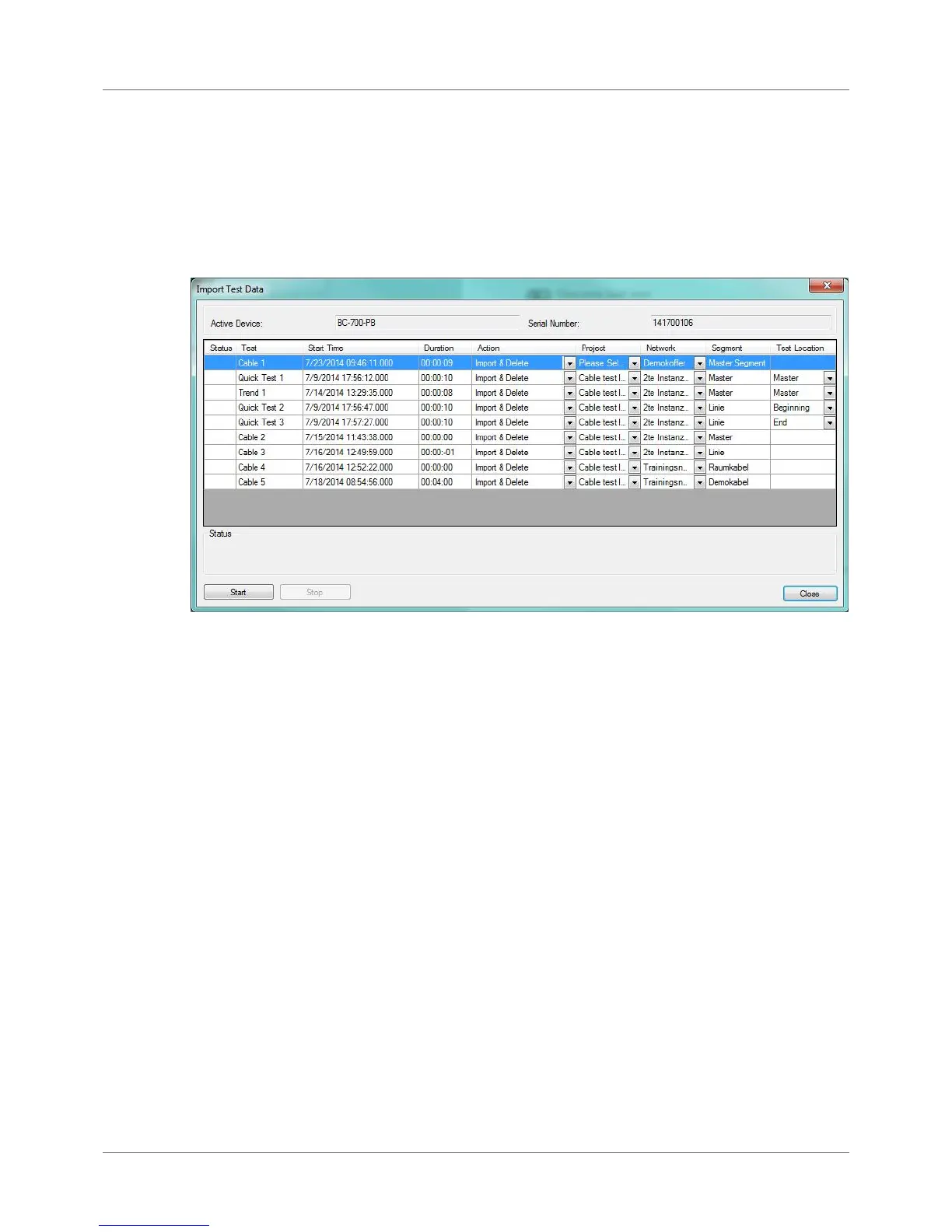
2. Connect the PROFIBUS Tester 5 (BC-700-PB). An additional Import Test Data dialog box appears
automatically showing the test data previously saved:
Figure 29: Importing test data
3. The Import test data dialog box has been filled in advance and contains already the network
designations, segment designations and the test location designations, which have been derived
from the network management of BC-700-PB.
4. For ALL the stored data, you need to fully select the action to be performed, the network/project
and the test location to which you want to store the data. The default action "Import and Delete"
deletes the test data in the tool after the import is completed. This frees the allocated memory
locations for new tests.
The imported Quick Tests and Trend logs are fully compatible with the test data that can be acquired
using the PC software.



 To Next Page