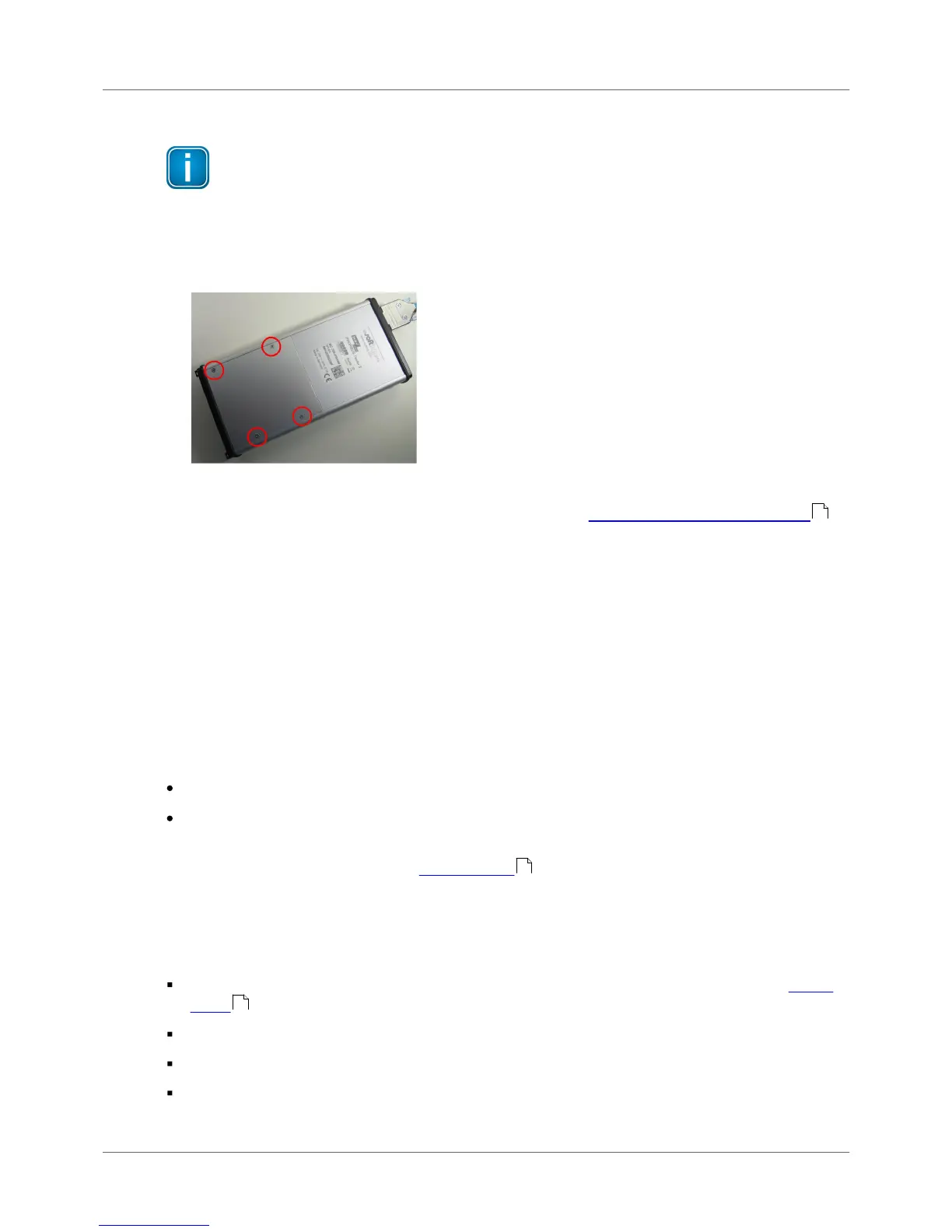
1. Take a screwdriver (Philipps) and open the head screws on the back side of the device.
2. Remove the back cover.
Figure 31: Removing the back cover of BC-700-PB
3. Remove the integrated battery. For disposal refer to section Declarations by the manufacturer .
4. Make sure that the provided battery is free of damage such as missing insulation of wire leads,
puncture or deformation.
5. Insert the new battery. Connect the new battery. The connecting plug is protected against polarity
reversal.
6. Check that the connecting plug is properly connected.
7. Mount the back cover and fix the screws.
12.4 Discharge battery
The energy management of the device complies with the following recommendations for discharging
lithium ion batteries:
Do not discharge the battery more than 80 % of nominal capacity.
Do not discharge battery to a level below 3.5 V per cell without load. Deep discharge under load
below 3.3 V per cell can deteriorate the battery.
Discharge operating temperature: see Technical data (operating temperature).
12.5 Storage and transportation
Do not store the battery packs fully charged. If the battery is not used for more than one to two weeks,
consider the following notes on storage:
Store battery at 3.85V per cell (corresponds approx. 33% of the battery charge display, see Device
status )
Store at a temperature between 12°C/53F and 18°C/65F
Do not expose battery pack to direct sunlight.
Store in fireproof case or box.
56
55
31



 To Next Page