79
5 Electrical connection
5.1 Opening the inverter
For the purpose of connecting the AC and communication lines, the inverter has to be
opened.
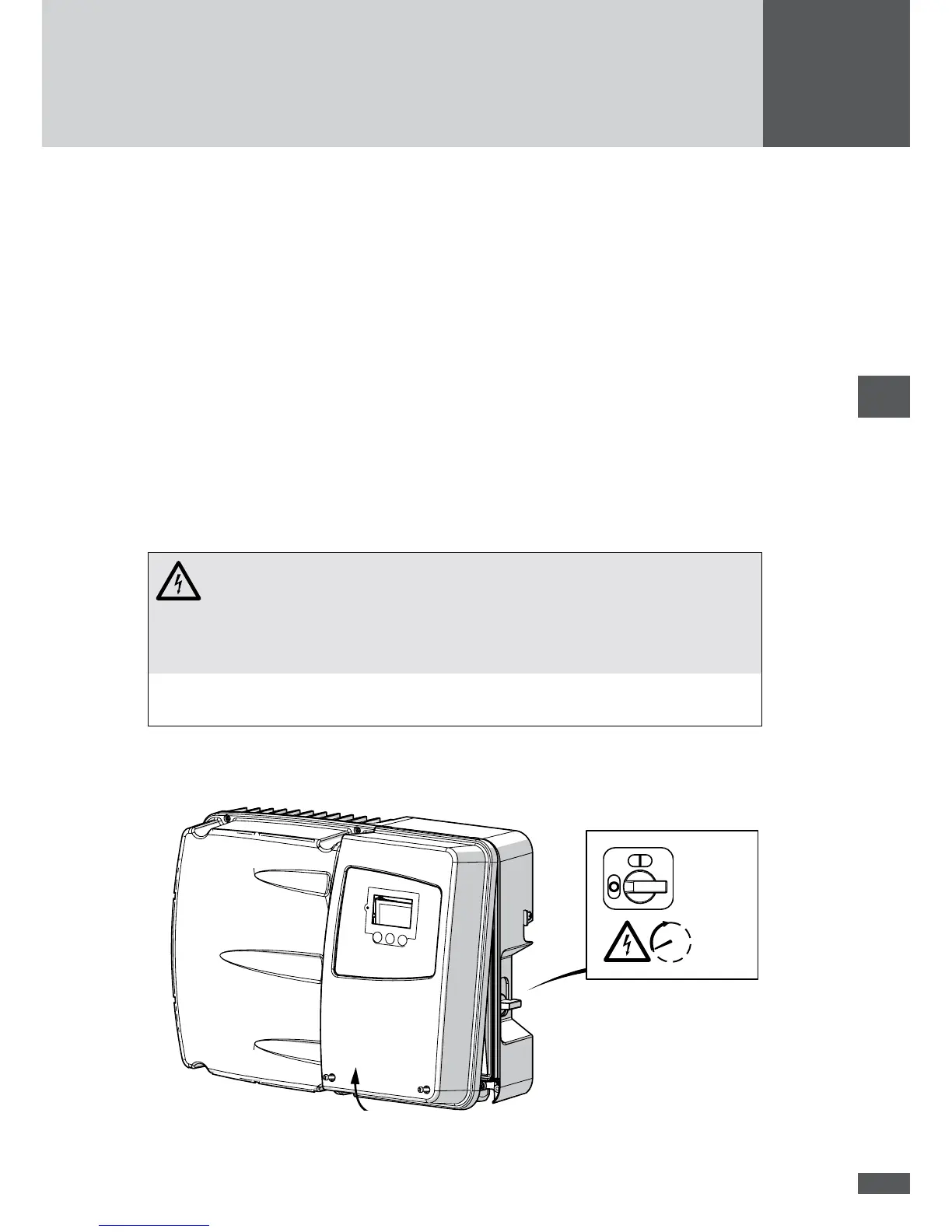
5.1.1 Removing the cover
Once the cover is removed, the low voltage and communication terminals are accessible.
Procedure
1. Disconnect the AC power supply to the inverter.
2. Disconnect all control cables connected to the inverter (status relays, external grid
monitoring and shut-down).
3. Switch off the DC disconnector at the inverter.
DANGER!
Fatal electric shock hazard!
Components within the inverter are charged with a high voltage. After the
inverter has been disconnected, high residual voltages remain in the inverter
for approx. 5 minutes.
Wait 5 minutes until the voltages inside the inverter have reduced before
removing the cover and carrying out connection work.
4. Loosen the two M5 screws at the bottom of the cover.
5. Remove the cover by gripping it at the bottom and pulling it away.
5 min



 To Next Page