90
Setting Description
2 Tracker The inverter has been congured for dual tracking mode operation. The
DC bridges have been removed from the inverter.
5. Conrm that the DC bridges have been tted (for "1 Tracker" setting) or that the DC
bridges have been removed (for "2 Tracker" setting).
Note
If you select the "2 Tracker" setting while the DC bridges are still in place
in the inverter, you must abort the start-up at this point.
Open the inverter as described in Section 5.1 in order to remove the DC
bridges as per Section 5.4.
You can then carry out the initial start-up.
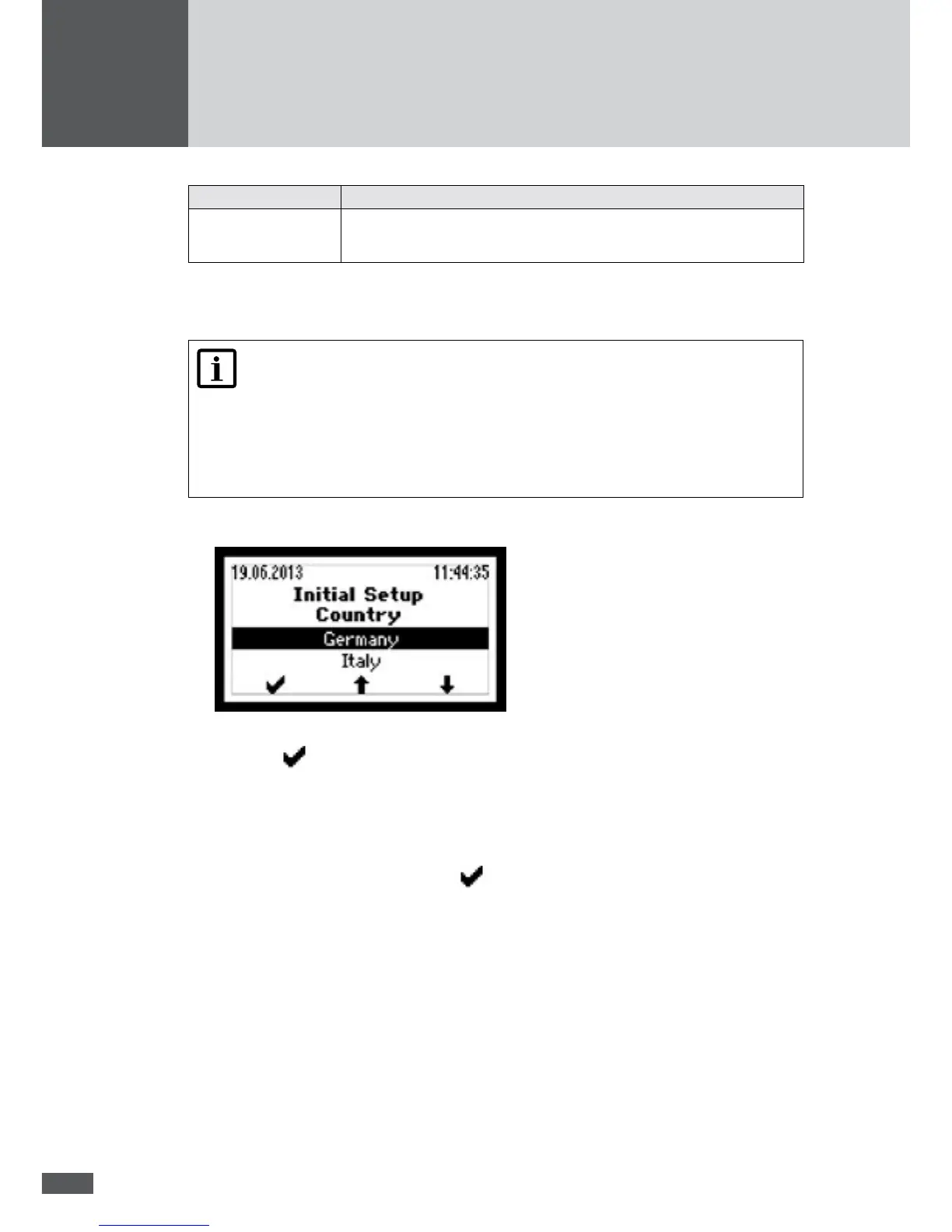
– The "Country" menu will be displayed:
6. Select the correct country setting.
– Press
to conrm your entry.
– Depending on the country setting selected, additional menus may be displayed
(see Section 6.2.3).
– The "Conrmation" menu is then displayed.
7. Check the data in the "Conrmation" menu.
8. To complete initial start-up, press
.
– The main menu will then be displayed (see section 7.4).
– Should commissioning be taking place in Italy, the auto-test must be carried out
after the initial start-up (see Section 6.3).
6.2.3 Description of country-specic menus
Depending on the country setting, additional menus will be displayed during initial start-
up. This section describes these menus.



 To Next Page