Need help?
Do you have a question about the Sollatek JEA Series and is the answer not in the manual?
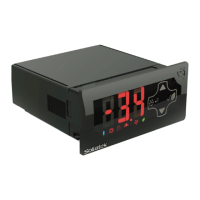
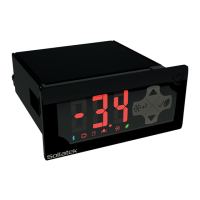
Details the front panel of the JEA controller with its display and icons.
Describes the front panel of the JEA controller that does not feature a display.
Explains the various input and output connectors located on the rear of the JEA unit.
Provides the physical dimensions and panel cut-out requirements for installing the JEA.
Details the procedures for securely mounting the JEA unit onto a panel.
Covers the necessary wiring instructions for output and input connections to the JEA.
Provides a general overview of the JEA controller's operational modes and functions.
Explains the differences and functionality between Day and Night operating modes.
Details the three different temperature settings applicable in Day or Night modes.
Describes the defrost mode, including standard defrost and post-defrost operations.
Explains the Winter mode operation for cold environments and its associated heater function.
Discusses how the JEA maximizes energy savings through features like door tracking.
Details the JEA's self-learning capabilities for optimizing cooler operation based on usage patterns.
Explains protective delays like Temperature Blind Time and Voltage Blind Time.
Covers safety features such as Door Lock and Cooler Lockout modes.
Describes connectivity options like Bluetooth, GSM, and external displays.
Outlines the step-by-step process initiated when the JEA is connected to mains power.
Lists the upper case, lower case, and numeral characters used on the JEA display.
Details the functions of the JEA front display, including button operations and modes.
Explains how to use the Sollatek Smart device app for controller management and data analysis.
Covers the installation, login, and navigation of the JEA Interface software.
Configures the type and connection port for various probes used by the JEA.
Defines set points for cut-in and cut-out temperatures for different modes and day/night settings.
Configures defrost parameters like timer type, duration, and temperature thresholds.
Sets up high and low voltage protection features and blind times for the JEA.
Configures various time delays and timers for compressor operation and system functions.
Manages condenser temperature thresholds and differentials for system protection.
Configures how the lights operate based on logic, mode switching, and door status.
Sets parameters for door open alarms, switch malfunctions, and fan behavior during door events.
Controls the functionality of the power ON/OFF button on the JEA display.
Configures the initial pull-down temperature and timing for starting up the cooler.
Manages evaporator fan operation, duty cycles, and override conditions.
Configures the Winter mode for cold environments, including heater activation.
Adjusts set points based on ambient temperature conditions for energy saving.
Manages settings for the learning algorithm, specifically door operating duration.
Enables and configures energy-saving features, including switching to Night Mode.
Configures communication port and display port settings for the JEA.
Sets up cooler lockout features based on temperature thresholds and duration.
Details the procedure for updating JEA firmware using the SPP03 programmer tool.
Explains how to update JEA firmware wirelessly via the Sollatek smart device app.
Provides instructions for updating firmware via the app, specifically for Bluetooth connectivity.
Describes symptoms and behavior when the regulation probe fails.
Details issues and system responses when the evaporator probe fails.
Explains the impact and indicators of a condenser probe failure.
Covers failures related to the ambient sensor and their effect on set points.
Describes the alarm triggered when the door is open beyond the set delay.
Details issues arising from door switch failures or malfunctions.
Explains the system response to condenser over-temperature conditions.
Describes system behavior when the condenser temperature is too low.
Covers system response to ambient over-temperature conditions.
Details system behavior when ambient temperature is too low.
Describes the conditions and operation during refrigeration failure mode.
Explains the cooler lockout mode triggered by prolonged over-temperature.
Details how power cut events are logged and flagged as alarms.
 General
| Brand | Sollatek |
|---|---|
| Model | JEA Series |
| Category | Temperature Controller |
| Language | English |

 To Next Page