Working Instruction, Mechanical
3/000 21-1/FEA 209 544/108 B
© Sony Ericsson Mobile Communications AB
13(53)
2.1.6 LCD
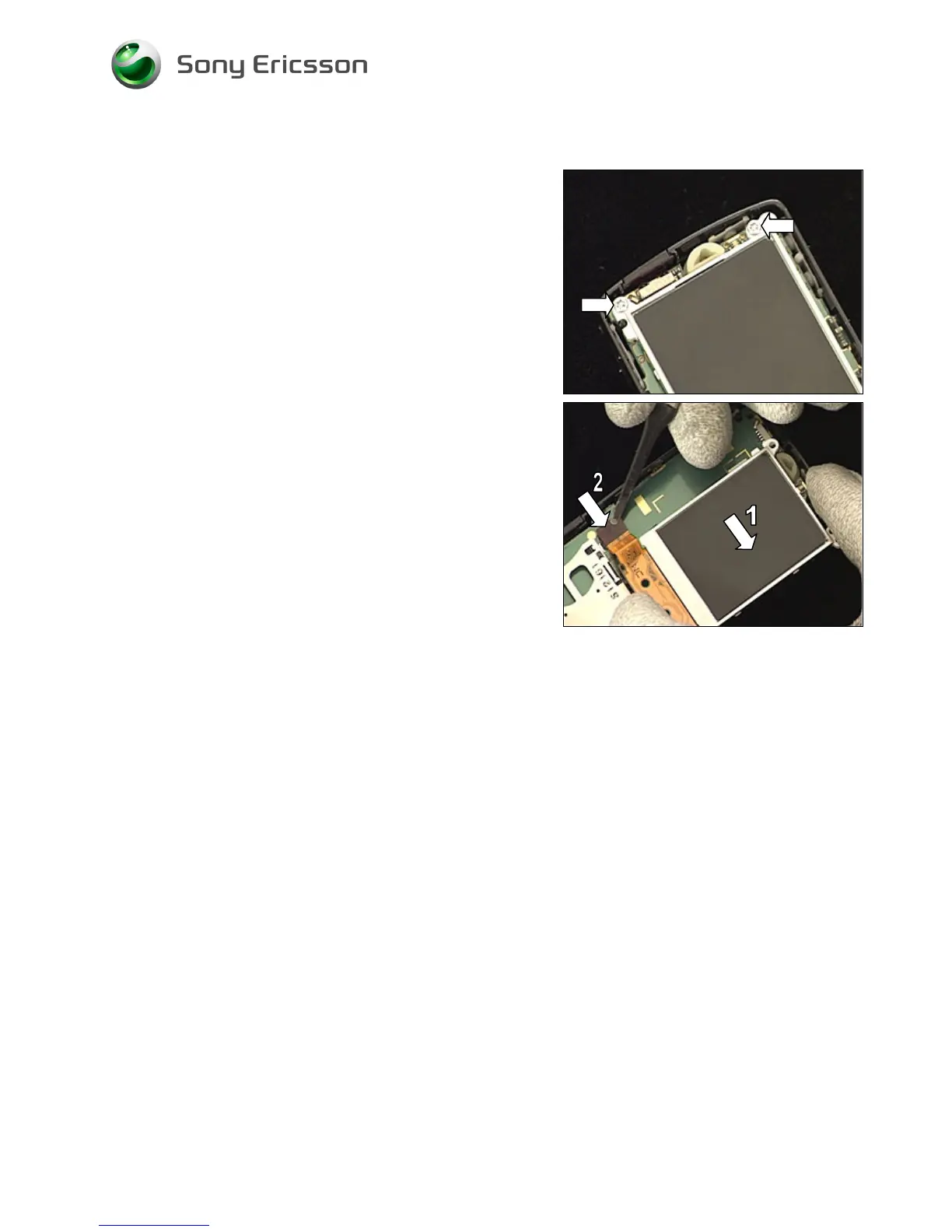
Remove the two screws by using torx bit no. 6.
REMOVED SCREWS CANNOT BE REUSED!
Move the LCD (1) slightly to the right to get access to the
board-to-board connector (2).
Disconnect the camera flex film board-to-board connector
by lifting it upwards with the ‘flex film assembly tool’ and
remove the LCD.














 To Next Page