Working Instruction, Mechanical
3/000 21-1/FEA 209 544/108 B
© Sony Ericsson Mobile Communications AB
52(53)
4.1.7 Battery & Battery Cover
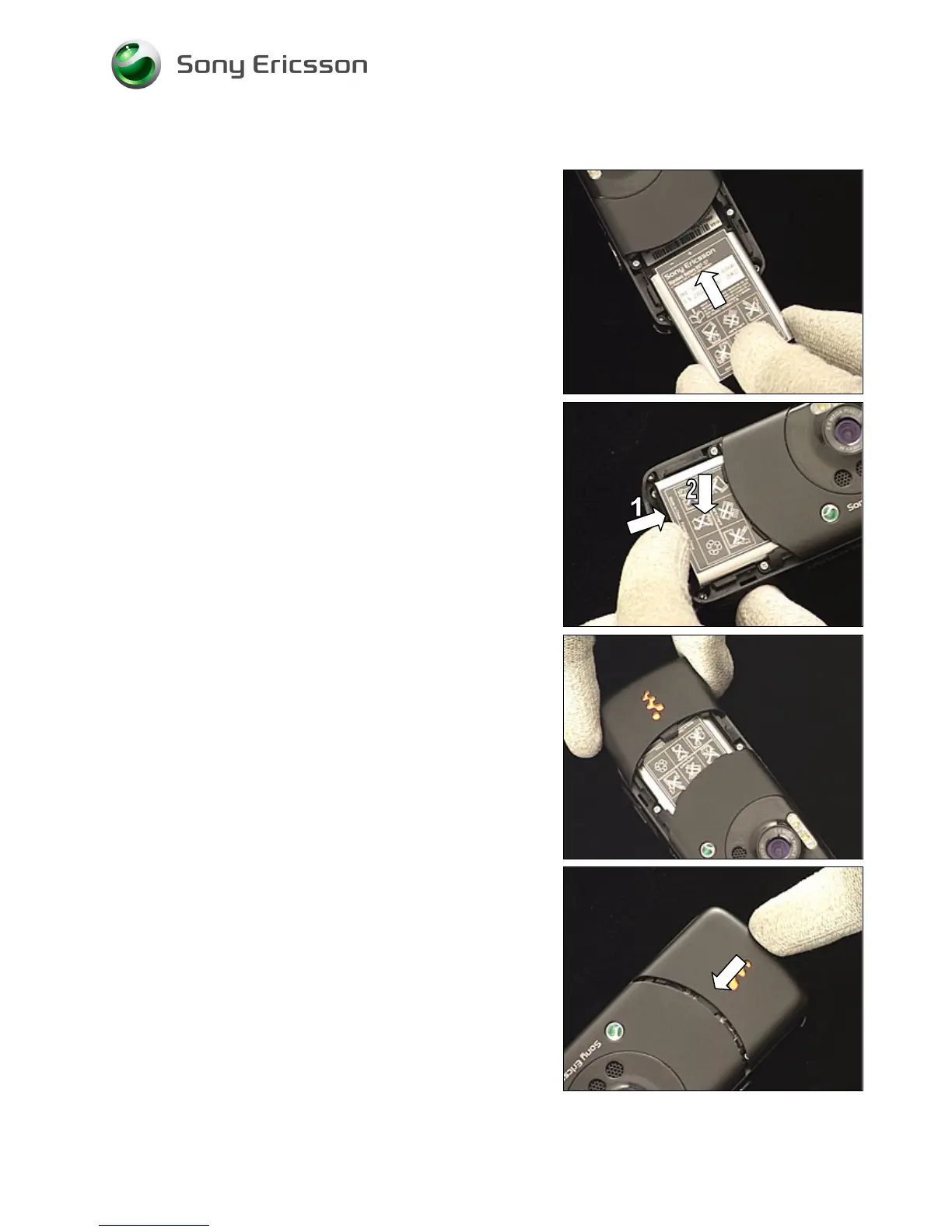
Slide the battery into its compartment.
Press inwards (1) and at the same time downwards (2) to
secure the battery position.
Place the battery cover at the bottom of the phone …
and slide it towards the top of the phone until it is latched.















 To Next Page