Working Instruction, Mechanical
3/000 21-1/FEA 209 544/108 B
© Sony Ericsson Mobile Communications AB
8(53)
2.1.2 Antenna Cover
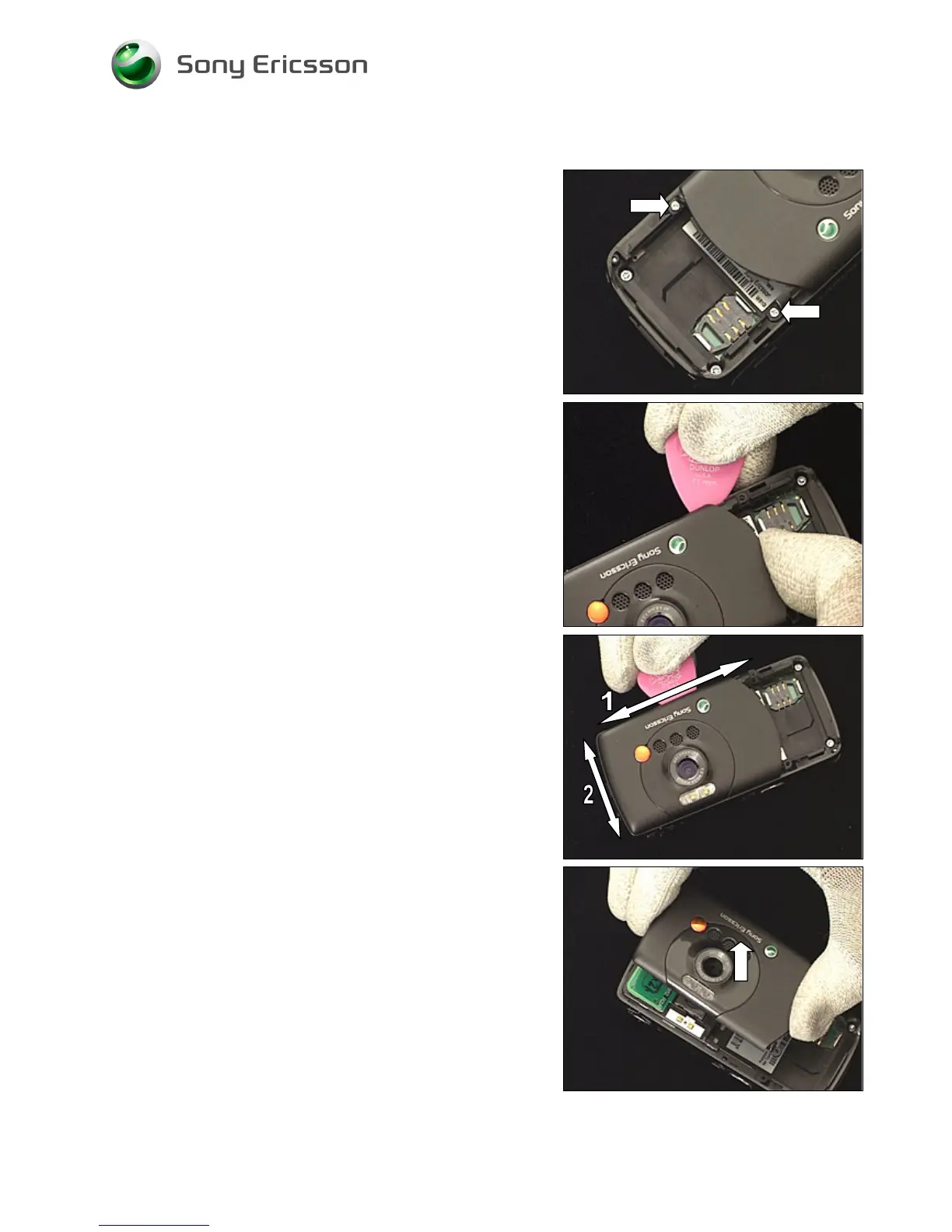
Remove the two screws by using the Phillips bit.
REMOVED SCREWS CANNOT BE REUSED!
Insert the guitar pick as shown here.
To open up the gap, use your thumb to bend the antenna
cover upwards.
Gently slide the guitar pick along the side (1) until that side
of the antenna cover is released.
Then do the corresponding at the top (2).
Gently wiggle the antenna cover to release it completely
and remove it by lifting straight up.














 To Next Page