Working Instruction, Mechanical
3/000 21-1/FEA 209 544/108 B
© Sony Ericsson Mobile Communications AB
22(53)
3.10 Camera Flex
Follow the 2.1.1 – 2.1.7 Disassembly instructions!
Remove the camera as described in 3.7!
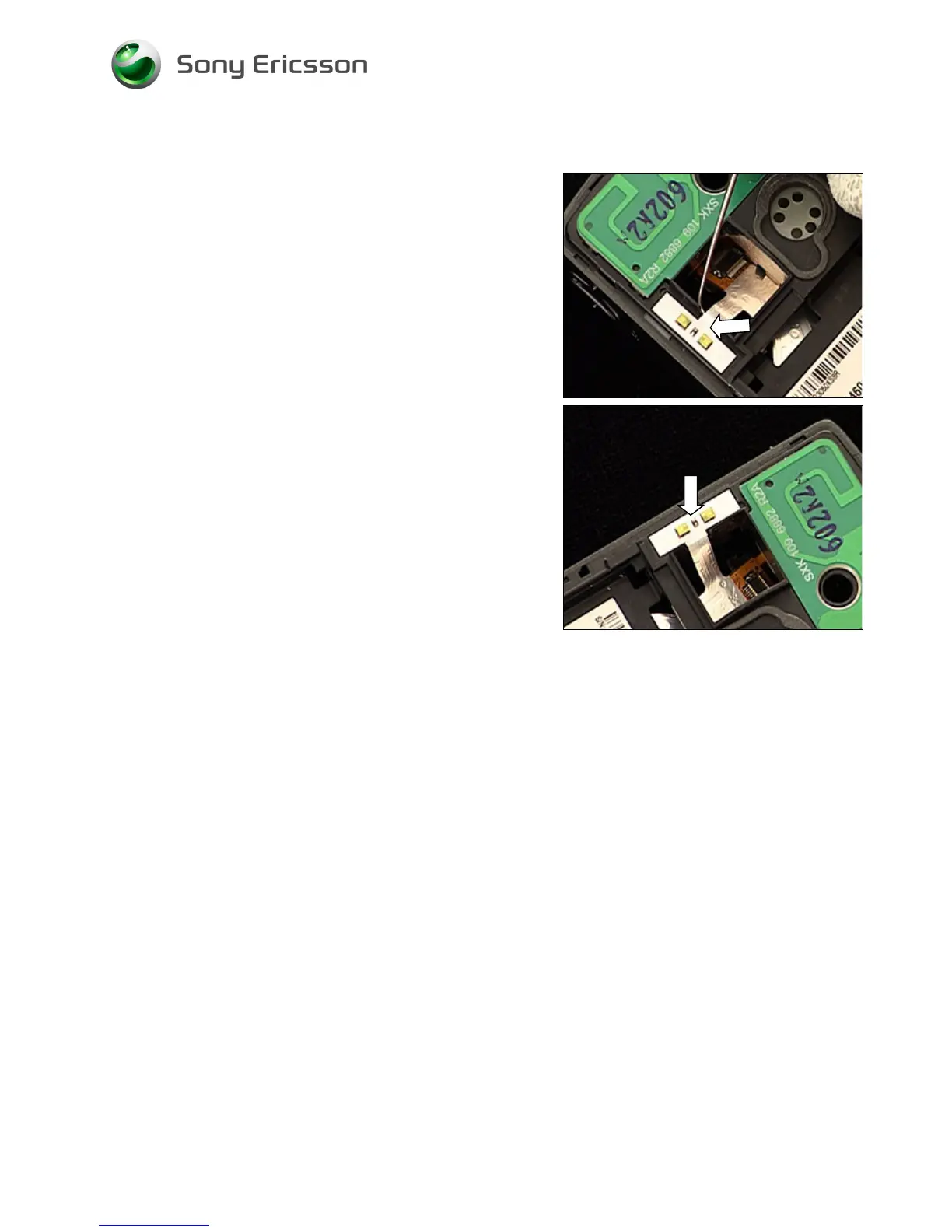
Gently bend with the dentist hook under the Flash LEDs of
the camera flex until it becomes loose and can be removed
down through the camera hole.
CLEAN THE SURFACE OF THE FRAME WITH ISOPROPYL
ALCOHOL
!
Attach new adhesives on the frame!
Gently slide the Flash LED part of the camera flex up
through the camera hole and attach the Flash LEDs of the
camera flex to the frame.
Install the camera as described in 3.7!
Follow the 4.1.1 – 4.1.7 Reassembly instructions!














 To Next Page