Working Instruction, Mechanical
3/000 21-1/FEA 209 544/108 B
© Sony Ericsson Mobile Communications AB
46(53)
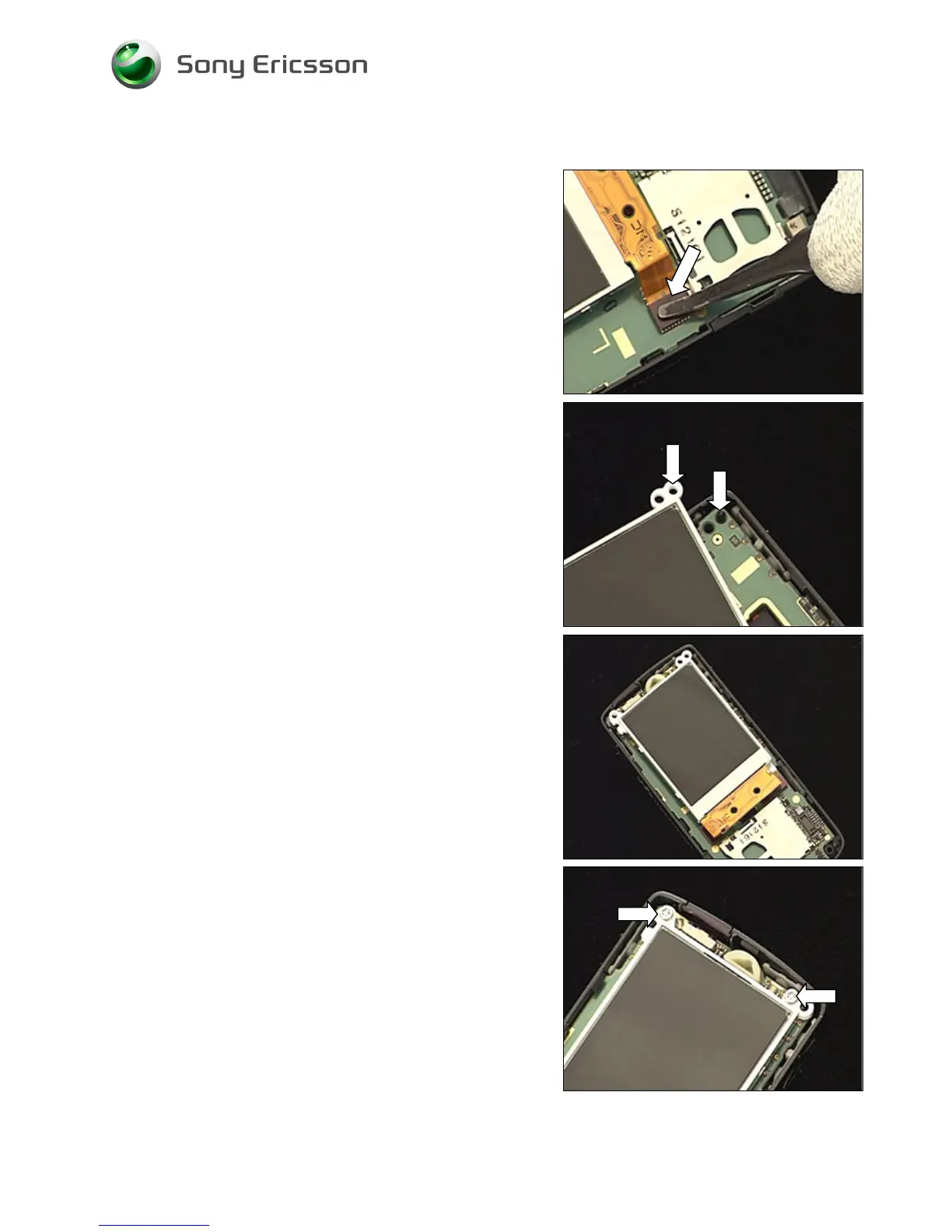
4.1.2 LCD
Connect the flex film board-to-board connector to
the PBA with your fingers or with the ‘flex film assembly
tool’.
There is a guiding peg on the frame and a guiding hole on
the LCD.
Place the LCD on the PBA like this.
Apply 18 Ncm torque to tighten two new T6 screws.














 To Next Page