Working Instruction, Mechanical
3/000 21-1/FEA 209 544/108 B
© Sony Ericsson Mobile Communications AB
20(53)
3.9 Speaker Box
Follow the 2.1.1 – 2.1.7 Disassembly instructions!
Remove the camera as described in 3.7!
Remove the antenna as described in 3.8!
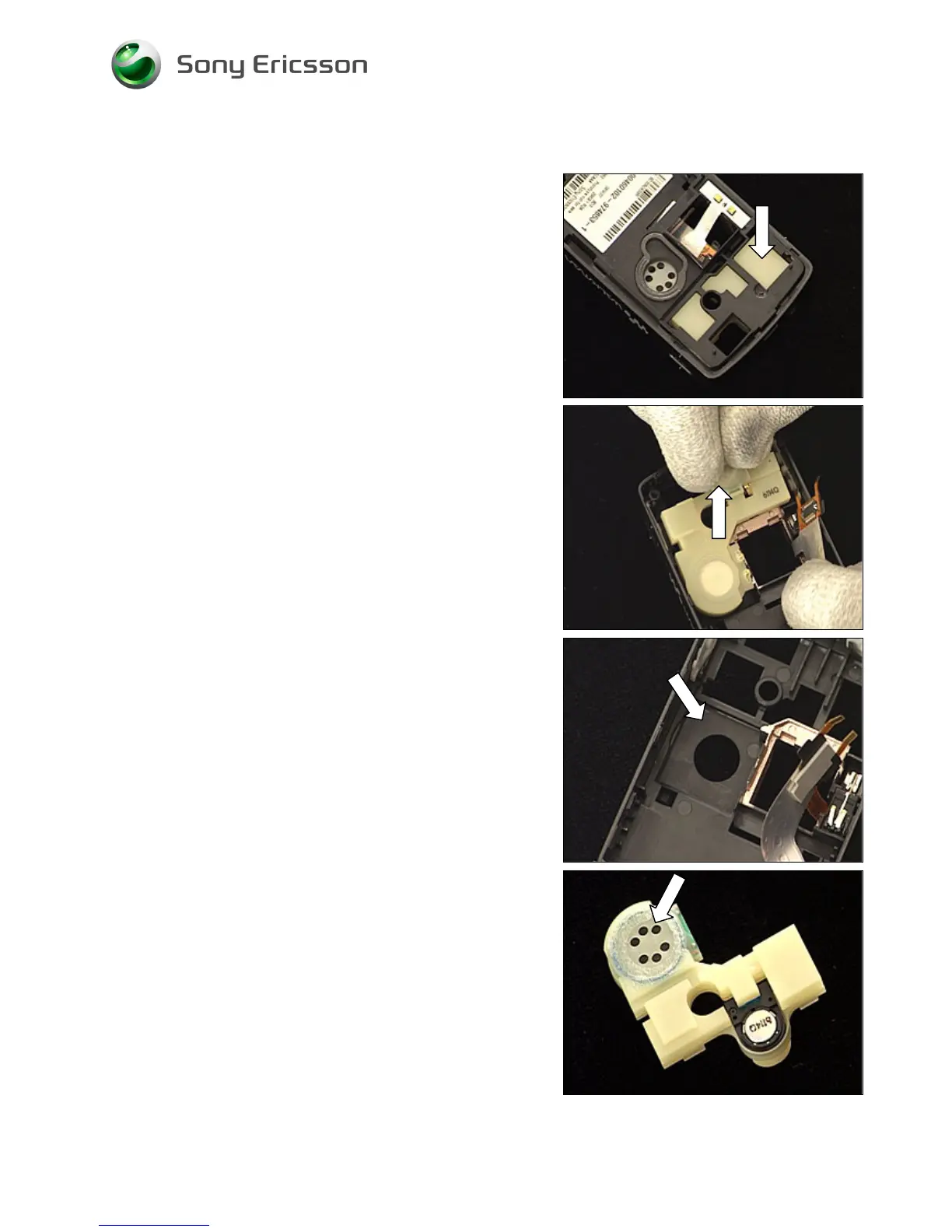
Press with your finger as indicated by the arrow until the
speaker box starts getting loose from the frame.
Gently pull the speaker box out of the frame until it can be
removed.
CLEAN THE SURFACE OF THE SPEAKER CAVITY WITH
ISOPROPYL ALCOHOL!
Peel off the protection foil (new speaker box only)














 To Next Page