1-40
DNW-A220
DNW-A220P
1-13. Power Protection
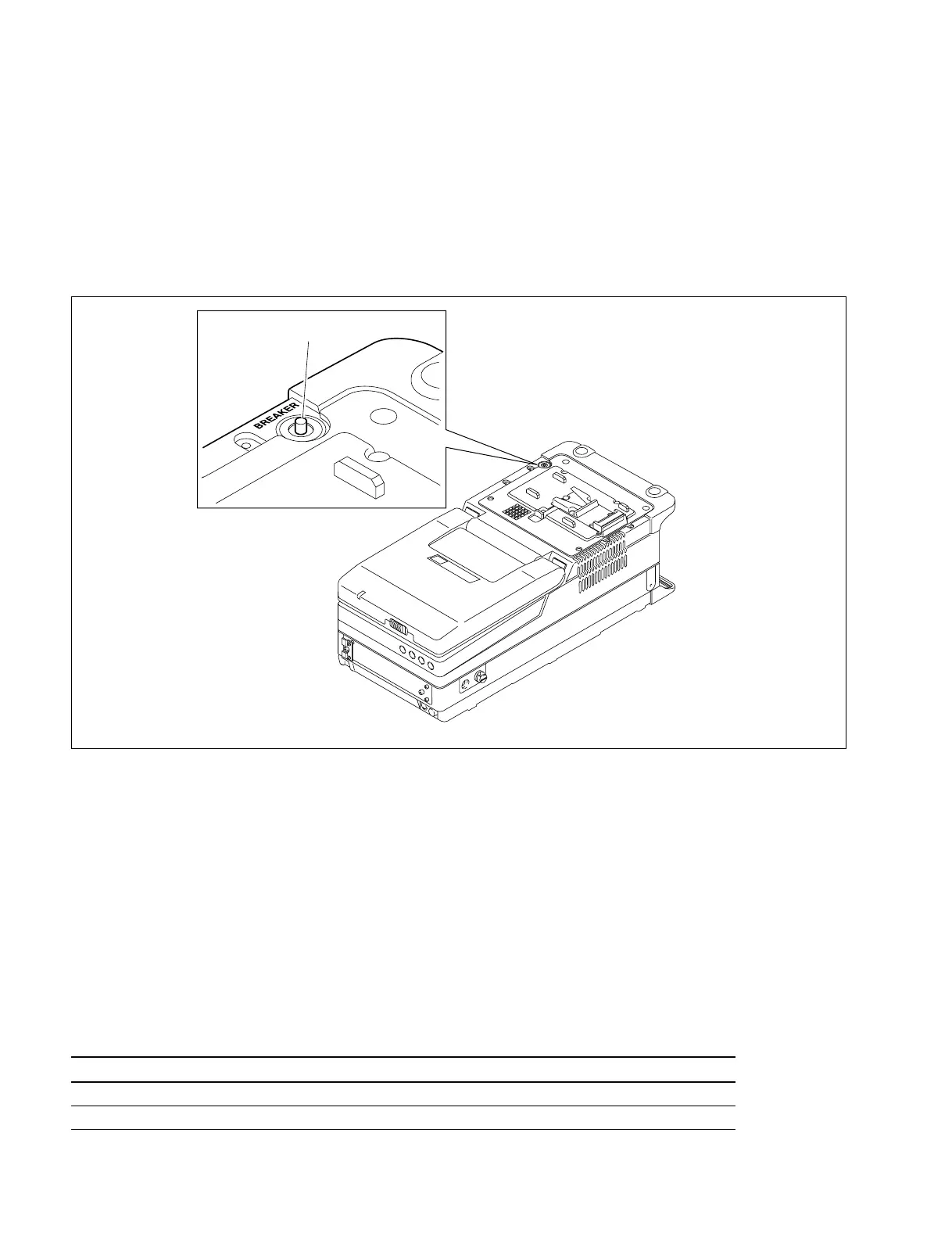
1-13-1. Reset of Breaker
Overcurrent in the internal circuitry will trip the circuit breaker. If the breaker trips once, turn off the
power and check the circuit for overcurrent. Before turning off the power, be sure to disconnect the cable
connected at the DC IN connector or the battery, in addition to turning off the power switch.
Press the breaker reset button shown in the figure and the power to the unit will be turned on.
1-13-2. Information on IC Link
The unit is equipped with two IC links. One is F1 on the FL-251 board, and the other is PS600 on the CP-
317 board. F1 on the FL-251 board will blow when the overcurrent flows because of internal circuit
failure. PS600 on the CP-317 board will blow by overcurrent when an equipment connected at the DC
OUT connector fails. If some IC link blows, turn off the power and check the circuit for overcurrent.
Before turning off the power, be sure to disconnect the cable connected at the DC IN connector or the
battery, in addition to turning off the power switch.
When replacing, be sure to use the specified part.
w
The IC links are critical for safe operation. Be sure to replace them with the specified parts to avoid the
danger of a fire or electric shock.
Board Ref.No. Description Part No.
FL-251 F1 IC LINK 0.4 A ! 1-576-122-21
CP-317 PS600 IC LINK 2 A ! 1-533-282-21
1-13. Power Protection
Breaker reset button



 To Next Page