3-15
DNW-A220
DNW-A220P
C000 : CASSETTE SW
This submenu checks the functions of cassette tab sensors and REC inhibit sensors
(switches).
(1) Press each sensor (switch) with fingers.
. Confirm that “0” below the corresponding switch number changes to “1”.
(2) Release the fingers.
. Confirm that “1” below the corresponding switch number returns to “0”.
(3) Push the MENU button when terminating the check.
In case of NG
When cassette tab sensors (1 to 6) are NG
. Check the corresponding sensor (S400 to S405) on the SV-194 board.
. Check the sensor input port of CPU (IC401 on the SV-194board).
When REC inhibit sensor (7) is NG
. Check the sensor (S406) on the SV-194 board.
. Check the sensor input port of CPU (IC401 on the SV-194 board).
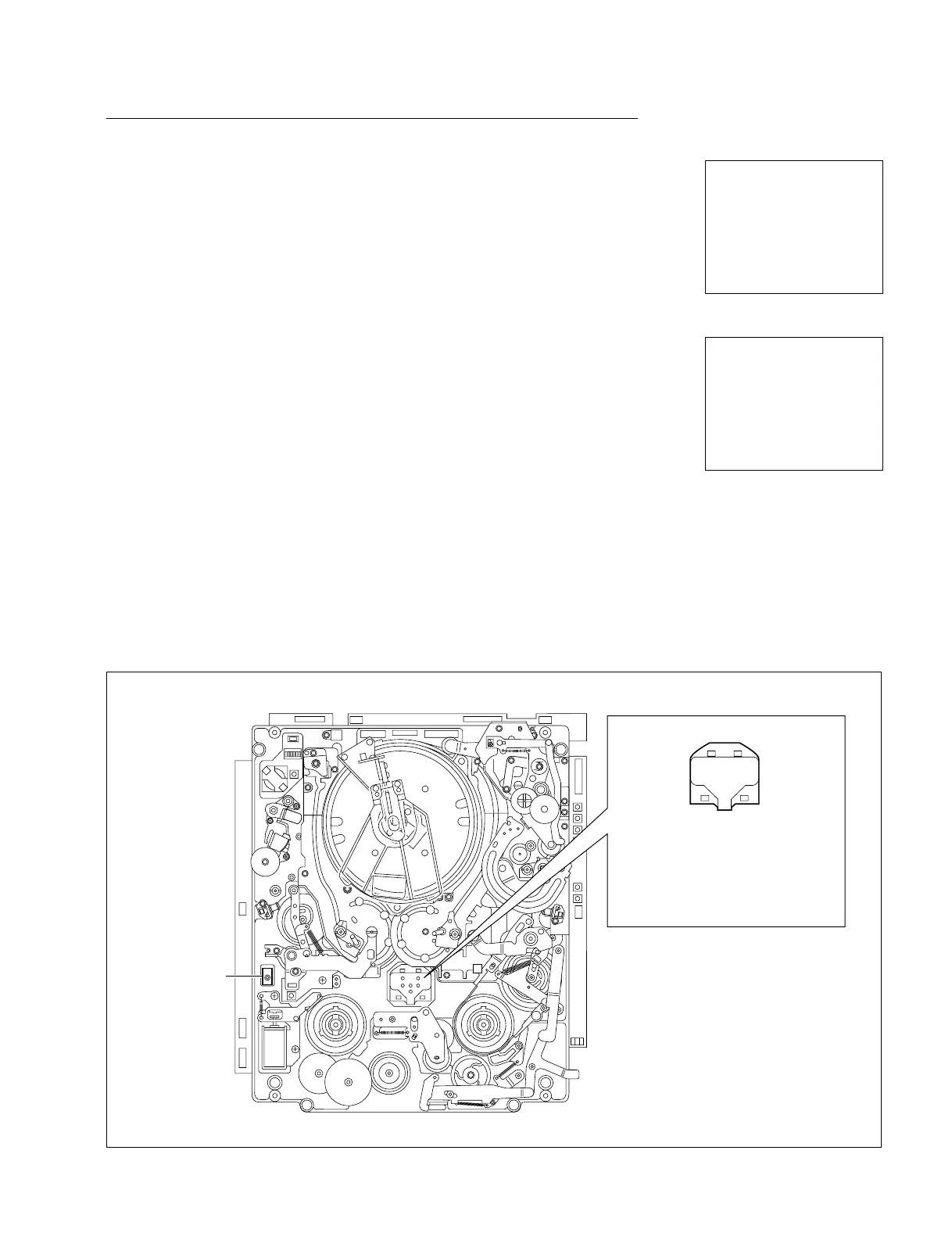
Locations of Sensors (Switches)
3-2. TAPE Maintenance Mode (M0)
3-2-2. SERVO CHECK Mode (C0)
INPUT CHECK
C000:CASSETTE SW
1:REEL HUB 2:METAL/OX
3:THICKNESS 4:SPARE
5:SPARE 6:DGTL/ANLG
7:S REC INH
7 1 3
SW 7654321 425
0000000 6
INPUT CHECK
C000:CASSETTE SW
1:REEL HUB 2:METAL/OX
3:THICKNESS 4:SPARE
5:SPARE 6:DGTL/ANLG
7:S REC INH
7 1 3
SW 7654321 425
1000000 6
(Ex.: When pushing the switch 7)
REC
INHIBIT
SENSOR
7
1 Reel hub sensor
2 Metal/oxide tape sensor
3 Tape thickness sensor
4 Spare sensor 2
5 Spare sensor 1
6 Degital/analog tape sensor
1
42
6
3
5
Cassette tab sensors



 To Next Page