3-22
DNW-A220
DNW-A220P
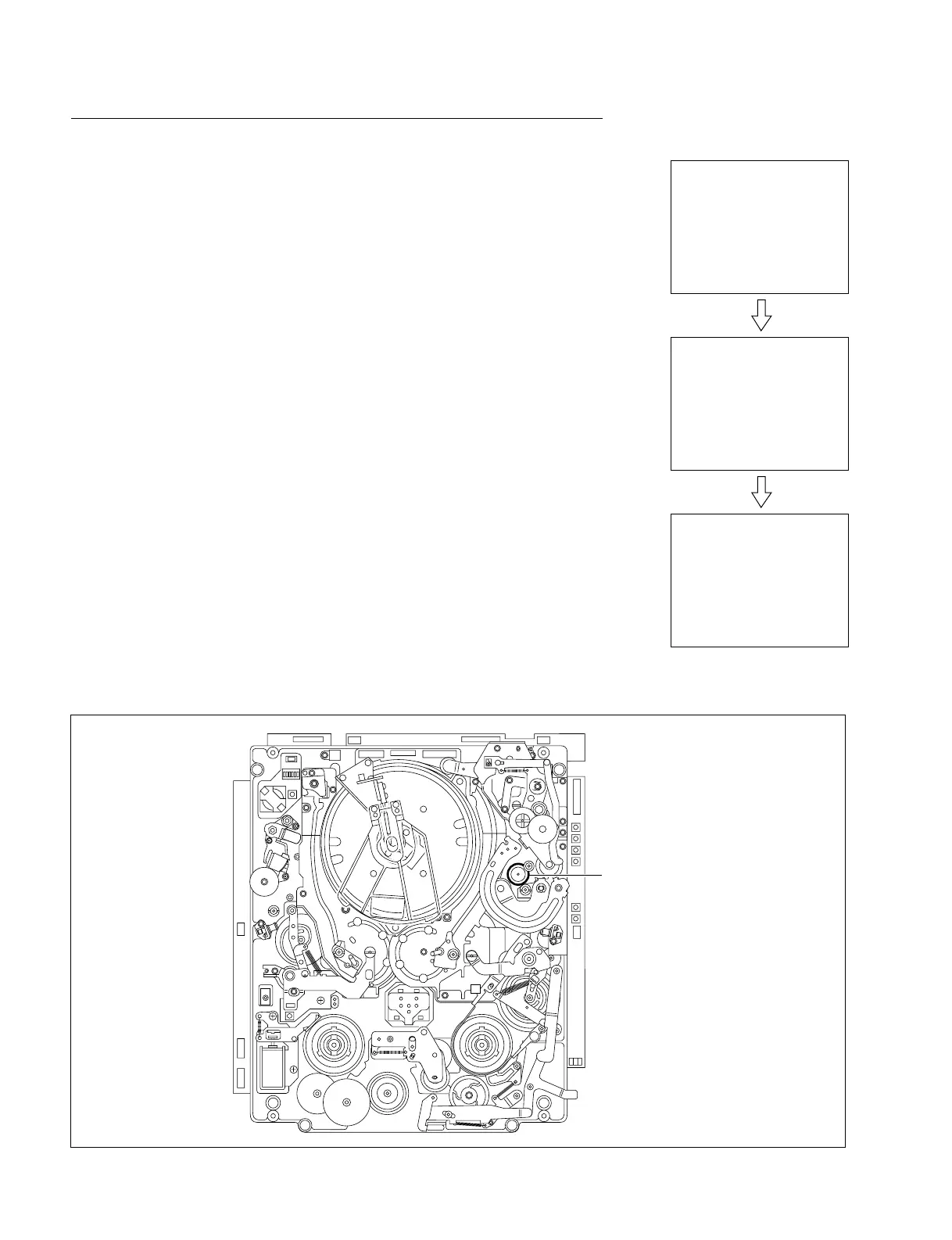
C012 : CAPSTAN MOTOR
This menu checks the function of a capstan motor.
(1) Push the SET button.
. Confirm that the capstan shaft rotates in the forward (3) direction.
. Confirm that message “FORWARD....OK” is displayed on the LCD monitor
and that the capstan shaft stops.
(2) Push the SET button again.
. Confirm that the capstan shaft rotates in the reverse (2) direction.
. Confirm that message “REVERSE....OK” is displayed on the LCD monitor
and that the capstan shaft stops.
(3) Push the MENU button when terminating the check.
In case of NG
. Confirm that no mechanical abnormality exists.
. Check the capstan motor drive circuit (on the SV-194 board).
. Check the FG output from a capstan motor.
. Check the capstan FG shaping circuit (on the SV-194 board).
. Check each circuit that processes the capstan FG on the SV-194 board.
. Check the capstan motor.
Location of Capstan Shaft
3-2. TAPE Maintenance Mode (M0)
3-2-2. SERVO CHECK Mode (C0)
MOTOR CHECK
C012:CAPSTAN MOTOR
MOTOR CHECK
C012:CAPSTAN MOTOR
FORWARD....
MOTOR CHECK
C012:CAPSTAN MOTOR
FORWARD....OK
[SET]
After about 10 sec.
Capstan motor



 To Next Page