97
Data Send [A –> B/B –> A]
The camera settings can be copied between the two
memory banks.
How to copy
The following is an example for copying the settings in
memory bank A to memory bank B:
1 Select A –> B in the menu.
2 Press the MENU button and erase the menu.
3 Press the DATA UP button and the DATA DOWN
buttons at the same time.
If you save (and protect) the master settings in memory bank
A, you can use them later when resetting memory bank B.
To activate the copied settings, switch to a different
memory bank (Mem. Bank A or B)
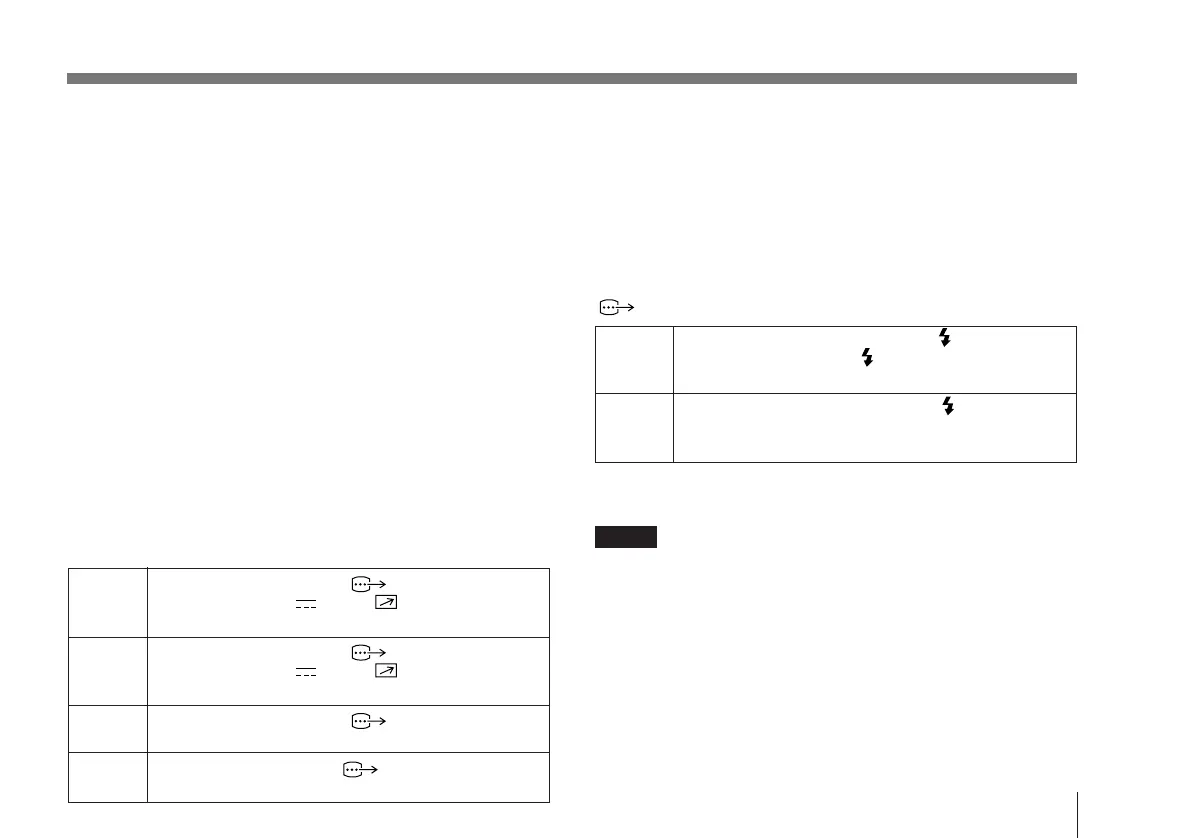
D-sub out [VBS/YC, RGB/Comp]
This allows you to select the output signal format.
VBS Changes the output of the RGB/SYNC
connector and the DC IN/ REMOTE
connector (when using a CMA-D2MD) to VBS output.
YC Changes the output of the RGB/SYNC
connector and the DC IN/ REMOTE
connector (when using a CMA-D2MD) to Y/C output.
RGB Changes the output of the RGB/SYNC
connector and the CCU connector to RGB output.
Comp Changes the output of the RGB/SYNC connector
and the CCU connector to component output.
Baud Rate [9600/4800/2400/1200]
Changes the baud rate of the REMOTE connector.
Use a baud rate of 9600 when an RM-C950 is connected.
Flash [off/master/slave]
Select this mode when using a flash. If you connect to a
printer or external frame memory and synchronize it with a
WEN pulse, you can shoot the image at the time of the
flash. The WEN pulse is output from the RGB/SYNC
connector.
master You can connect a flash unit to the FLASH
connector. Pressing the FLASH button outputs a
WEN pulse, and a flash is emitted.
slave You can connect a slave unit to the FLASH
connector. The slave unit detects the flash and a
WEN pulse is output.
For connecting a flash unit or a slave unit, see “Connecting
to a Flash Unit” on page 83.
Notes
• The camera enters frame accumulation mode and the color
temperature is set to 5600K when in the flash mode. The
electronic shutter cannot be used in accumulation mode.
• If you increase the gain on the “1. Exposure Setup” menu
(page 1), the level becomes 0 dB as soon as the flash goes off.
For details, see the “Flash timing chart” on page 98.
• When in the flash mode, the RGB/SYNC connector
automatically switches to the following settings:
SYNC n WEN
G sync n ON
If you set the flash mode to OFF, the G sync will remain
set to ON.



 To Next Page