8
HCD-M90
Ver 1.4
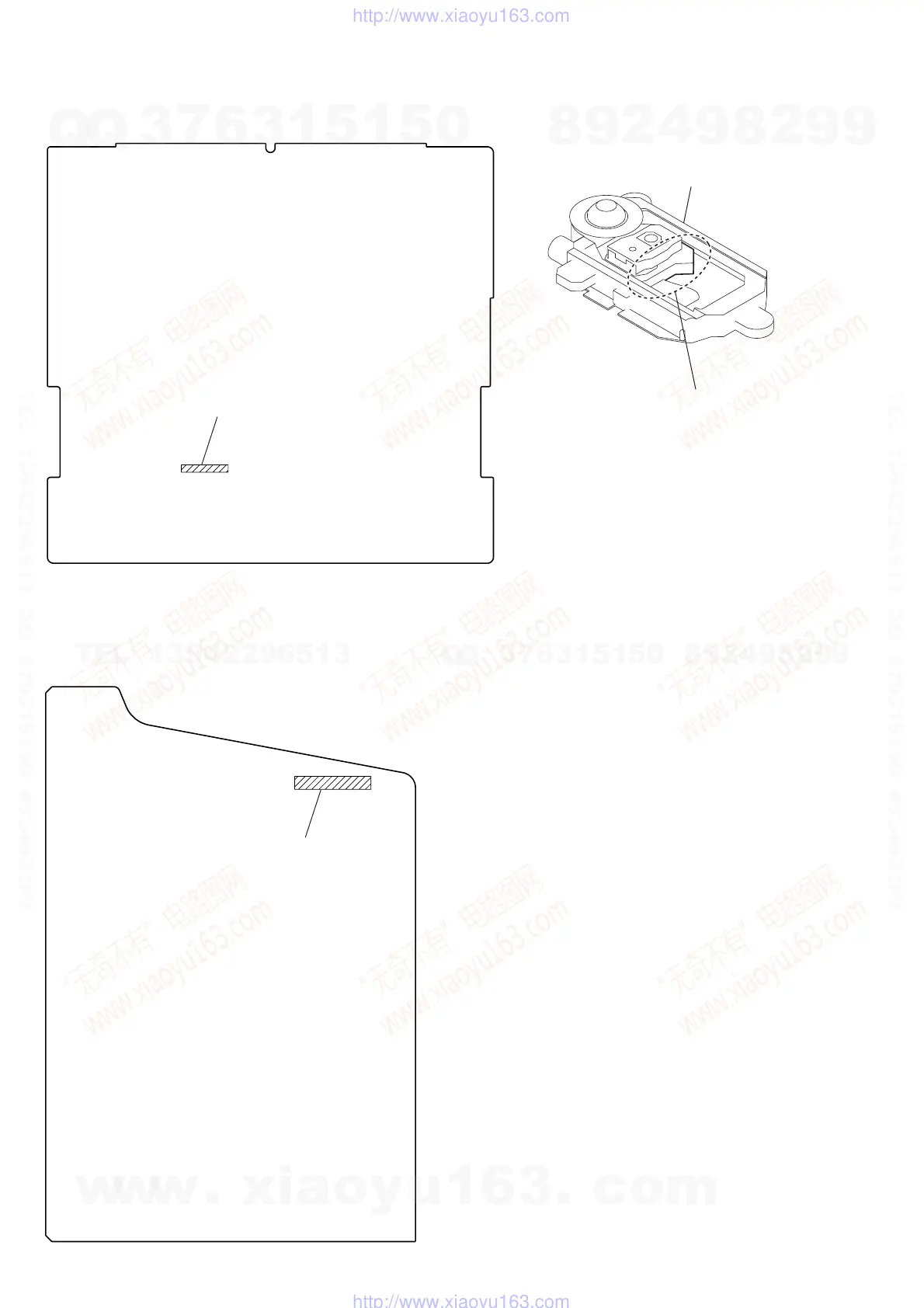
– SWITCH BOARD (Component Side) –
Former : 1-685-426-11
New : 1-685-426-12
– POWER BOARD (Component Side) –
Former : 1-685-429-11
New : 1-685-429-12, -21
SILVER: KHM-240AAA (TYPE A)
BLACK: KHM-270AAA (TYPE B)
optical device
TYPE A/B DISCRIMINATION
NOTE OF REPLACING THE DVD BOARD
When replacing the DVD board, since the adjustment value is not
set up correctly, “Drive Auto Adjustment” can’t be performed.
In this case, initialize Memory in the following procedures.
Procedure:
1. Set the test mode. (See page 18)
2. Press the
[2] key of the remote commander, and set the “DRIVE
MANUAL OPERATION”. (See page 23)
3. Press the [6] key of the remote commander, and set the “2-6,
Memory Check”. (See page 25)
4. Press the [CLEAR] key of the remote commander, and initial-
ize Memory.
w
w
w
.
x
i
a
o
y
u
1
6
3
.
c
o
m
Q
Q
3
7
6
3
1
5
1
5
0
9
9
2
8
9
4
2
9
8
T
E
L
1
3
9
4
2
2
9
6
5
1
3
9
9
2
8
9
4
2
9
8
0
5
1
5
1
3
6
7
3
Q
Q
TEL 13942296513 QQ 376315150 892498299
TEL 13942296513 QQ 376315150 892498299
http://www.xiaoyu163.com
http://www.xiaoyu163.com







 To Next Page